3Dimensions System User Guide
Chapter 6: Images
Page 80 MAN-05085-002 Revision 002
DRAFT Preview Copy-Generated May 30, 2018
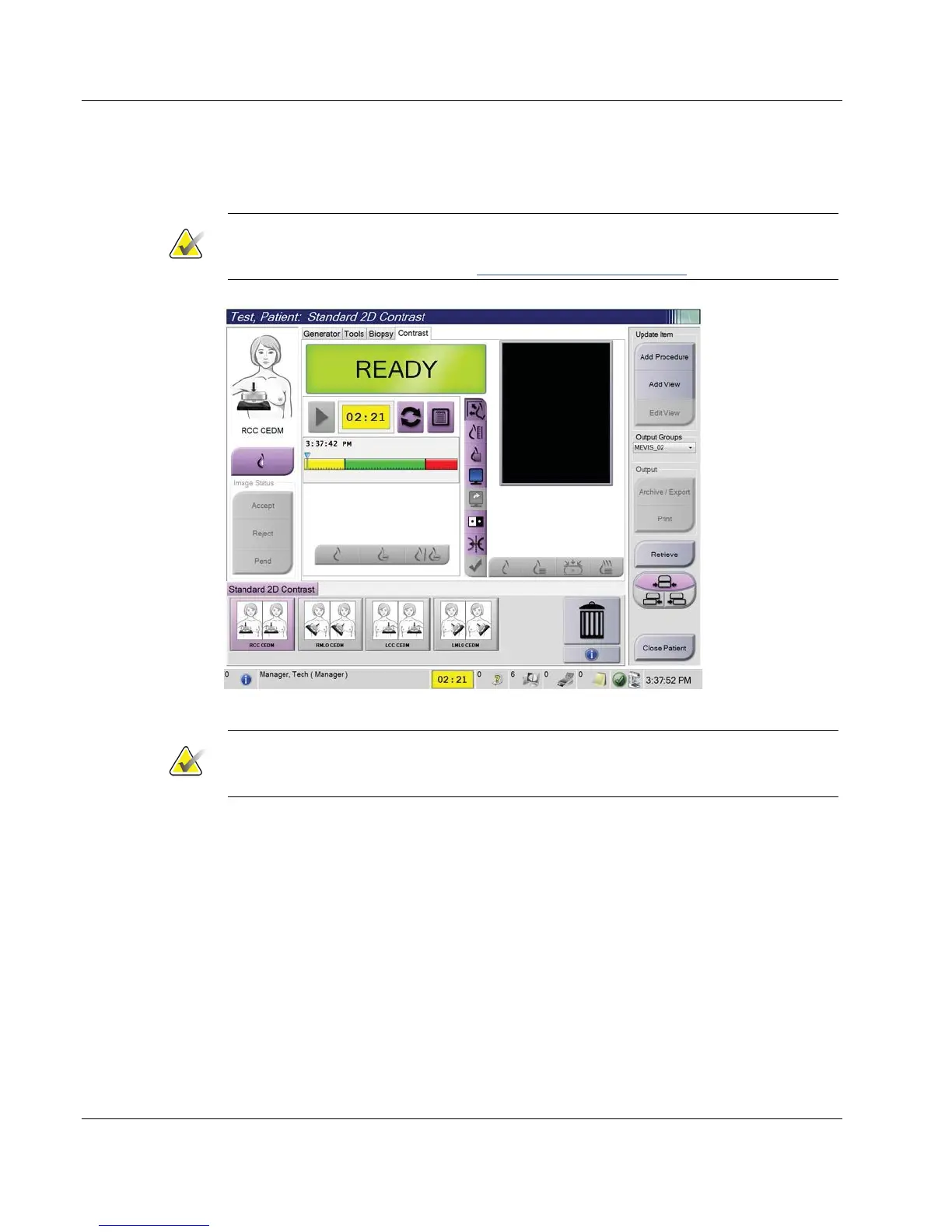
3. To begin the contrast dose and start the timer, select the Start (arrow) button.
The timer begins in the Waiting Period, which appears with a yellow background.
Note
You can adjust the default length of time for the Waiting Period and Optimal Imaging
Period phases of the timer. Refer to How to Set the Contrast Defaults on page 119
.
Figure 51: I-View 2D Contrast Screen, Waiting Period
Note
The timer function does not allow you to stop the timer, only to start and reset it. The
timer stops only when you exit the patient procedures.
After the Waiting Period, the timer begins the Optimal Imaging Period, which
appears with a green background.













 To Next Page