Fluent Pro Fluid Management System
6 Introduction English
1.3.3.2.1 Touchscreen User Interface
Use the Touchscreen User Interface to configure and view system information, set the deficit
limit, prime the system, and make other adjustments as needed. The Touchscreen prompts
perform initial setup tasks (such as Hang Fluid Bag) and displays when the task has been
completed.
1.3.3.2.2 Touchscreen Notifications, Alerts and Faults
The Touchscreen User Interface displays notifications, alerts and faults. The system continues to
run when notifications are displayed, pauses when an alert is displayed, and requires a system
restart when a fault is displayed. For a list of notifications, and alerts along with troubleshooting
refer to Section 5.3.10.
1.3.3.3 Touchscreen Icons
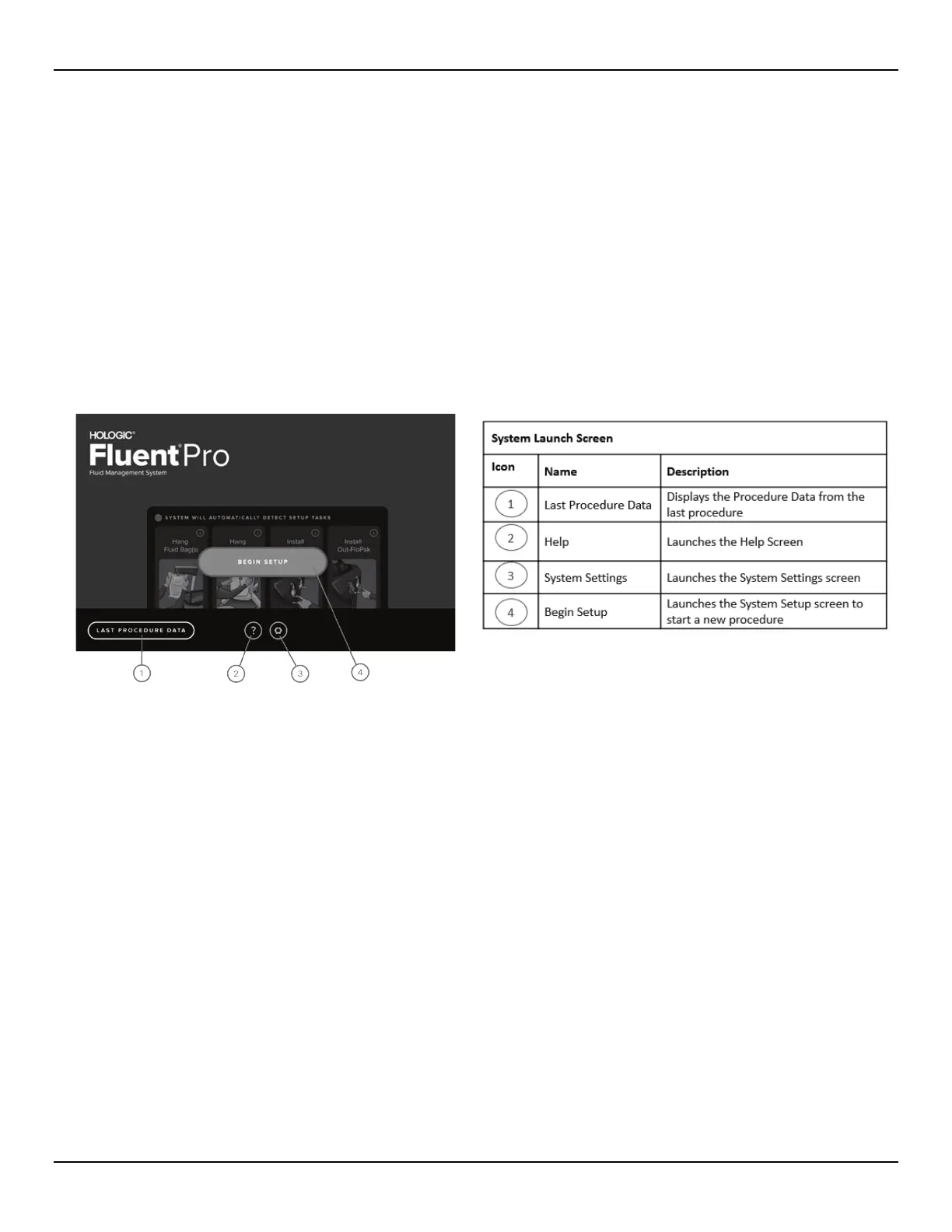
1.3.3.3.1 System Launch Screen
Figure 3: System Launch Screen














 To Next Page