Fluent Pro Fluid Management System
24 Procedure Setup English
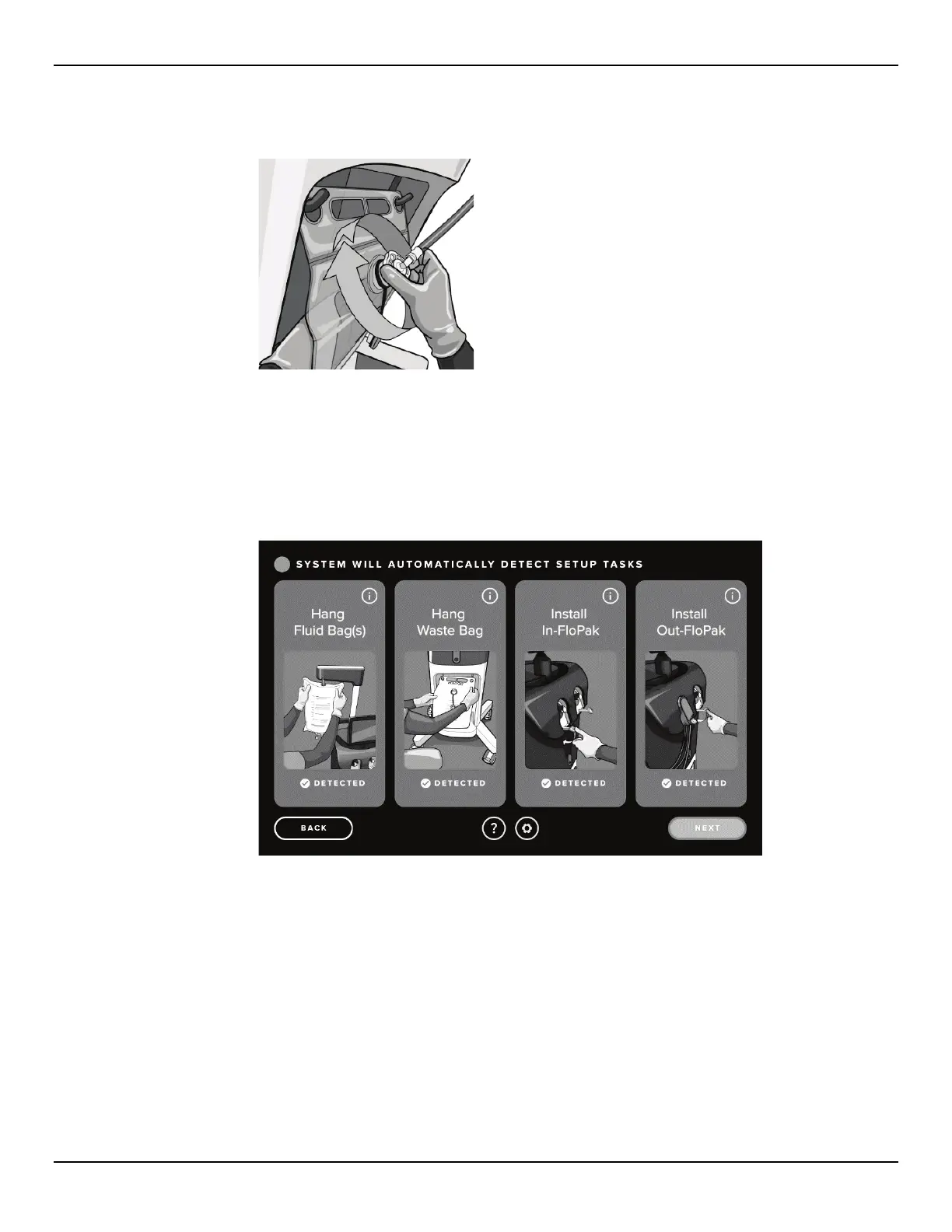
2.7.6.3 Secure the Out-FloPak Waste Bag Connector onto the Waste Bag by rotating clockwise.
Figure 28: Connect Waste Bag Connector
2.7.6.4 Connect the light cord and the camera to the hysteroscope.
2.7.6.5 Touch ‘NEXT’ on the Touchscreen
2.7.6.6 Once all displayed steps are complete on the Setup screen, the ‘NEXT’ icon will be activated.
Figure 29: Setup Screen with All Setup Steps Detected














 To Next Page