Fluent Pro Fluid Management System
English During Procedure 45
3.8.2.8 If ‘Missing Waste Bag’ error is displayed, ensure the Waste Bag is installed properly on the Hooks, touch the
‘CLEAR’ icon and continue with the procedure.
3.8.3
Replacing the Tissue Trap
3.8.3.1 If the tissue trap appears to be full, by expanding outside of the internal basket, the tissue trap is near capacity
and must be changed. Failure to do so could result in loss of tissue sample. The System will not alert you if the
tissue trap is near capacity or full, please monitor tissue trap for capacity.
3.8.3.2 Touch the ‘PAUSE’ icon to pause the system.
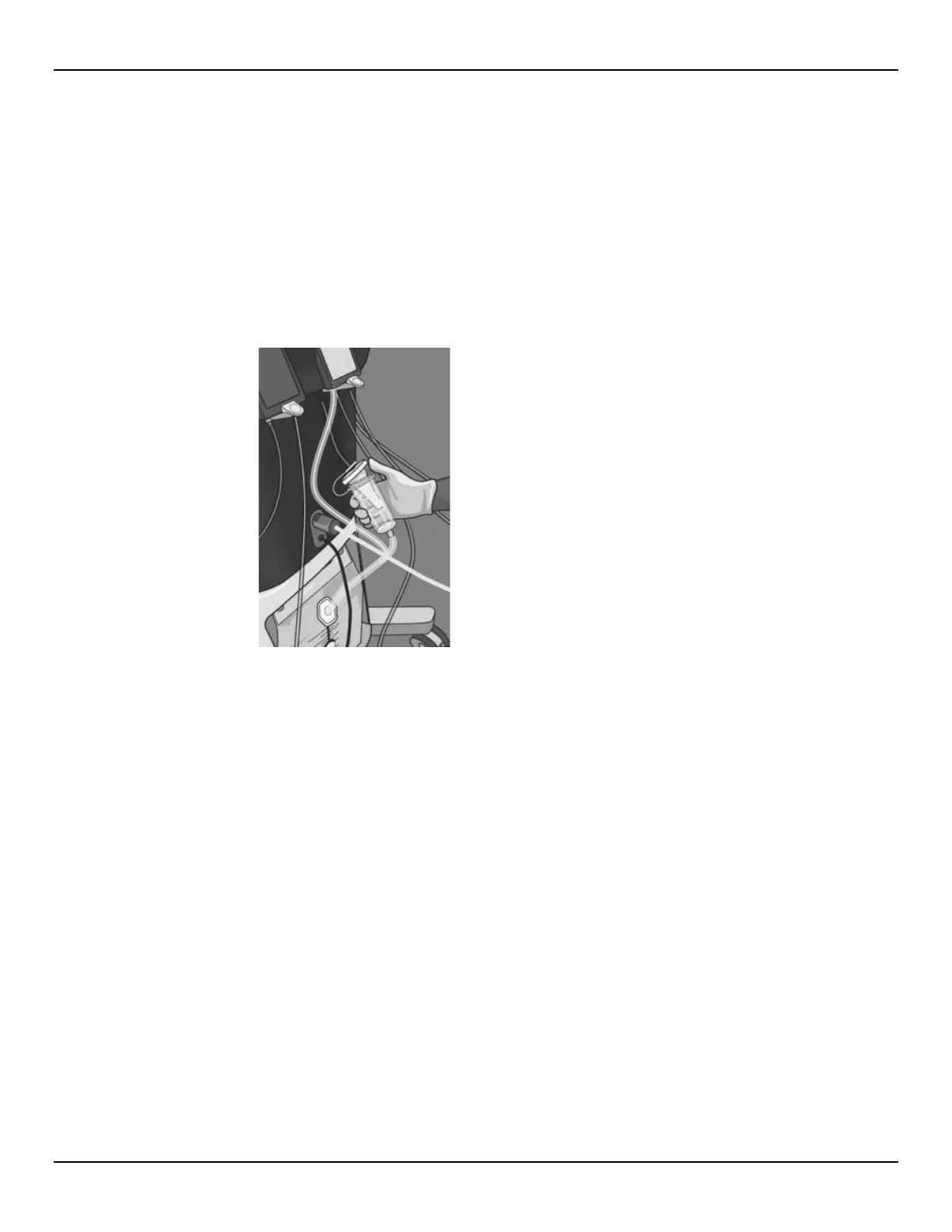
3.8.3.3 Open the lid of the Tissue Trap Canister.
Figure 57: Open Tissue Trap Canister Lid
3.8.3.4 Remove the Tissue Trap from the Canister (leaving the basket behind) and place into a specimen container.
3.8.3.5 Place a new Tissue Trap into the Tissue Trap Canister.
3.8.3.6 Close the Tissue Trap Canister lid securely.














 To Next Page