Fluent Pro Fluid Management System
English During Procedure 37
troubleshooting in Section 5 for details.
3.4
Adjusting the Suction Settings
3.4.1 About Suction Settings for the MyoSure TRD, Outflow Channel and Under-Buttocks Drape (UBD)
3.4.1.1 The default Suction Setting at the start of a new procedure is Low.
3.4.1.2 The suction can be adjusted to Low, Medium or High.
3.4.1.3 The suction can be adjusted at any point when the system is running.
3.4.2 To adjust the suction:
3.4.2.1 Touch the ‘LOW’, ‘MEDIUM’ or ‘HIGH’ icon on the System Running screen.
3.5
Performing the Procedure
3.5.1 To Change a Hysteroscope, Refer to Section 3.5.6. To Reprime the Scope, Refer to Section 2.7.9.
3.5.2 Starting the Hysteroscopy procedure.
3.5.2.1 Touch the ‘RUN’ icon.
3.5.2.2 Refer to the hysteroscope Instructions for Use for complete instructions on the use and operation of the
hysteroscope, including warnings and precautions.
3.5.3
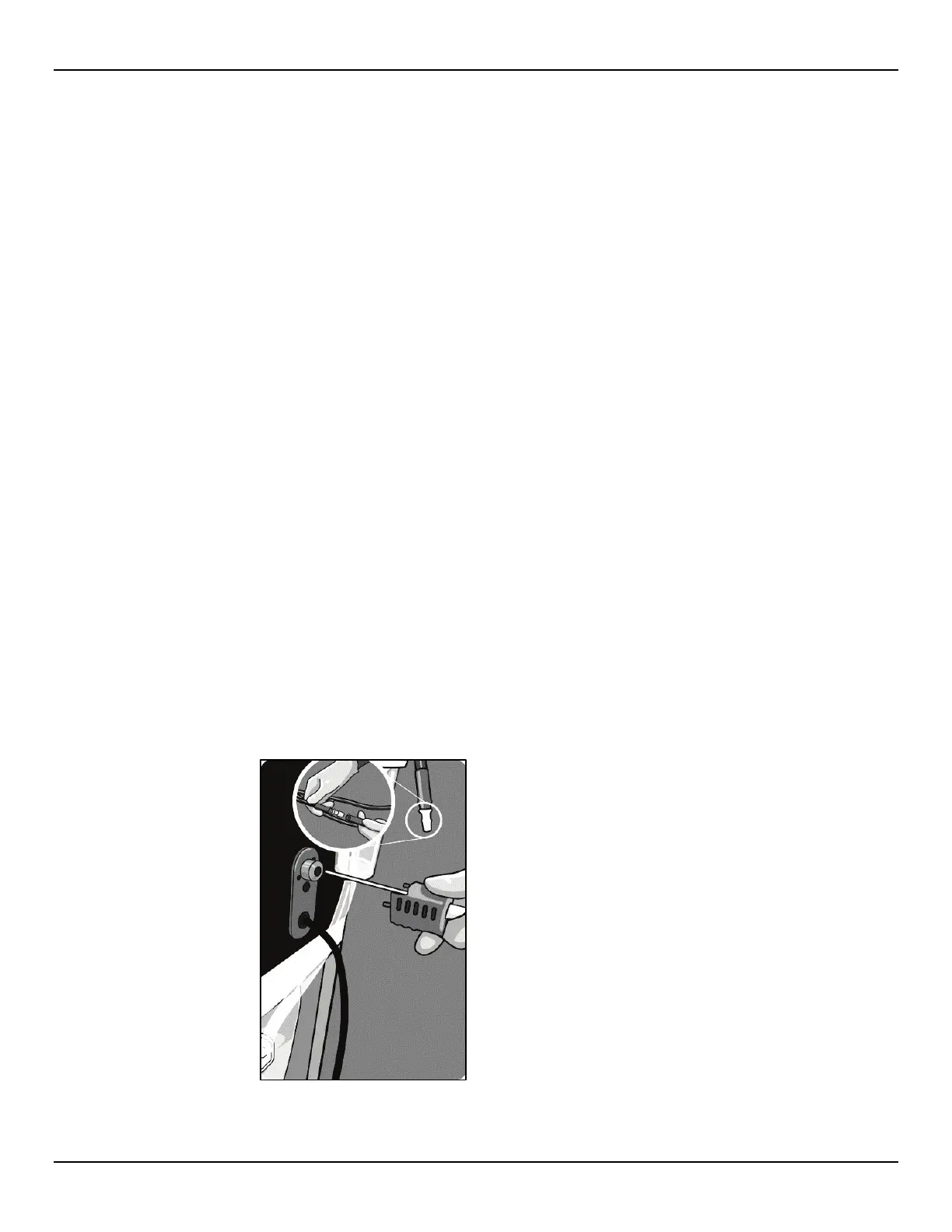
Connecting the MyoSure Tissue Removal Device (TRD) (when applicable).
3.5.3.1 MyoSure Tissue Removal Device setup may be performed at any stage of the procedure.
3.5.3.2 Connect the foot pedal tube to the connector on the MyoSure TRD Panel.
3.5.3.3 Connect the MyoSure TRD flexible drive cable into the corresponding connection on the MyoSure TRD panel.
3.5.3.4 Connect the MyoSure TRD suction tube to the tube on the Out-FloPak that has a gray band adjacent to the barb
connector.
Figure 46: Connecting the MyoSure TRD














 To Next Page