Fluent Pro Fluid Management System
18 Procedure Setup English
• To enter MyoSure Only Mode: Touch the ‘MYOSURE ONLY MODE’ icon to launch into MyoSure Only Mode. Refer to
Section 3.5.5 for details.
• Service Mode: This function is password protected and is intended for Hologic Trained professionals only. To enter
Service Mode, touch the ‘SERVICE MODE’ icon.
For details on the setup and operation of the hysteroscope, refer to the hysteroscope’s Instructions for Use.
2.7
Setup System
2.7.1 Setup Screen
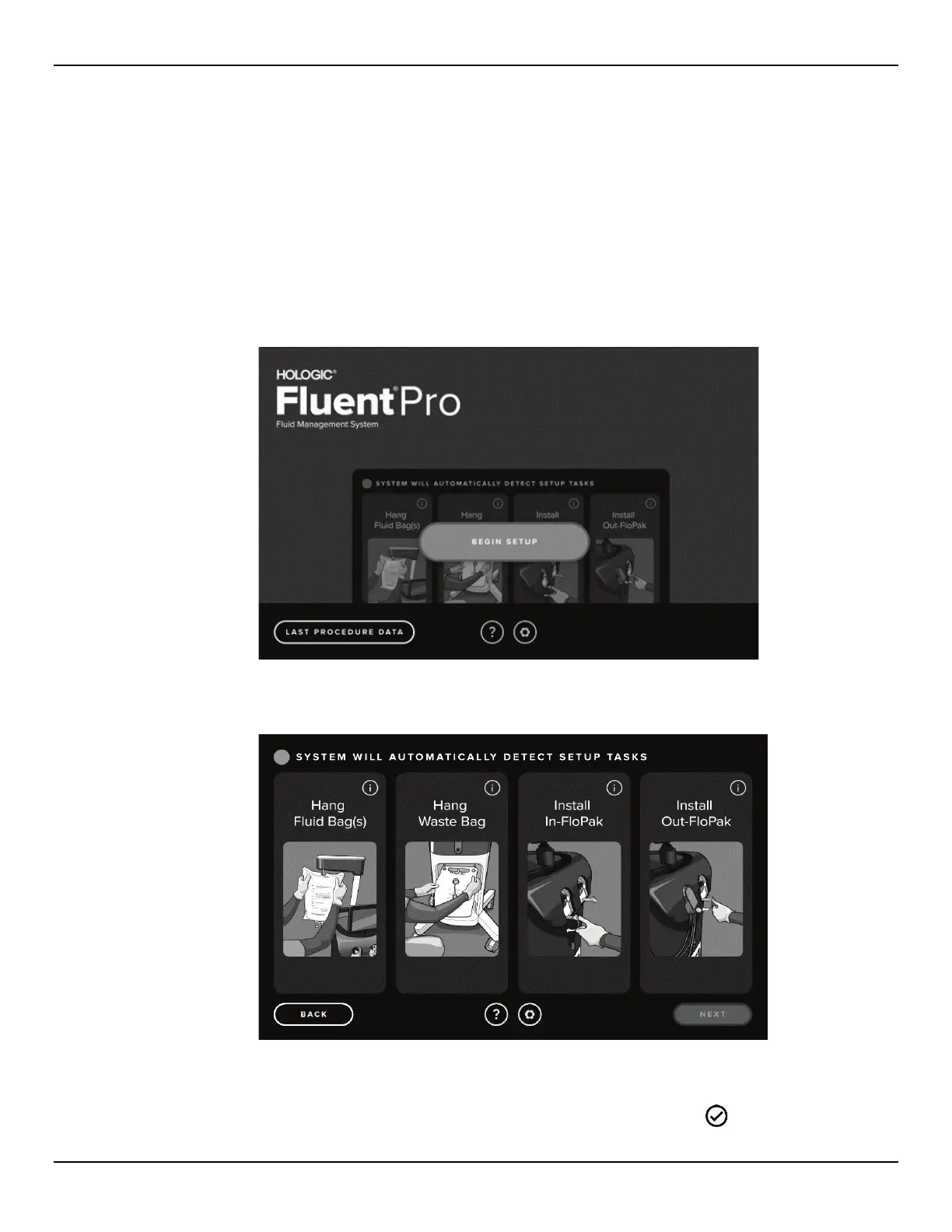
2.7.1.1 From the Launch screen, touch the ‘BEGIN SETUP’ icon. The Setup screen is displayed.
Figure 15: Launch Screen
Figure 16: Setup Screen
2.7.1.2 Complete the displayed Setup steps. The required steps can be performed in any order.
2.7.1.3 Once a step is performed the background will turn from gray to green and a ‘
DETECTED’ icon will
appear.














 To Next Page