Fluent Pro Fluid Management System
38 During Procedure English
3.5.4 Using the MyoSure Tissue Removal Device (TRD) During a Procedure (When Applicable).
3.5.4.1 Introduce the TRD though the working channel of the hysteroscope.
3.5.4.2 After pressing the ‘RUN’ icon to start the procedure, press the Foot Pedal to activate the MyoSure TRD cutting
blade. Ensure the foot pedal is placed in a location that is accessible to the physician.
3.5.4.3 The MyoSure TRD cannot be operated when the Fluent Pro Fluid Management System is paused.
3.5.4.4 Refer to the MyoSure TRD Instructions for Use for more information on how to use the MyoSure TRD.
3.5.5 Using the MyoSure Tissue Removal Device (TRD) in MyoSure Only mode.
3.5.5.1 After entering MyoSure Only mode from the Settings screen, the fluid management system is disabled and
only MyoSure control is enabled, and the foot pedal can be used to operate the MyoSure TRD.
3.5.5.2 Refer to the MyoSure tissue removal device Instructions for Use for more information on how to use the
MyoSure TRD.
3.5.5.3 To exit MyoSure Only mode select the ‘END’ icon and follow the prompts.
3.5.6 Changing the Hysteroscope During a Procedure.
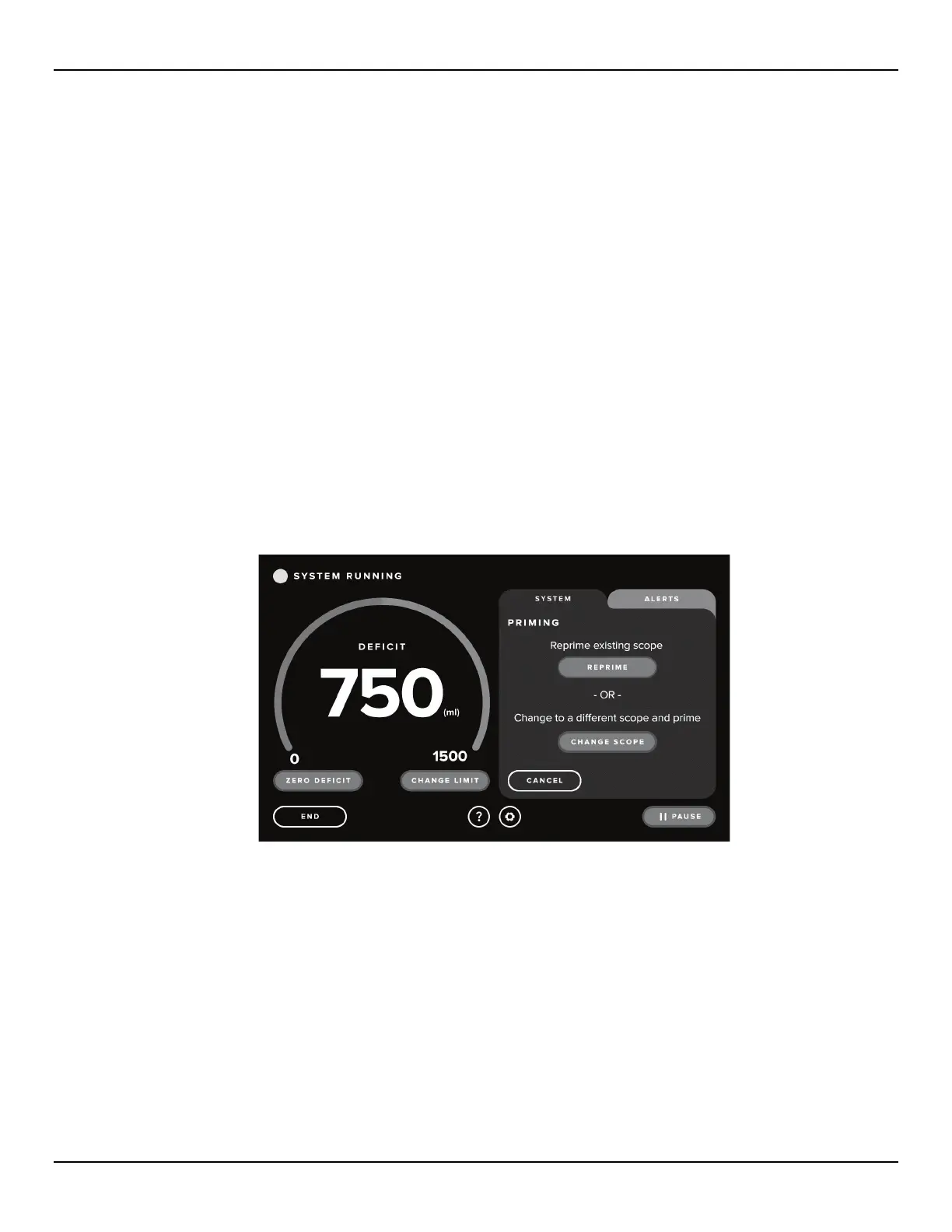
3.5.6.1 Touch the ‘CHANGE/REPRIME’ icon. The system will pause, and the System tab will display the Reprime and
Change Scope Confirmation screen.
Figure 47: Change Scope Screen














 To Next Page