Fluent Pro Fluid Management System
60 Troubleshooting English
5.2 Resume Procedure (After Power Loss or Shutdown)
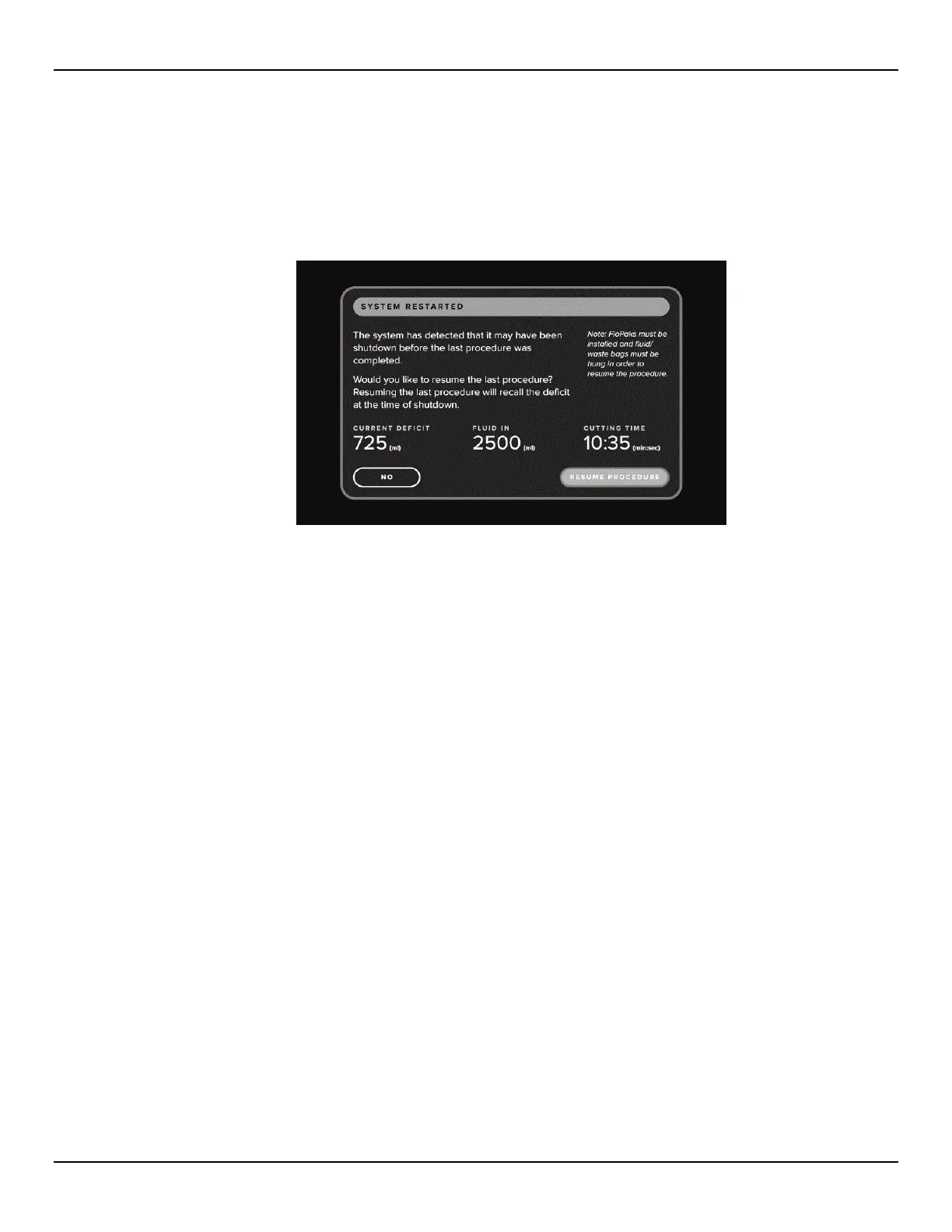
If the system is shutdown or a power loss occurs prior to completion of a procedure, the option of resuming the last procedure will be
available. Upon startup, the System Restarted screen is displayed. This screen displays last procedure data, including Current Deficit,
Fluid In and Cutting Time. Touch the ‘RESUME PROCEDURE’ icon to resume the last procedure. Selecting ‘NO’ will start a new
procedure and all previous procedure data will be lost. If a new procedure is started unintentionally, the deficit will need to be calculated
manually.
Figure 69: System Restarted Screen
5.3 Troubleshooting
5.3.1 FloPaks not detected
5.3.1.1 Firmly press towards the bottom of the FloPak to ensure the top of the FloPak is flush with the front of the
console and to engage the Lever.
5.3.2
Loss of Suction
5.3.2.1 Outflow
5.3.2.1.1 Ensure the hysteroscope outflow tubing luer lock on the Out-FloPak is securely connected to the
hysteroscope outflow channel.
5.3.2.1.2 Ensure nothing is obstructing or occluding the hysteroscope outflow tubing.
5.3.2.1.3 Reprime the hysteroscope. Refer to Section 2.7.9.
5.3.2.2 Under-Buttocks Drape
5.3.2.2.1 Ensure the Under-Buttocks Drape tubing suction connector is connected to the Under-Buttocks
Drape port and that the Under-Buttocks Drape is not occluding the tubing.
5.3.2.2.2 Ensure nothing is obstructing or occluding the Under-Buttocks Drape tubing.
5.3.2.3 MyoSure TRD
5.3.2.3.1 Ensure the MyoSure TRD suction connector is securely connected to the MyoSure TRD barb on
the Out-FloPak.
5.3.2.3.2 Ensure nothing is obstructing or occluding the MyoSure TRD tubing.
5.3.3
Inadequate Suction
5.3.3.1 Increase or decrease suction settings. Refer to Section 3.4 for instructions.














 To Next Page