Fluent Pro Fluid Management System
English Procedure Setup 19
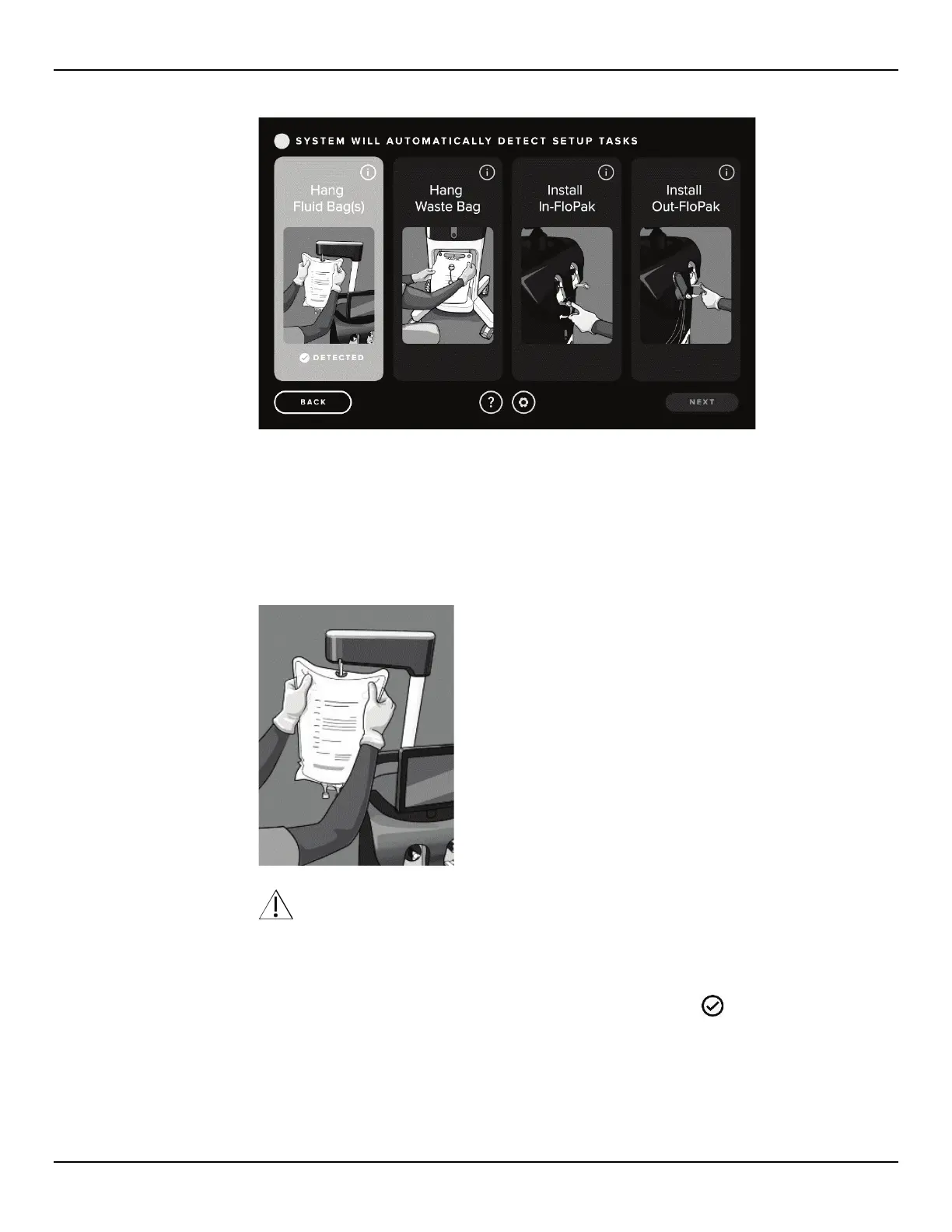
Figure 17: Setup Step Detected Screen
2.7.2 Hang Fluid Bag
2.7.2.1 Hang a Fluid Bag containing distension media appropriate for the procedure on the Fluid Bag Hook. Hang only a
single Fluid Bag on the Fluid Bag Hooks at a time. The Fluid Bag size should not exceed 3L for each hook. If
you need to replace a Fluid Bag during the procedure, see Section 3.8.1.
Figure 18: Hang Fluid Bag
WARNING!
The Fluid Bag size should not exceed 3L per hook. Ensure the Fluid Bag is not resting on top of console. Doing
so may impact fluid deficit accuracy.
2.7.2.2 The Fluent Pro Fluid Management System does not need to be powered on to hang the Fluid Bags. If the
system is on, then follow the prompts. The system will detect and display a ‘
DETECTED’ icon on the
Setup screen when the Fluid Bag has been properly installed.
2.7.3
Unpack the Fluent Pro Procedure Kit
2.7.3.1 Open the Fluent Pro Procedure Kit Packaging.














 To Next Page