Fluent Pro Fluid Management System
72 Supplementary Information English
6.1.2 Pressure Calibration Check
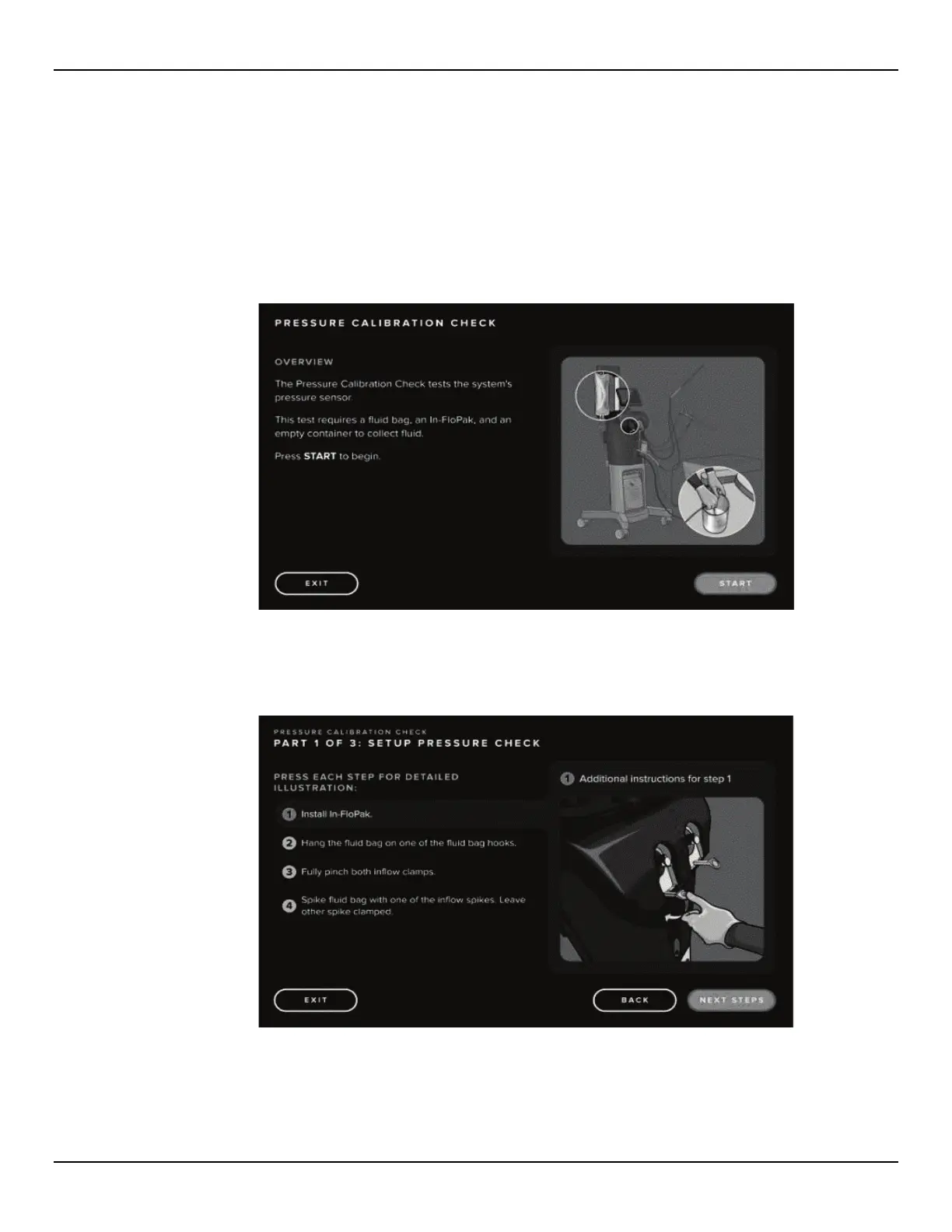
The Pressure Calibration Check tests the system's pressure sensor. This test requires a Fluid Bag, an In-FloPak and an
empty container to collect fluid.
6.1.2.1 Press the Power Button on the top of the system to power on the system.
6.1.2.2 Touch the ‘SETTINGS’ icon.
6.1.2.3 Select the pressure calibration ‘CHECK’ icon to launch the scale calibration check and press ‘START’ to begin.
Figure 75: Pressure Calibration Check Overview Screen
6.1.2.4 Follow prompts to install the In-FloPak, hang the Fluid Bag, pinch the Inflow Clamps and spike the Fluid Bag.
Figure 76: Pressure Calibration Check Steps, Part 1














 To Next Page