Fluent Pro Fluid Management System
36 During Procedure English
3.1.2 Perform the following steps to adjust the Deficit Limit as necessary.
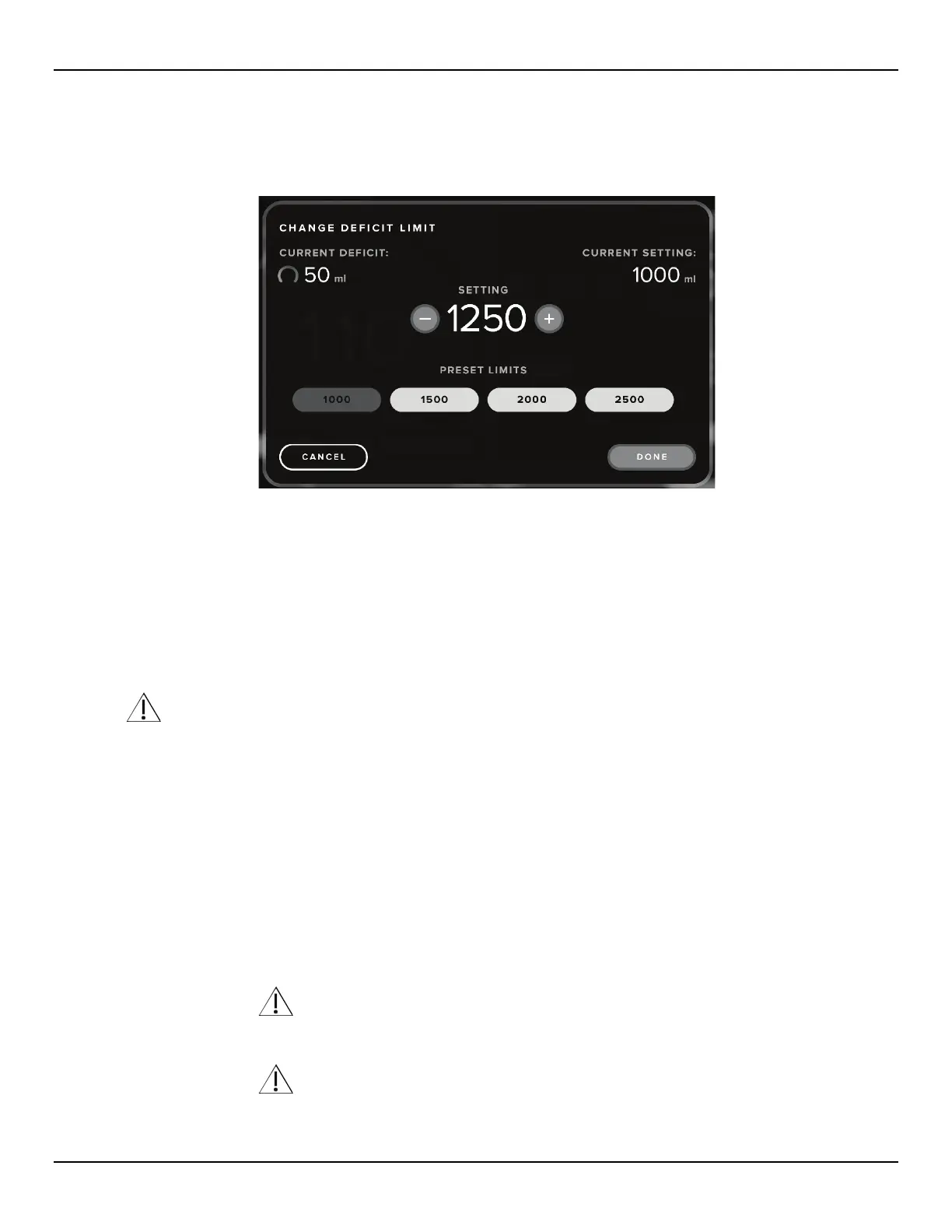
3.1.2.1 Touch the ‘CHANGE LIMIT’ icon on the System tab on the Procedure screen.
Figure 45: Change Deficit Limit screen
3.1.2.2 To adjust the Deficit Limit in increments of 50 mL, touch the Down ‘(-)’ or Up ‘(+)’ icons.
3.1.2.3 To select one of the preset the Deficit Limit options (1000, 1500, 2000, or 2500 mL), touch the desired limit
icon.
3.1.2.4 Touch the ‘DONE’ icon to set the limit and close the Change Deficit Limit screen.
3.2
Zeroing the Deficit
Touch the ‘ZERO DEFICIT’ icon on the procedure screen to zero the deficit.
WARNING!
Zeroing the deficit display should be done at the physician’s discretion.
3.3
Adjusting the Intrauterine Pressure
3.3.1 About Intrauterine Pressure
3.3.1.1 The default Intrauterine Pressure at the start of a new procedure is 80 mmHg.
3.3.1.2 The pressure can be adjusted from 40 mmHg to 150 mmHg in increments of 5 mmHg.
3.3.1.3 The actual Intrauterine Pressure is displayed on the top right corner of the procedure screen.
3.3.2
To adjust the pressure:
3.3.2.1 Touch the Down ‘(-)’ or Up ‘(+)’ icons to adjust the Pressure setting.
WARNING!
The uterine cavity distention pressure should be the lowest pressure necessary to distend the uterine cavity
and ideally should be maintained below the mean arterial pressure (MAP).
WARNING!
If the deficit is rapidly increasing, or the visualization field does not respond to a change in pressure set point,
examine the visual field for injury or a leak from the cervix.
Note: If the deficit rate increases equal to or greater than 300 mL/min a high fluid loss alert will occur. See














 To Next Page