Fluent Pro Fluid Management System
English Procedure Setup 23
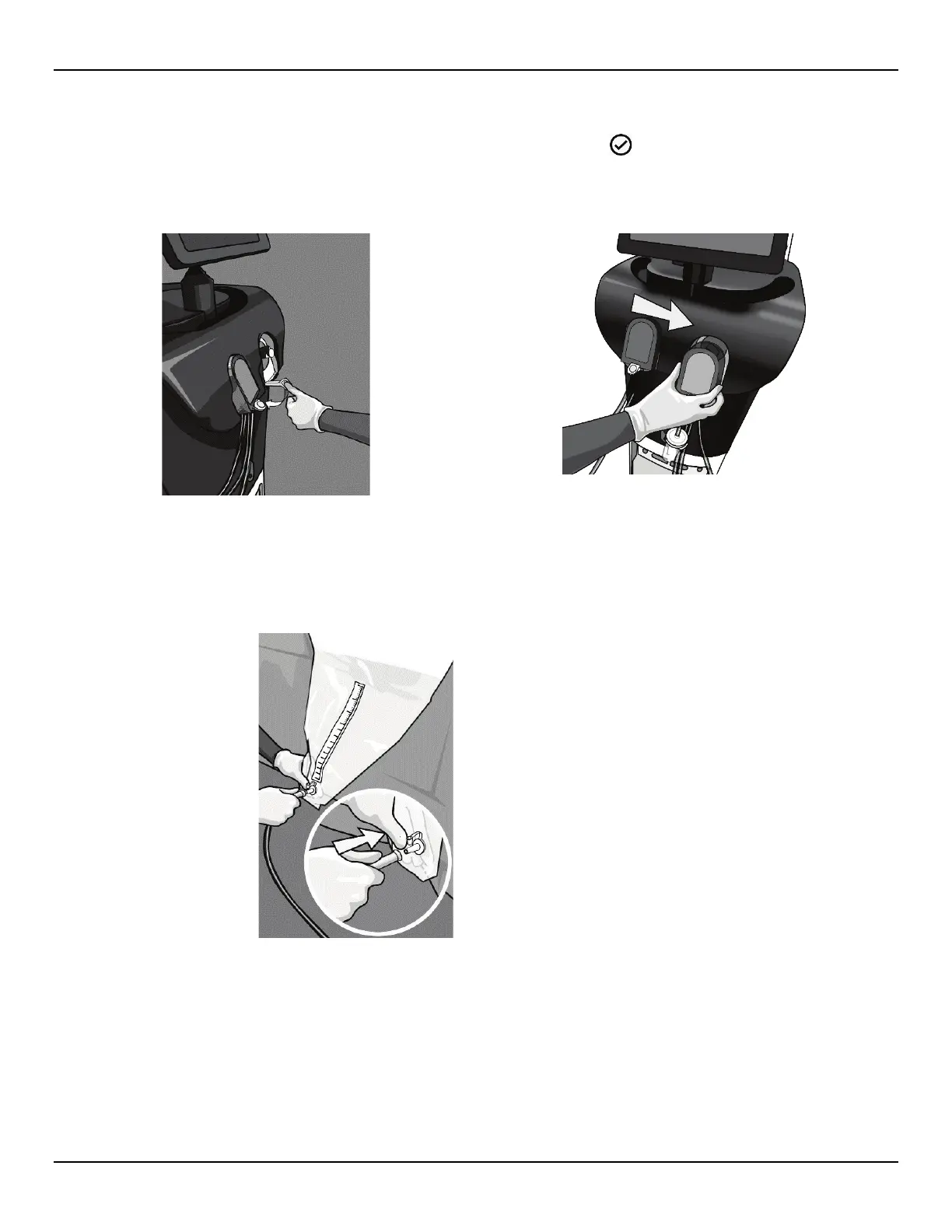
2.7.6 Install Out-FloPak
Out-FloPak Lever and slide the Out-FloPak over the triangular shaft. While releasing the Lever, ensure the Out-FloPak is
flush with the front of the console. The system will detect and display a ‘
DETECTED’ icon on the Setup screen when
the Out-FloPak has been properly installed.
26a: Depress Out-FloPak Lever
26b: Slide Out-FloPak over Shaft
2.7.6.1 Connect the yellow outflow luer connector to the hysteroscope Outflow Channel.
2.7.6.2 Connect the yellow suction connector onto the Under-Buttocks Drape (UBD) Port.
Figure 27: Connect UBD Suction Connector














 To Next Page