Fluent Pro Fluid Management System
English Procedure Setup 31
2.7.8.5 Select the ‘NEXT’ icon. The Procedure screen will be displayed.
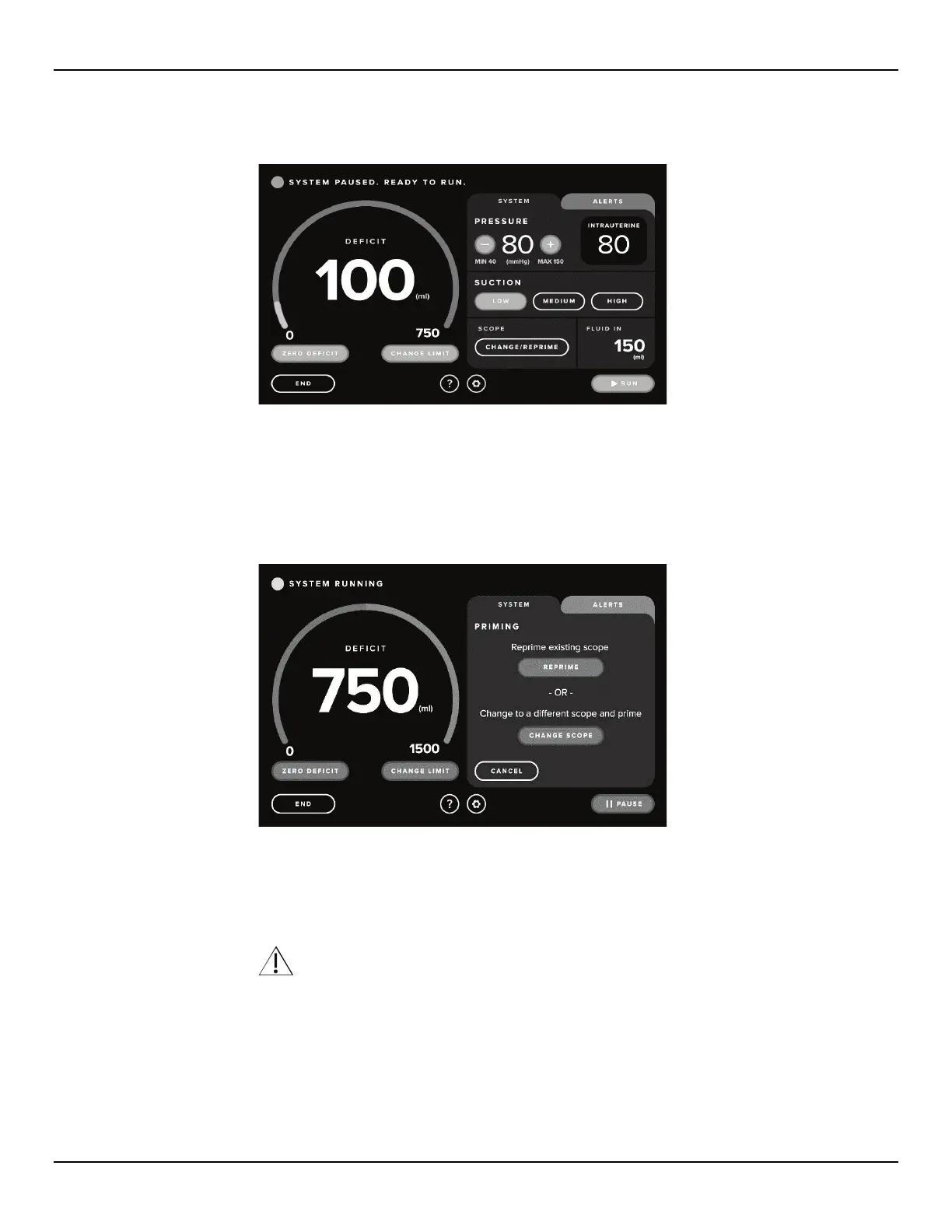
Figure 42: Procedure Screen
2.7.9 How to Reprime
2.7.9.1 Touch the ‘CHANGE/REPRIME’ icon. The system will pause, and the System Tab will display the Reprime and
Change Scope Confirmation screen.
Figure 43: Reprime Screen
2.7.9.2 Touch the ‘REPRIME’ icon. The Reprime screen will appear.
2.7.9.3 Direct reprime fluid the Under-Buttocks Drape (UBD).
2.7.9.4 Prime should be performed at the operative height.
WARNING!
Do not prime inside the patient.
2.7.9.5 Follow the prompts and touch the ‘PRIME’ icon.
2.7.9.6 When the reprime is complete, the Priming Complete screen will be displayed.
2.7.9.7 Touch the ‘NEXT’ icon to continue.
2.7.10
Connecting the MyoSure Tissue Device (TRD)
If setting up the MyoSure TRD, refer to Section 3.5.














 To Next Page