Fluent Pro Fluid Management System
English During Procedure 43
3.8.1.6.2.1 Remove the non-active empty Fluid Bag and unspike.
3.8.1.6.2.2 Hang a new Fluid Bag on the vacant Fluid Bag Hook.
3.8.1.6.2.3 Spike the new Fluid bag.
3.8.1.6.2.4 Unclamp the Fluid bag tubing on the hanging full Fluid Bag when ready.
3.8.1.6.2.5 Clamp the Fluid Bag tubing on the empty Fluid Bag.
3.8.1.6.3 Two Fluid Bags on Fluid Bag Hooks (Both Bags Unclamped)
3.8.1.6.3.1 Clamp Fluid Bag tubing on either Fluid Bag.
3.8.1.6.3.2 Remove the clamped Fluid Bag and unspike.
3.8.1.6.3.3 Hang a new Fluid Bag on the vacant Fluid Bag Hook.
3.8.1.6.3.4 Spike and unclamp new Fluid Bag when ready.
3.8.1.6.3.5 Repeat with second empty bag (if needed) or clamp when empty.
3.8.2
Replacing the Waste Bag
3.8.2.1 Replace the Waste Bag when the Waste Bag is almost full or when the system alerts you. The system will
pause when approximately 6000mL of fluid is in the Waste Bag.
3.8.2.2 If the system is running, touch the ‘PAUSE’ icon to pause the system.
WARNING!
Changing the Waste Bag without pausing the system may lead to overestimation of deficit.
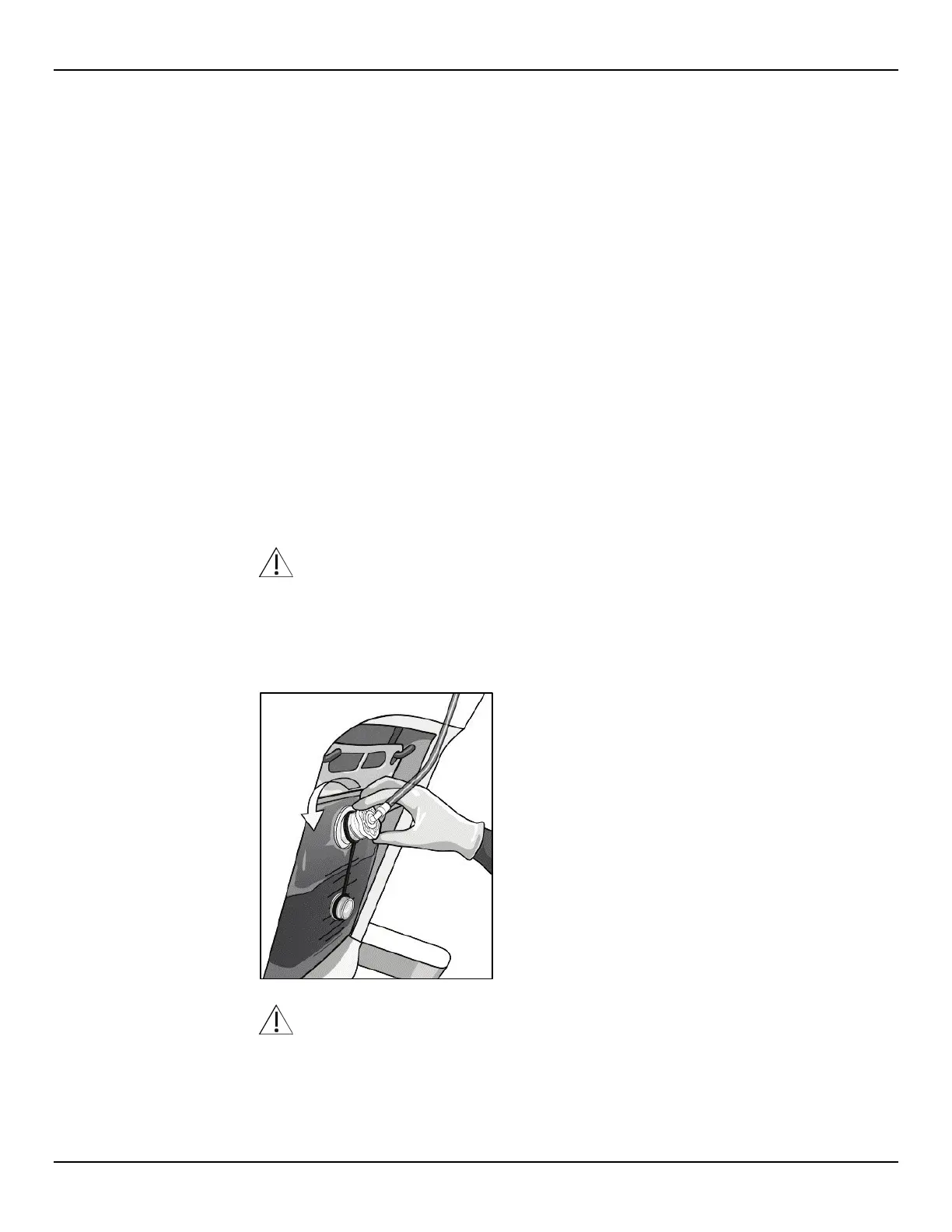
3.8.2.3 Remove the Waste Bag Connector from the Waste Bag by rotating the Connector counterclockwise.
Figure 53: Remove Waste Bag Connector
WARNING!
Do not place excessive force or weight on the Waste Bag Hooks. Doing so may result in an inaccurate fluid
deficit value, causing risk to patient safety.














 To Next Page