Fluent Pro Fluid Management System
English Supplementary Information 73
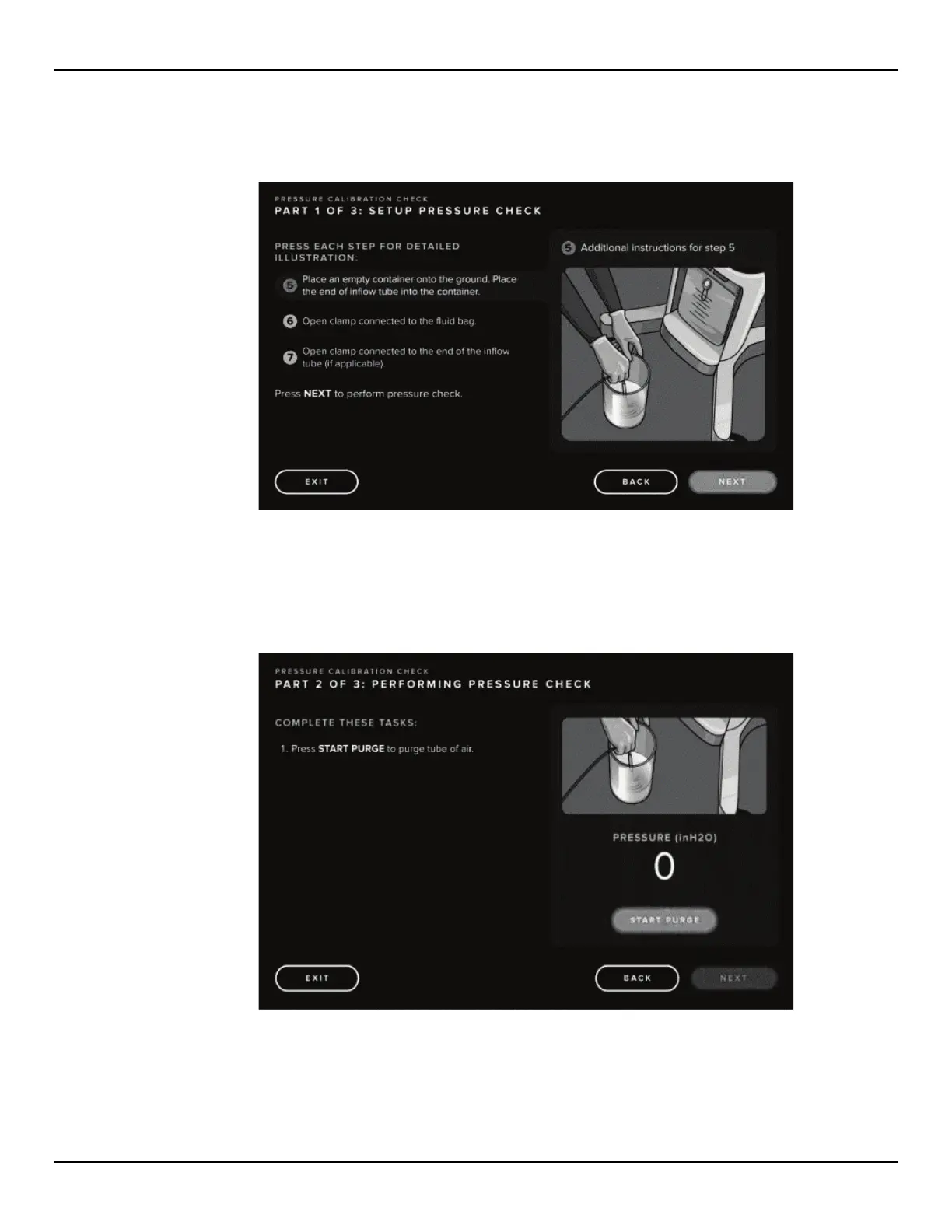
6.1.2.5 Press ‘NEXT STEPS’ to continue setup including placement of the container and opening the Fluid Bag
Clamps.
Figure 77: Pressure Calibration Check Steps, Part 2
6.1.2.6 Press ‘NEXT’ to perform pressure check.
6.1.2.7 Follow prompts and press ‘START PURGE’ to start the purge of air.
Figure 78: Begin Purge for Pressure Calibration Check














 To Next Page