Fluent Pro Fluid Management System
74 Supplementary Information English
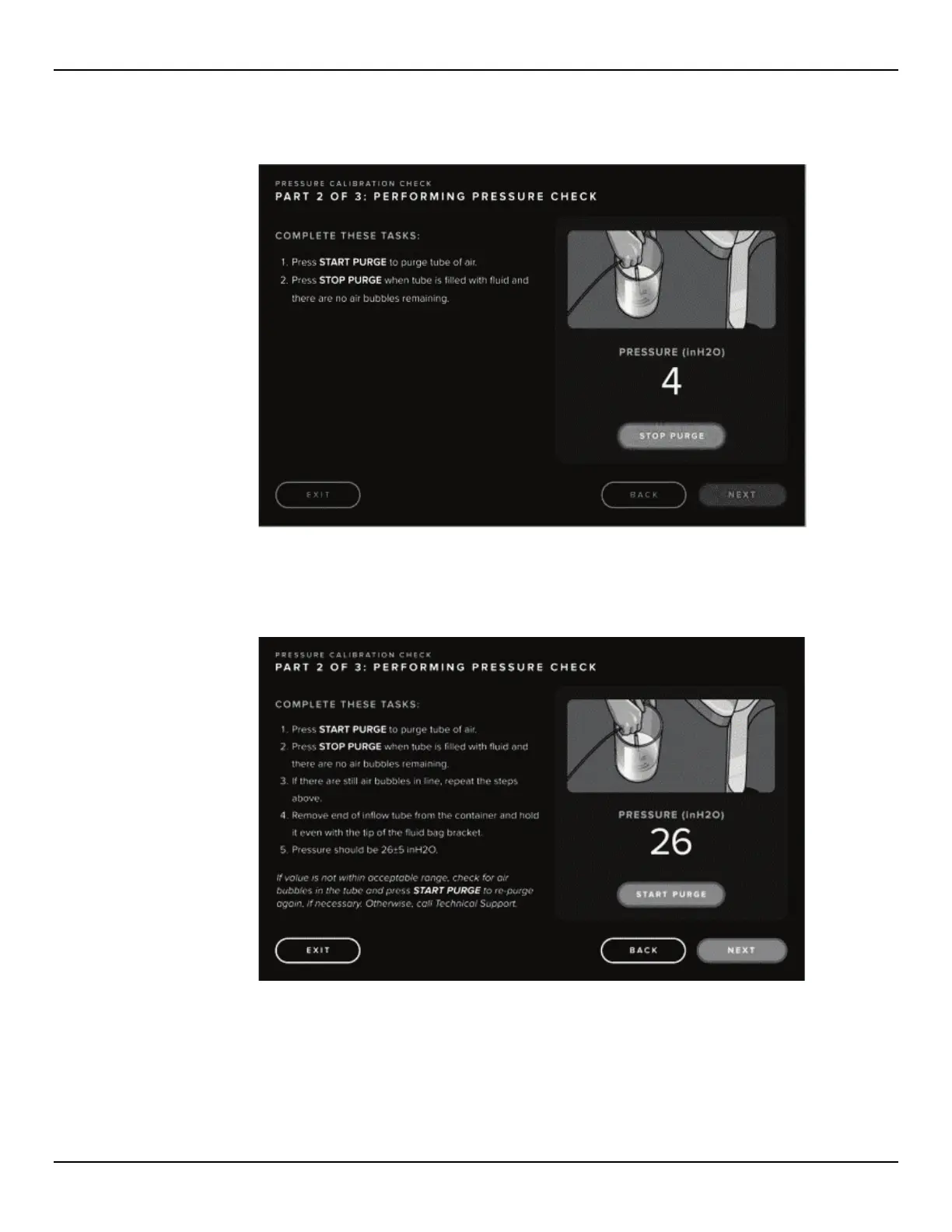
6.1.2.8 Press ‘STOP PURGE’ once the tube is filled with fluid and there are no air bubbles remaining.
Figure 79: Stop Purge for Pressure Calibration Check
6.1.2.9 Remove the end of the Inflow Tube from the container and hold it even with the tip of the Fluid Bag bracket.
Figure 80: Performing Pressure Calibration Check
6.1.2.10 Verify the pressure is 26+/-5 in H2O.
6.1.2.11 If the value is not within the acceptable range, check for air in the tube and repeat the air purge (Start Purge
and Stop Purge). Verify the pressure is 26+/-5 inH2O. If the pressure is still out of range, contact Technical
Support.
6.1.2.12 If the value is within range press the ‘NEXT’ icon and complete the breakdown steps as described. Press
‘DONE’ when complete.














 To Next Page