Fluent Pro Fluid Management System
22 Procedure Setup English
2.7.5 Install In-FloPak
WARNING!
For your own safety and that of your patient, use only Fluent Pro accessories referenced in Table 9: Disposables and
Accessories.
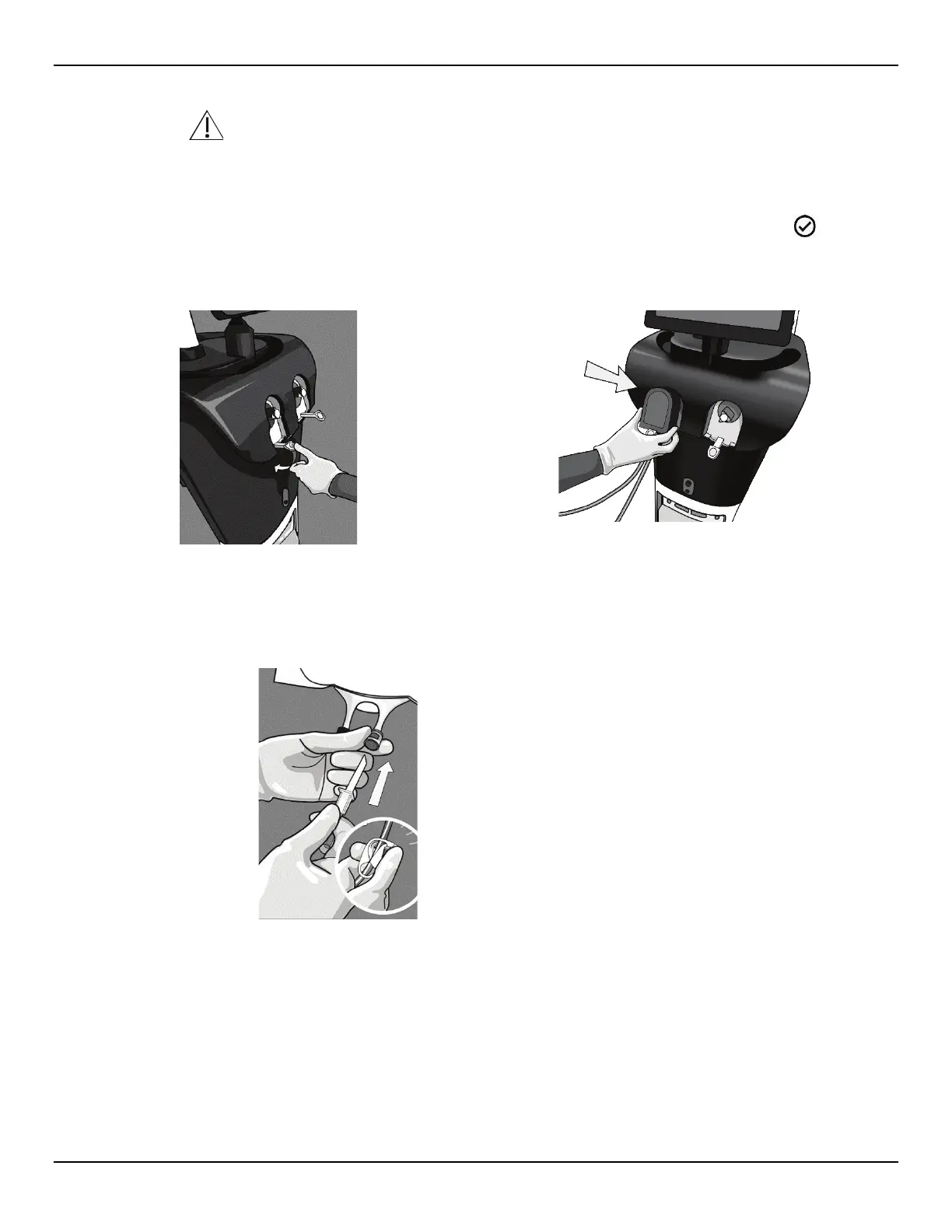
2.7.5.1 Depress the In-FloPak Lever and slide the In-FloPak over the triangular shaft. While releasing the Lever,
ensure the In-FloPak is flush with front of the console. The system will detect and display a ‘
DETECTED’
icon on the Setup screen when the In-FloPak has been properly installed.
Figure 24a: Depress In-FloPak Lever
Figure 24b: Slide In-FloPak Over Shaft
2.7.5.2 Clamp tubing and spike the Fluid Bag.
Figure 25: Clamp Tubing and Spike Fluid Bag
2.7.5.3 Connect the blue inflow luer connector to the hysteroscope inflow channel.














 To Next Page