USER INTERFACE
6.46
ThinPrep™ 5000 Processor with AutoLoader Operator’s Manual
Configure Vial ID
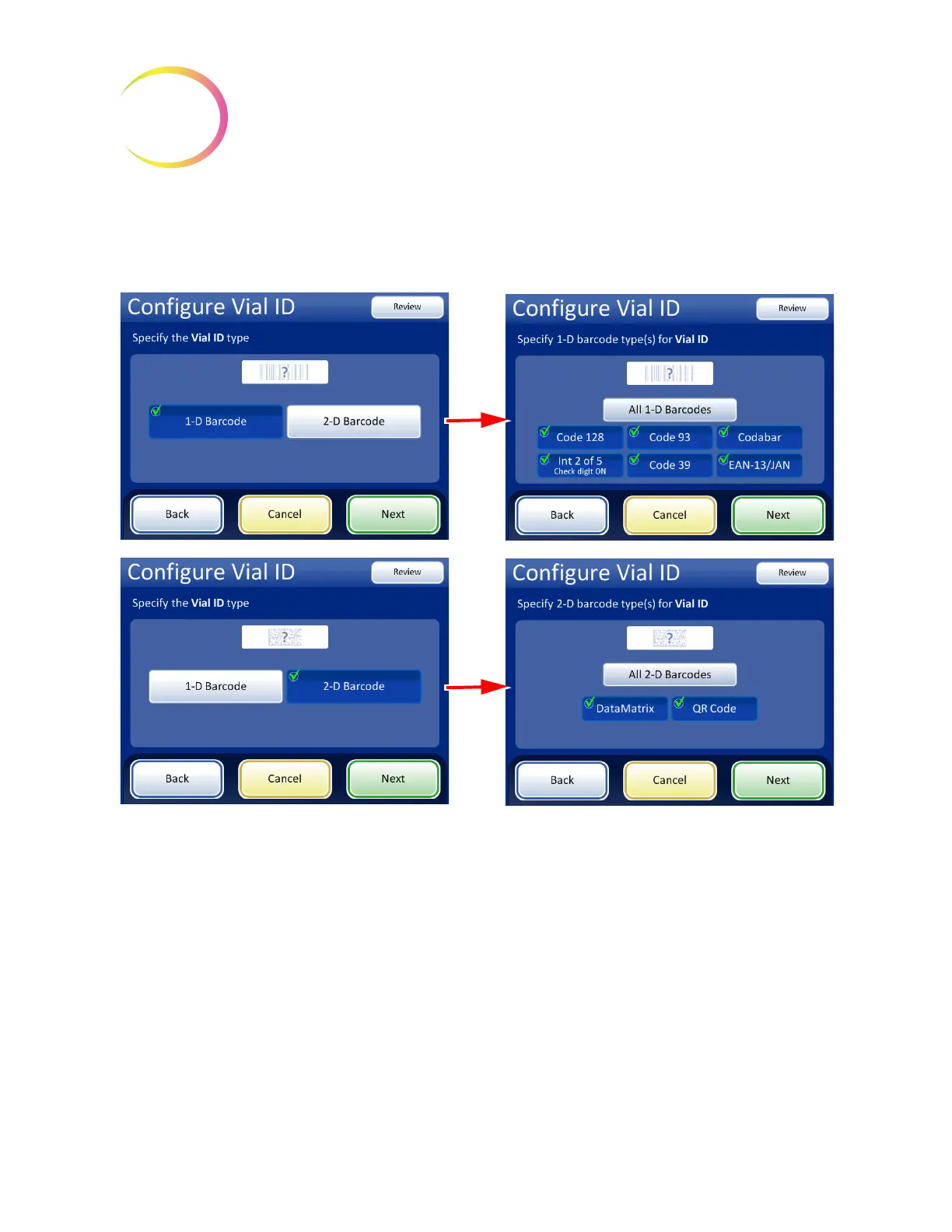
The ThinPrep 5000 processor can be set up to read vial IDs as 1-D barcodes or 2-D barcodes. Select 1-
D barcode or 2-D barcode, and then select the type(s) of barcodes used for vial IDs at your facility.
Figure 6-61 Configure Vial ID barcode type(s)
Note:
For best performance, select only the barcode type(s) that are used for vial IDs in your labora-
tory, and do not select barcode types that are not used in your lab.



 To Next Page