EasyManua.ls Logo

Hologic ThinPrep 5000 - Page 194

Hologic ThinPrep 5000
346 pages
Print Icon
To Next Page IconTo Next Page
To Previous Page IconTo Previous Page
Loading...
USER INTERFACE
6.60
ThinPrep™ 5000 Processor with AutoLoader Operator’s Manual
6
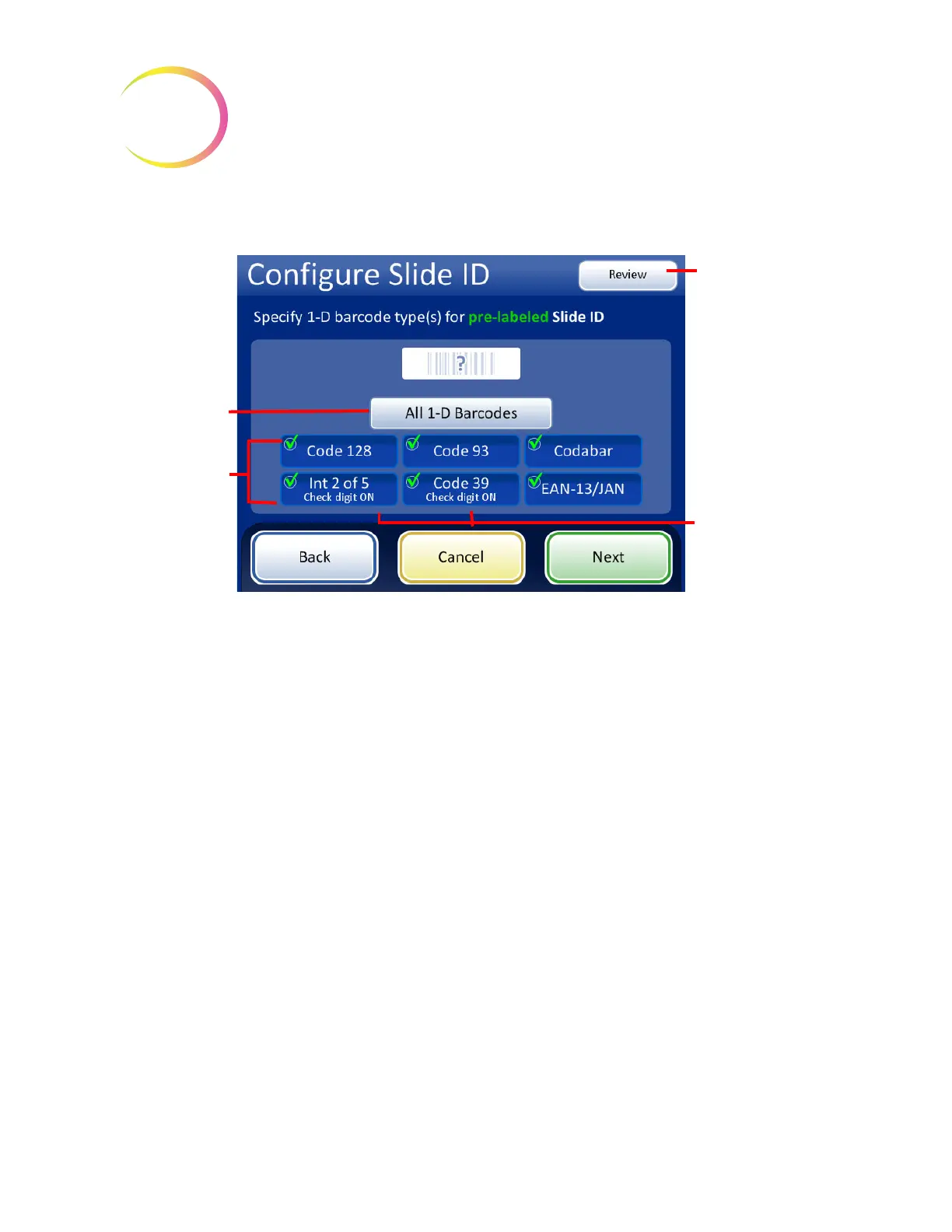
For 1-D barcodes, touch an ID type to select it.
Figure 6-73 Specify the 1-D barcode type(s) for pre-labeled Slide IDs
Press
Next
to continue.
To skip the next
steps, use the
Review
button to
go directly to the
last screen in the
sequence, the slide
ID summary
screen.
The
All 1-D
barcodes
button
selects all of the
available 1-D
barcode types.
For Interleaved 2 of
5 and Code 39 1-D
barcodes, when the
barcode is selected,
select if a check digit
will be used or not.
Select the 1-D
barcode type(s)
used on slide
labels in your
facility.

Table of Contents

Other manuals for Hologic ThinPrep 5000

Related product manuals