ThinPrep™ 5000 Processor with AutoLoader Operator’s Manual
6.61
USER INTERFACE
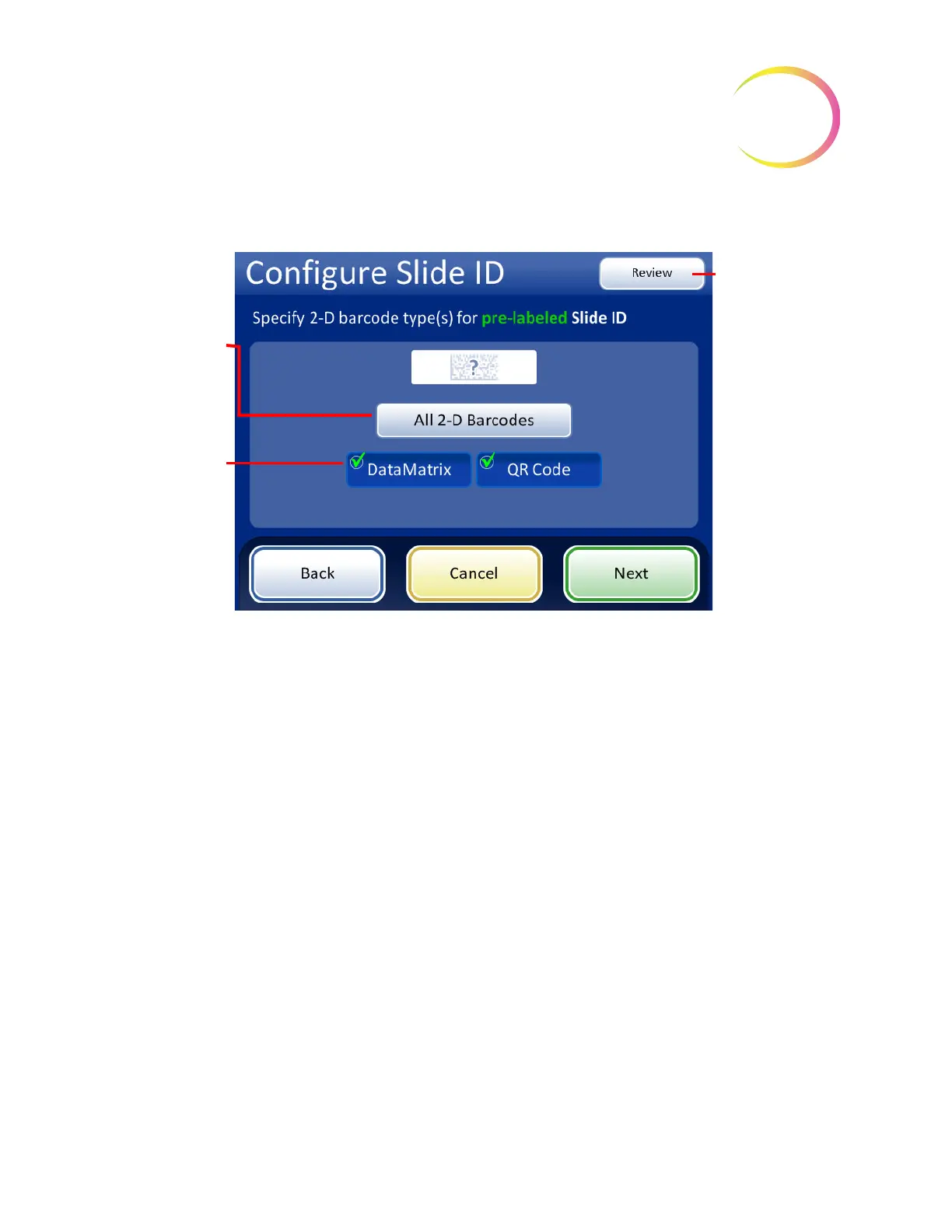
For 2-D barcodes, touch an ID type to select it.
Figure 6-74 Specify 2-D barcode type(s) for pre-labeled Slide IDs
Press
Next
to continue.
The slide ID and the vial ID can be identical, or they can differ. The slide ID and the vial ID must
share a unique portion of their IDs. Specify whether they are identical or where the slide ID and vial
ID differ so that the ThinPrep 5000 processor recognizes a match between the vial ID and slide ID
Select the 2-D
barcode type(s)
used on slide
labels in your
facility.
To skip the next
steps, use the
Review
button to
go directly to the
last screen in the
sequence, the
slide ID summary
screen.
The
All 2-D
barcodes
button
selects all of the
available 2-D
barcode types.



 To Next Page