ThinPrep™ 5000 Processor with AutoLoader Operator’s Manual
6.79
USER INTERFACE
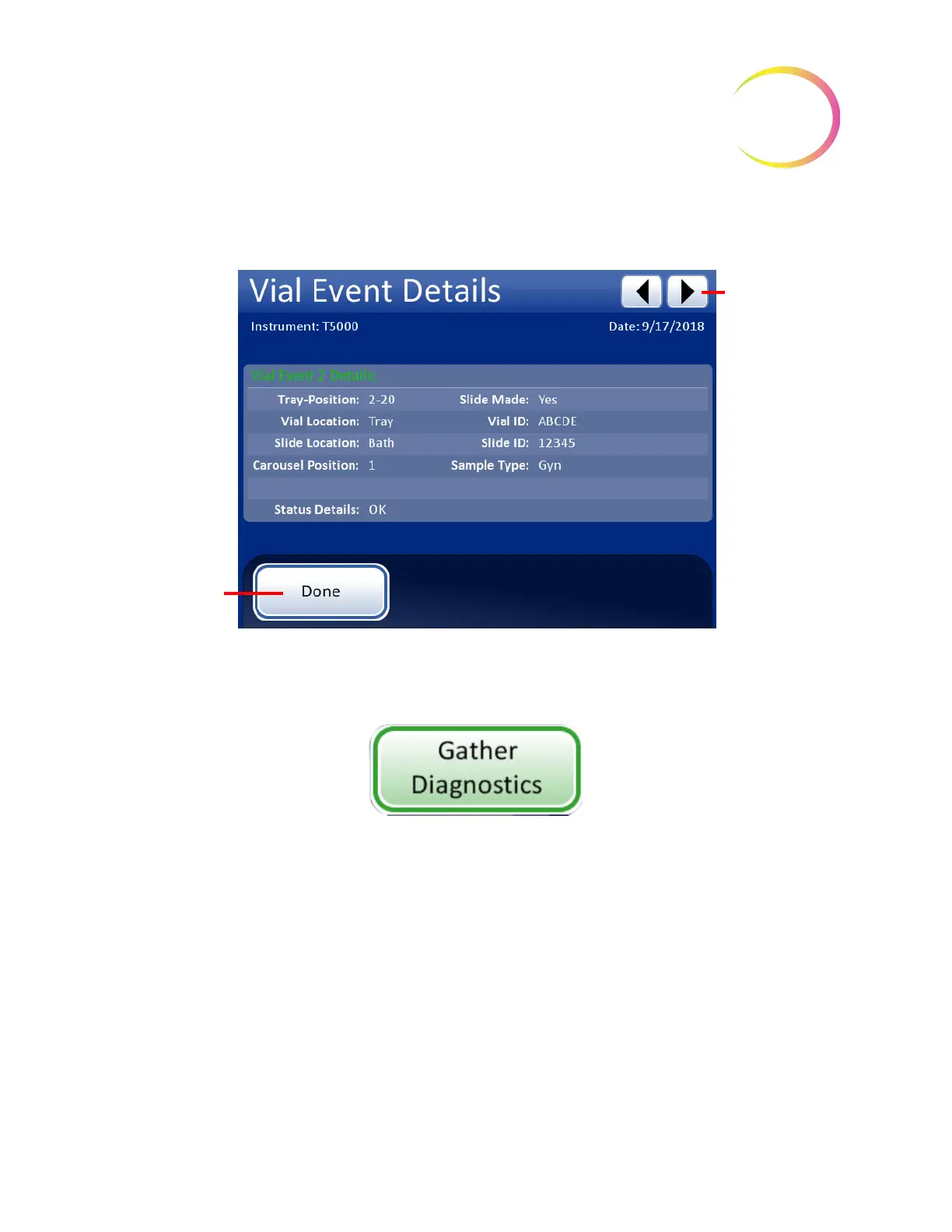
The Vial Event Details screens shows the Vial ID, Slide ID, and the Sample Type for the sample. See
Figure 6-98.
Figure 6-98 Vial Event Details
Gather Diagnostics
Figure 6-99 Gather Diagnostics Button
Gather Diagnostics is a function intended for instrument troubleshooting by Hologic Technical
Support. It gathers and zips the error history log and other instrument operating information. The
zip file contents are password protected.
Put a USB device into one of the USB ports and press the
Gather Diagnostics
button.
Scroll through
the list of Vial
Events.
Done
button -
return to the Vial
Events screen



 To Next Page