ThinPrep™ 5000 Processor with AutoLoader Operator’s Manual
7.33
OPERATING INSTRUCTIONS
Pause a Batch
A batch may be paused by pressing the
Pause
button.
When the
Pause
button is pressed the system will complete processing the current vial and then
pause.
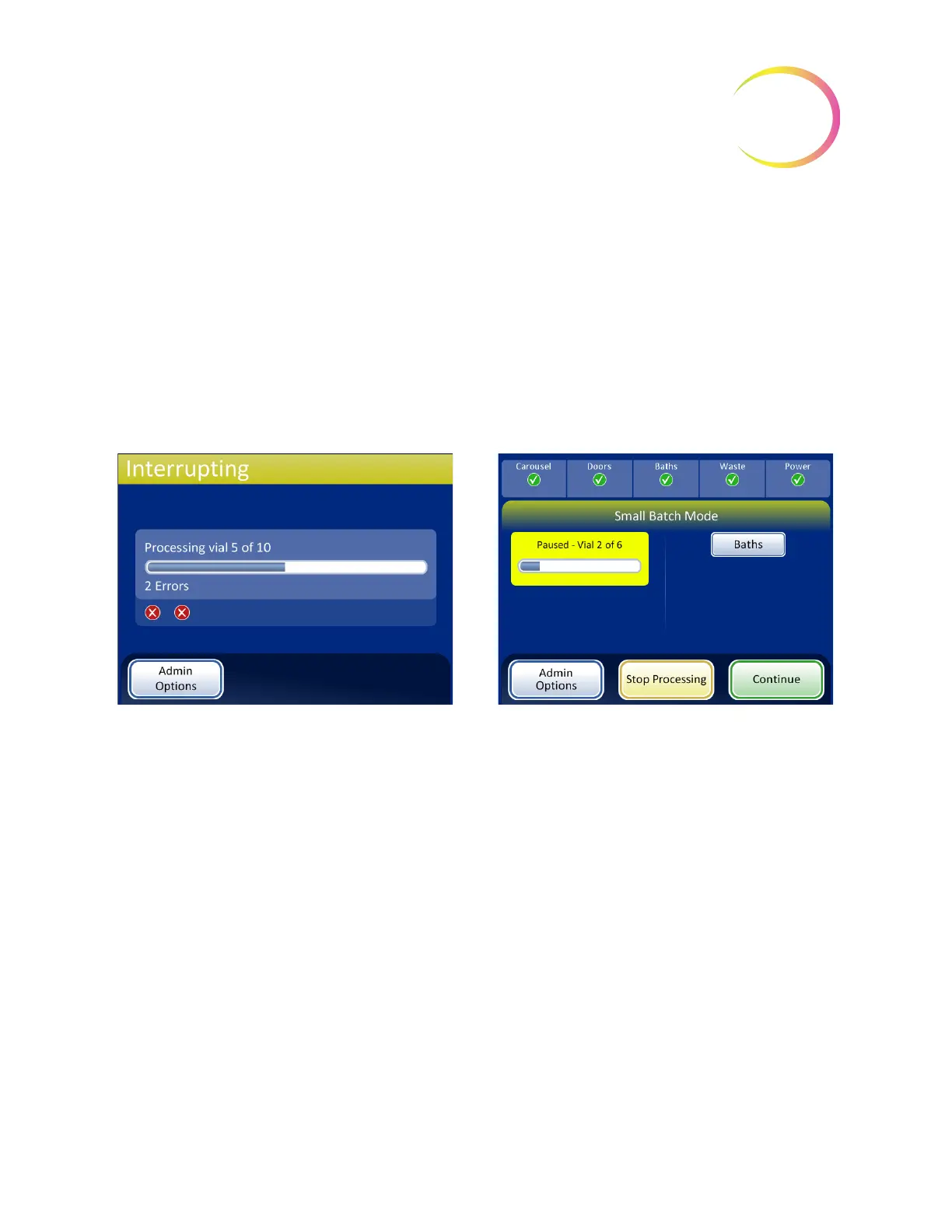
The batch status line will report “Interrupting” as the processor puts items away and parks the
mechanisms.
The Batch Paused screen will display when the processing sequence is safely paused. Only the bath
door is unlocked. Refer to Figure 7-33.
Figure 7-33 Interrupting Processing and Processing Paused Screen
While the batch is paused, only the baths area can be accessed. Press the
Baths
button to view the
Baths screen.
Completed slides may be unloaded by removing the fixative bath from the baths compartment. If the
batch will resume, a fixative bath with no slides must be loaded.
Note:
If the fixative bath is slid out of the compartment slot far enough to disengage with the sensor,
a new bath without any slides must be loaded in order to resume the batch. Otherwise the
“No baths available” message will keep repeating.
Close the door and press the
Done
button to transition from the Baths screen back to the Paused
screen.
Press the
Continue
button when ready to continue with the batch.
After pressing the
Pause
button, the status
changes to Interrupting as the system finishes
the vial in progress and parks the mecha-
nisms
The batch is paused
Baths
button displays the Baths screen
Stop Processing
button - ends the batch
Continue
button continues with the batch in process
SMALL BATCH MODE



 To Next Page