OPERATING INSTRUCTIONS
7.32
ThinPrep™ 5000 Processor with AutoLoader Operator’s Manual
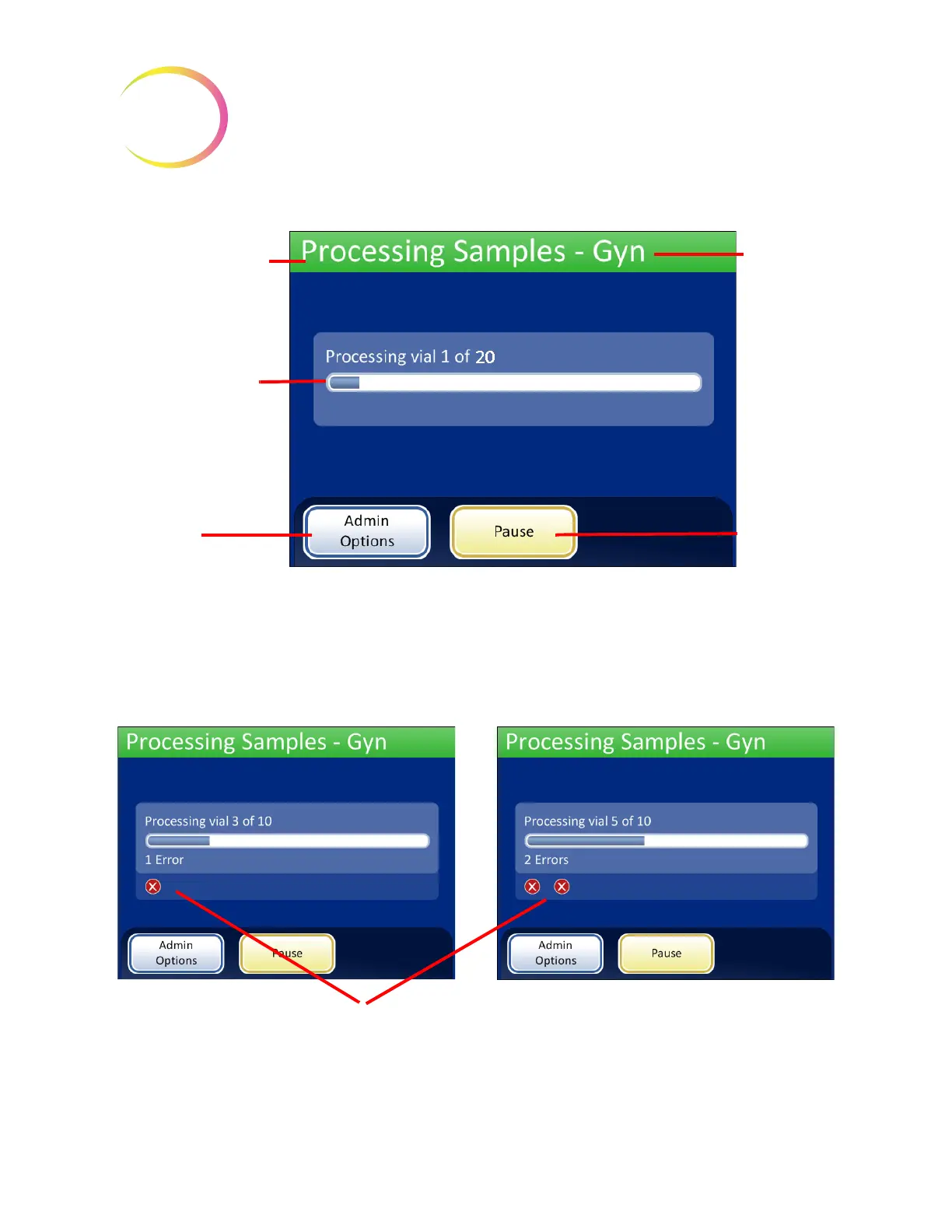
Figure 7-31 Starting the Batch Screen
During processing, a progress bar indicates how much of the batch has been completed. It
increments during the processing of each vial, as well as to indicate overall batch progress.
If a sample error occurs, the batch continues, but an error indicator is displayed on the batch screen,
as shown in Figure 7-32.
Figure 7-32 Sample Errors During Small Batch Sample Processing
Refer to Processing Slides on page 7.17 for a detailed list of events that take place during processing.
Status of the batch
Progress bar of the
batch
Admin Options
button
Pause
button
Selected
process
sequence
Sample error indicators are displayed on the screen during processing
SMALL BATCH MODE



 To Next Page