ThinPrep™ 5000 Processor with AutoLoader Operator’s Manual
8.5
MAINTENANCE
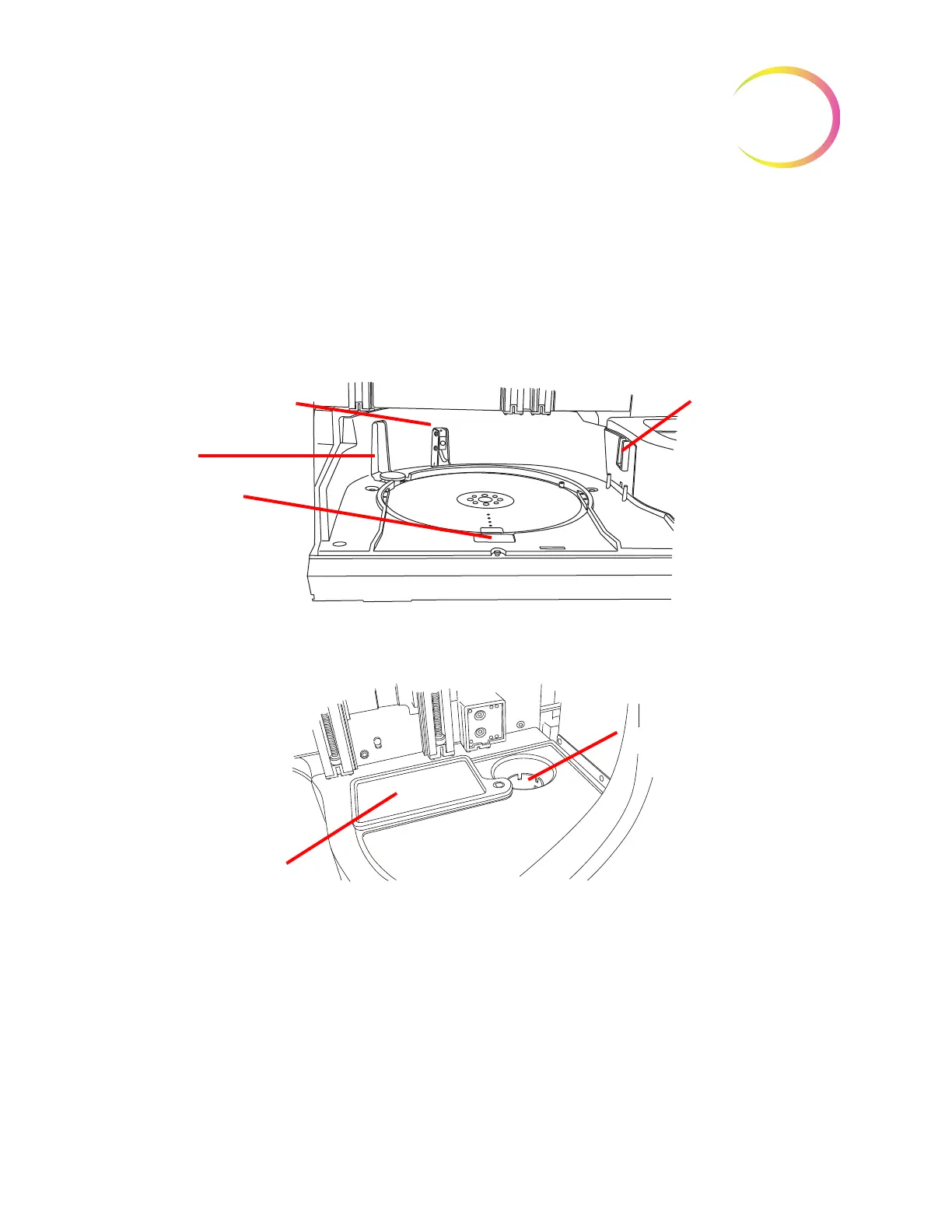
Clean Around Carousel And Dispersion Areas
On a weekly basis, remove the carousel and clean around the bottom of the processing area, using
deionized water and lint-free towels. Do not dislodge the carousel sensors, but do keep the area
around them clean and make sure nothing blocks them. See Figure 8-3.
Use the Clean System feature to help move instrument mechanisms out of the way. See “Clean
System” on page 8.3.
Figure 8-3 Carousel Sensors
Clean around the dispersion well and the evaporative cover over the fixative bath.
Figure 8-4 Clean Dispersion Well Area
If there is buildup of residue from PreservCyt Solution on the filter plug, around the filter puncture
point area and other surfaces surrounding the filter waste area, use a cloth or swab soaked with
70% alcohol to dissolve any crust and clean away precipitate.
Vial presence sensor
Vial barcode reading
station
Carousel lock
Carousel sensor -
helps determine
position 1 on the
carousel.
Dispersion well
Evaporative cover



 To Next Page