TROUBLESHOOTING
9.22
ThinPrep™ 5000 Processor with AutoLoader Operator’s Manual
Release Vial Cap
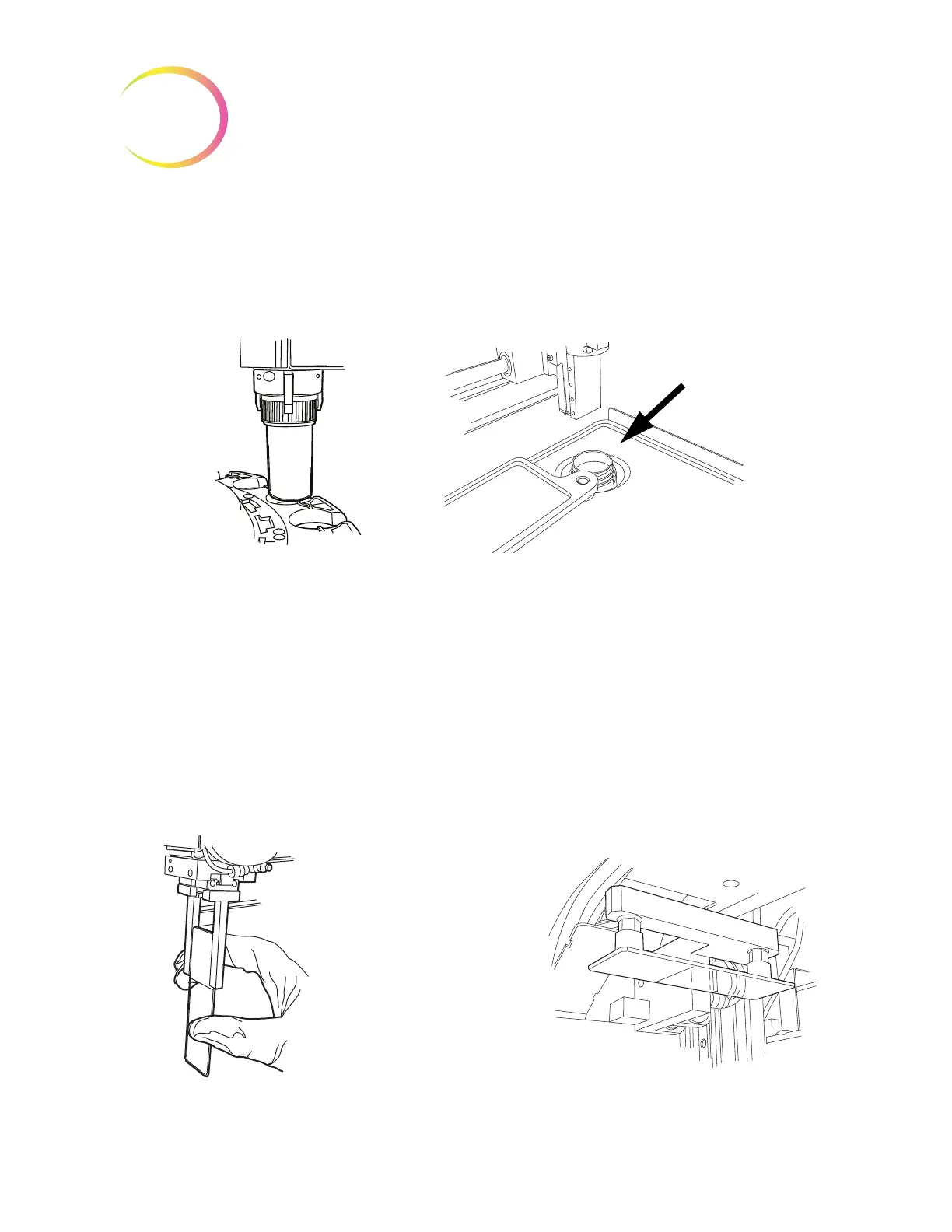
The vial gripper fingers remain closed in an error condition, so that a vial will not drop. Move the
vial transport arm toward the middle of the instrument and then press the Release Vial Cap
button to open the gripper and retrieve the vial. See Figure 9-5.
Figure 9-5 Release Vial, Check Dispersion Well
Note:
Often just the vial cap is in the mechanism. Carefully check the dispersion well and retrieve
the vial, if necessary. Manually recap the vial. See Figure 9-5.
Release Slide
Note:
Locate where the slide is before pressing the release button.
A slide might be located in the slide gripper of the slide transport arm. The slide grippers remain
closed after picking a slide until it has been handed off to the slide holder of the cell transfer area. To
release the slide from the gripper, press the
Release Slide
button.
The slide may be left on the suction holders of the cell transfer area. When the
Release Slide
button is
pressed, the suction vacuum is released.
Figure 9-6 Release Slide
A slide left in the process-
ing path may be in the
slide gripper or on the cell
transfer suction cups.



 To Next Page