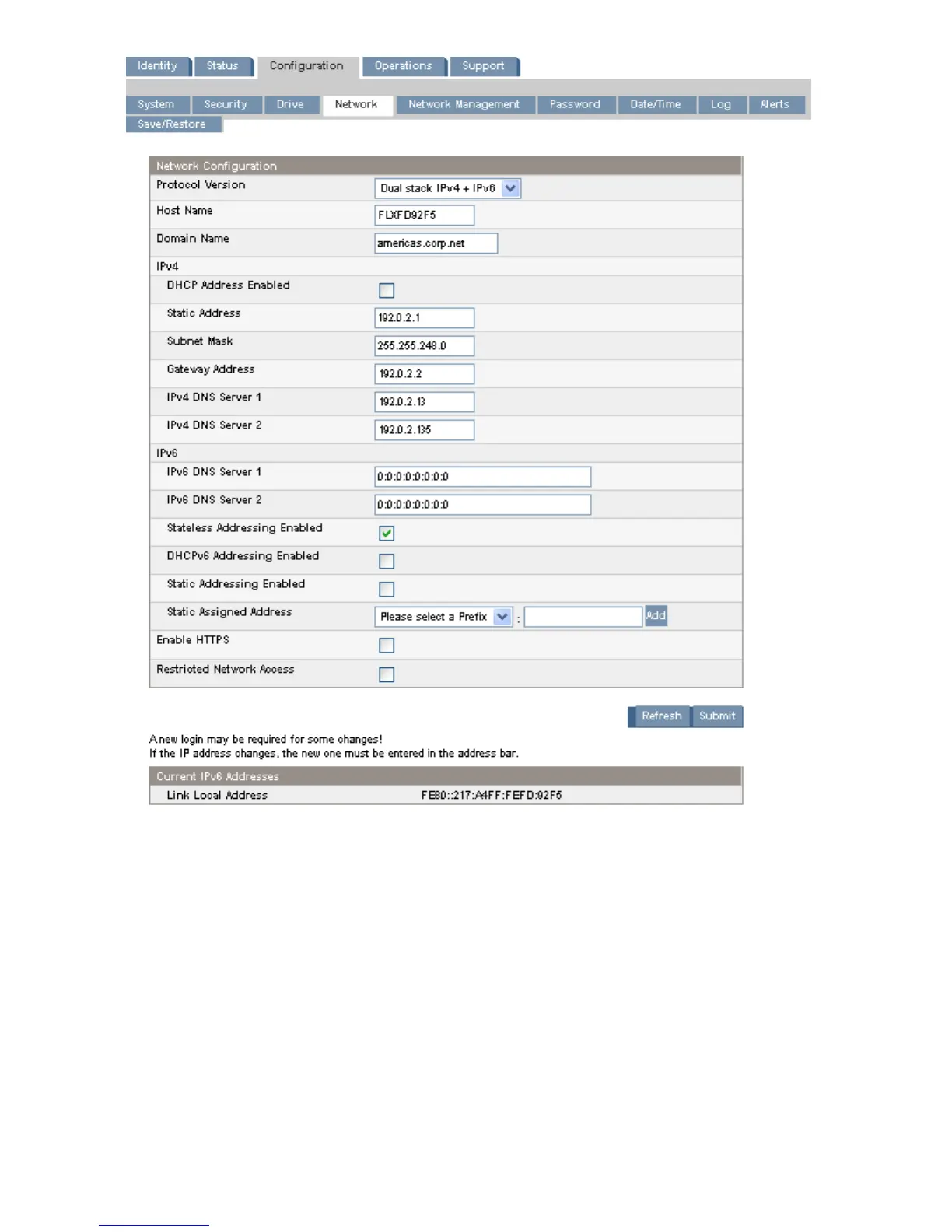
Figure 40 Configuration: Network page
.
You may change the:
• Protocol version — selects the Internet Protocols that will be enabled. Select IPv4 only, IPv6 only,
or both IPv4 and IPv6 protocols. The default is the IPv4 protocol only.
• Host Name — enter the host name provided by your network administrator for the Autoloader.
• Domain name — enter the domain name provided by your network administrator for the Autoloader.
• Enable HTTPS — when On, the RMI can only be accessed through an HTTPS connection.
• Restricted Network Access — when On, disables all non-essential network functionality that is not
required for normal product operation. In most circumstances leave this On.
For IPv4, you may change the:
Operating the Tape Autoloader66








 To Next Page