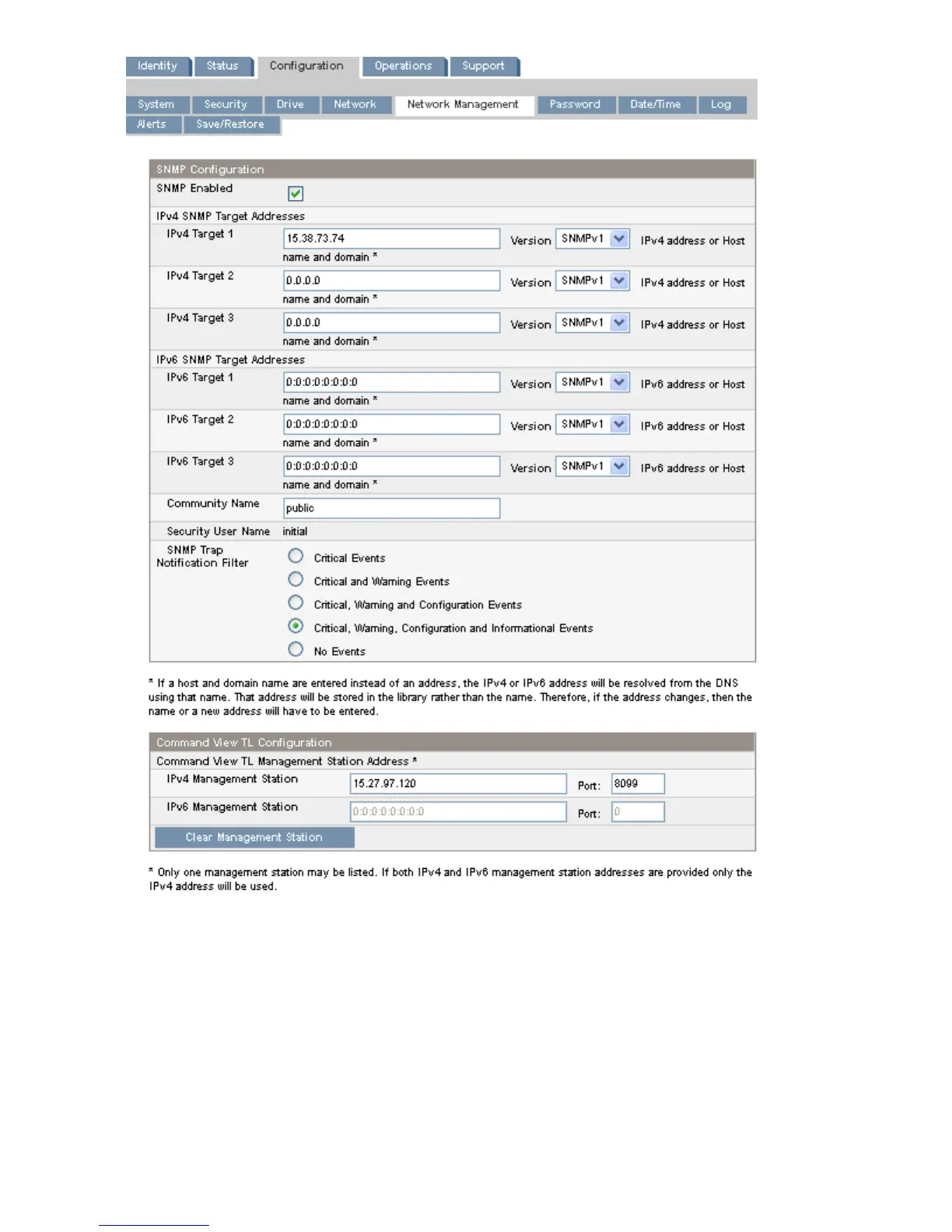
Figure 41 Configuration: Network Management page
.
You may change the:
• SNMP Enabled — When checked, the device can be managed by computers listed in the SNMP
Target IP Addresses field.
• SNMP Target IP Addresses — the IP addresses for up to three computers running IPv4 SNMP
management software and up to three computers running IPv6 SNMP management software. IP
addresses will not be cleared if SNMP is disabled, but those targets will no longer be able to
Operating the Tape Autoloader68








 To Next Page