______HSD Technological equipment for Automation _____________________________________
5801H0017 Rev. 02 _________________________________________________________ 74/98
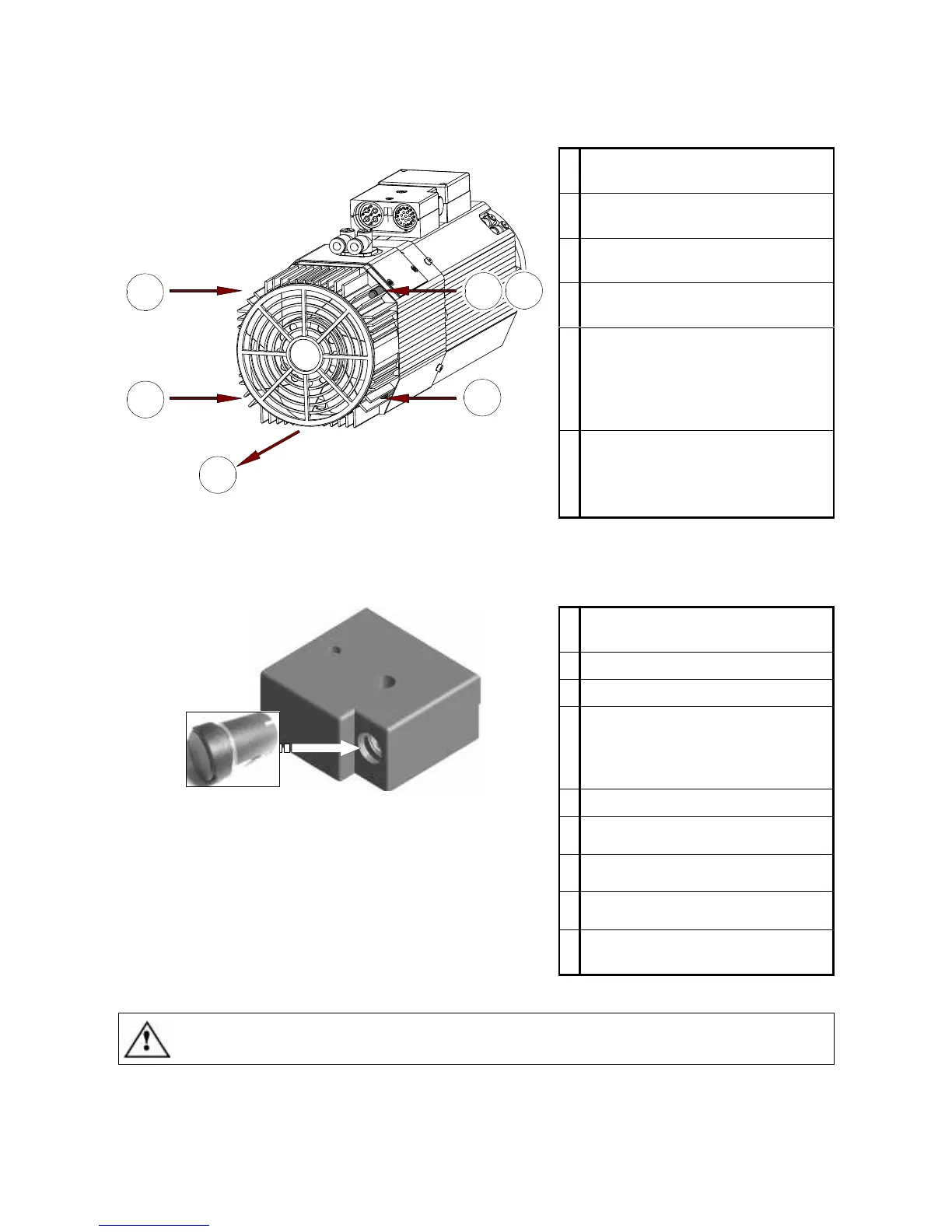
12.2.2 Replacing the cooling fan
1
Remove the four fixing screws
from the cooling fan unit.
2
Pull the fan unit off in the direction
shown by the arrow.
3
Disconnect the cooling fan's
electrical connector.
4
Connect up the connector of the
new cooling fan unit.
5
Push the earth cable of the new
cooling fan unit into the hole (5),
to ensure that it will be locked in
position by the screw fitted in the
next step (6).
6
Fit the new cooling fan unit and
secure it with the four fixing
screws, taking care to achieve an
efficient earth connection.
2
1
1
1
1
5
12.2.3 Replacing the tool change push-button
1
Remove the two screws from the
terminal block cover.
2
Remove the terminal block cover.
3
Disconnect the push-button cable.
4
Gently push the old button out
from inside the terminal block
while also pulling it from the
outside.
5
Fit the new push-button.
6
Connect up the push-button
cable.
7
Replace the cover on the terminal
block.
8
Fit and tighten the two cover
screws.
9
Check the functioning of the new
push-button.
IT IS STRICTLY FORBIDDEN TO CHANGE CABLES INSIDE THE TERMINAL BLOCK.



 To Next Page