Copyright © Huawei Technologies Co., Ltd.
Restoring factory settings will restore parameters to their default factory values. Perform this
operation with caution.
The following parameters will be restored:
All device operating parameters in Monitoring
Alarm parameters in System Settings > Alarm Parameters
Alarm parameters in System Settings > SNMP Settings
System Site Name in System Settings > Site Settings
Video Info List parameters in Maintenance > View Video
Procedure
Step 1 Log in to the ECC500 WebUI.
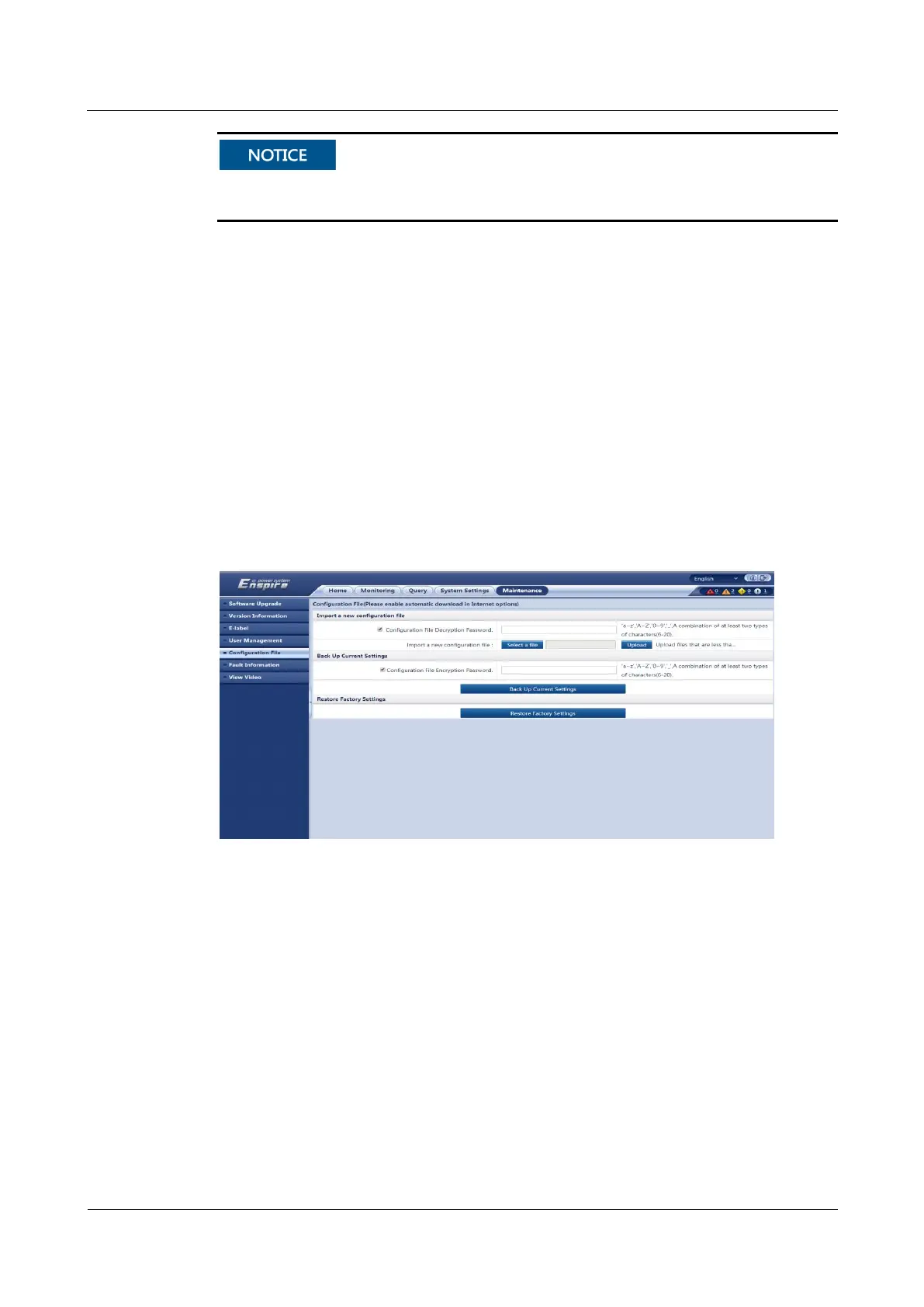
Step 2 Choose Maintenance > Configuration File and click Restore Factory Settings, as shown in
Figure 7-25.
Figure 7-25 Restoring factory settings
Step 3 Enter the password that you have logged in to the system, and click Submit.
----End



 To Next Page