4 Installation and Commissioning
Copyright © Huawei Technologies Co., Ltd.
Procedure
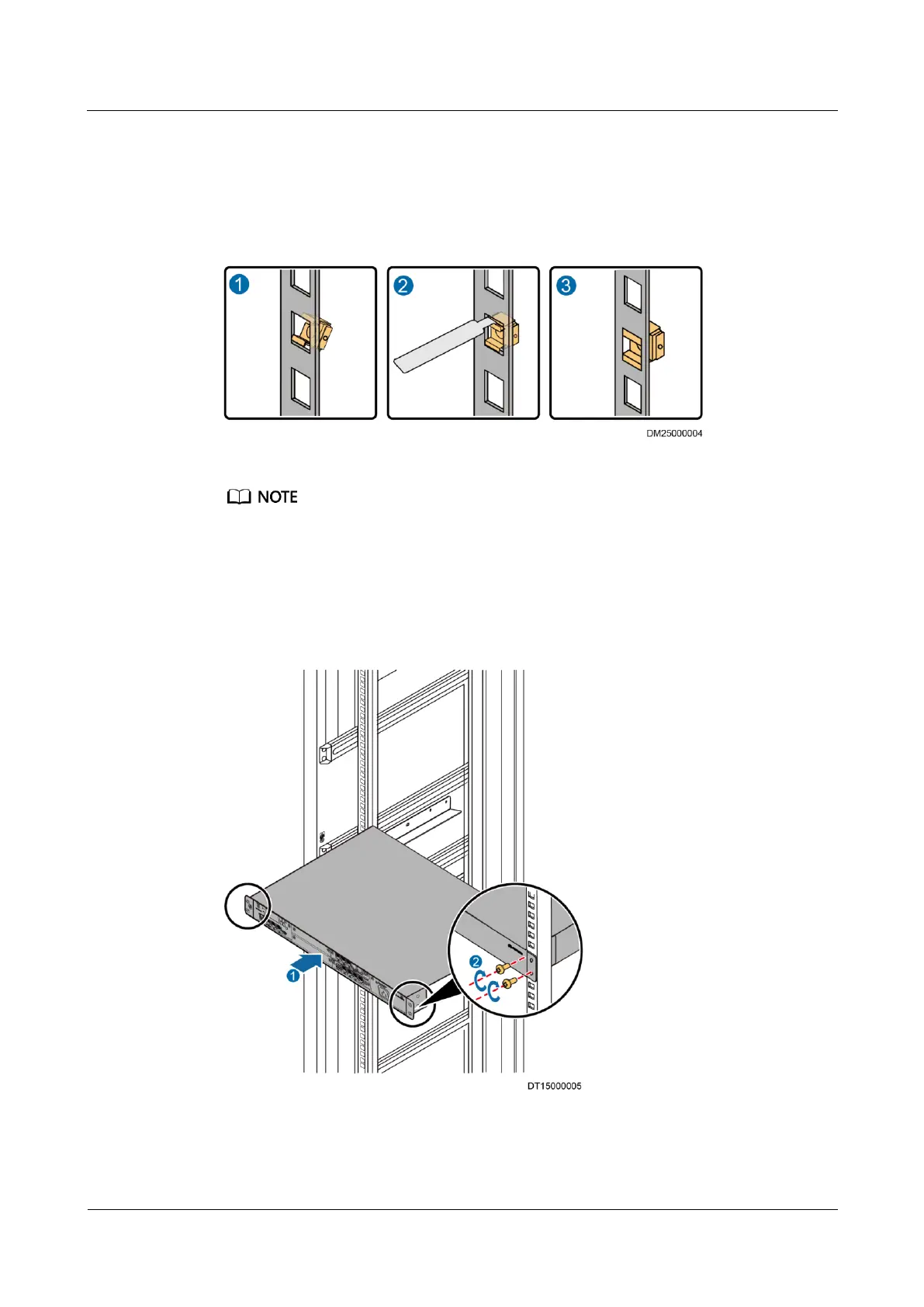
Step 1 Use a floating nut mounting bar to install floating nuts (one on each site) into the mounting
holes in the posts of the rack, as shown in Figure 4-2.
Figure 4-2 Installing a floating nut
Ensure that the floating nuts on both sides are on the same horizontal line.
Step 2 Place the ECC500 on the correct guide rails in the cabinet.
Step 3 Secure the ECC500 in the cabinet by tightening the M6 screws clockwise on the right and left
mounting ears, as shown by (2) in Figure 4-3.
Figure 4-3 Installing the ECC500
----End



 To Next Page