4 Installation and Commissioning
Copyright © Huawei Technologies Co., Ltd.
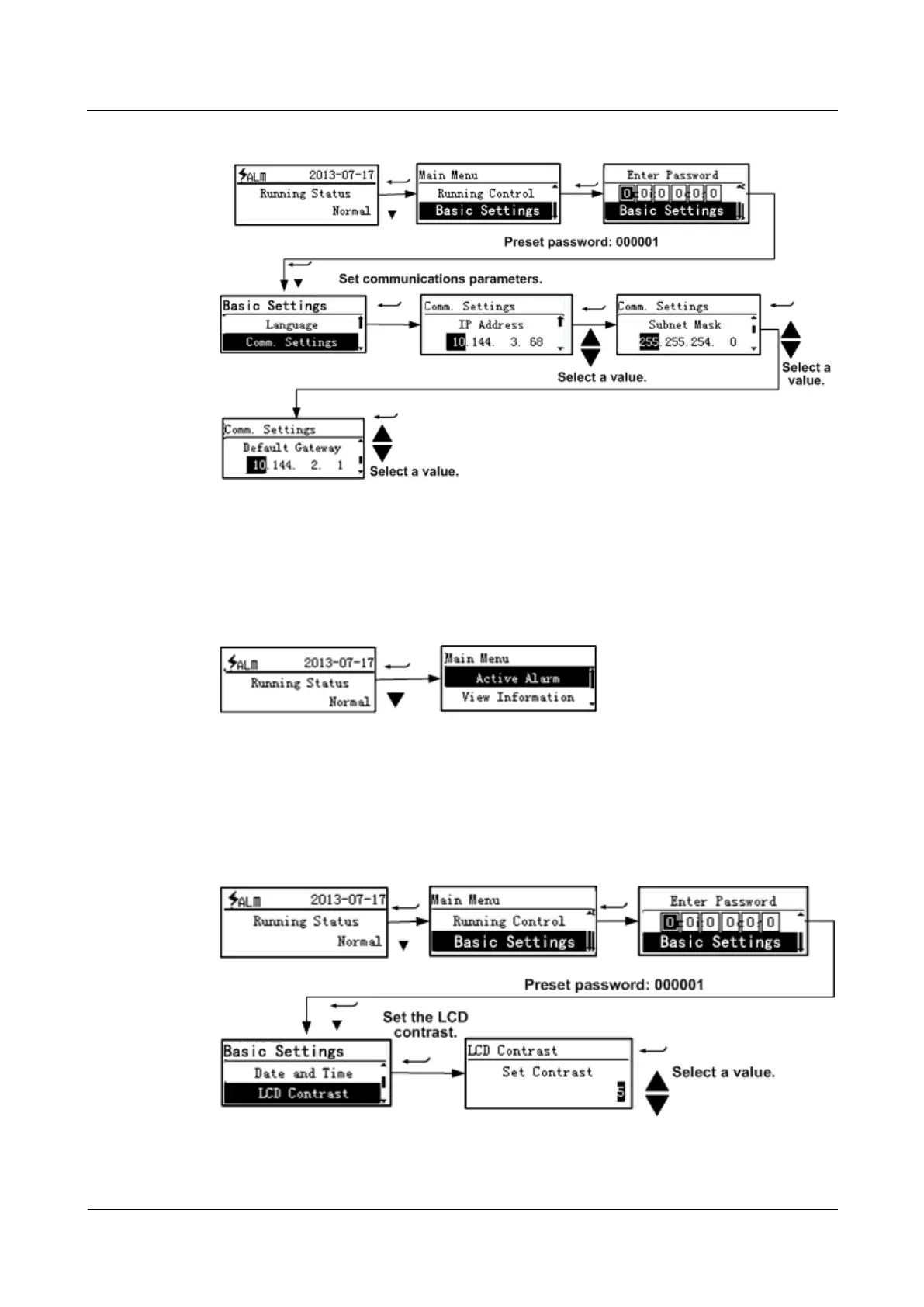
Figure 4-20 Setting communications parameters
Querying Information (LCD)
You can view active alarms over the LCD, as shown in Figure 4-21.
Figure 4-21 Viewing active alarms
Basic Settings (LCD)
Figure 4-22 shows how to set the LCD contrast.
Figure 4-22 Setting the LCD contrast



 To Next Page