Copyright © Huawei Technologies Co., Ltd.
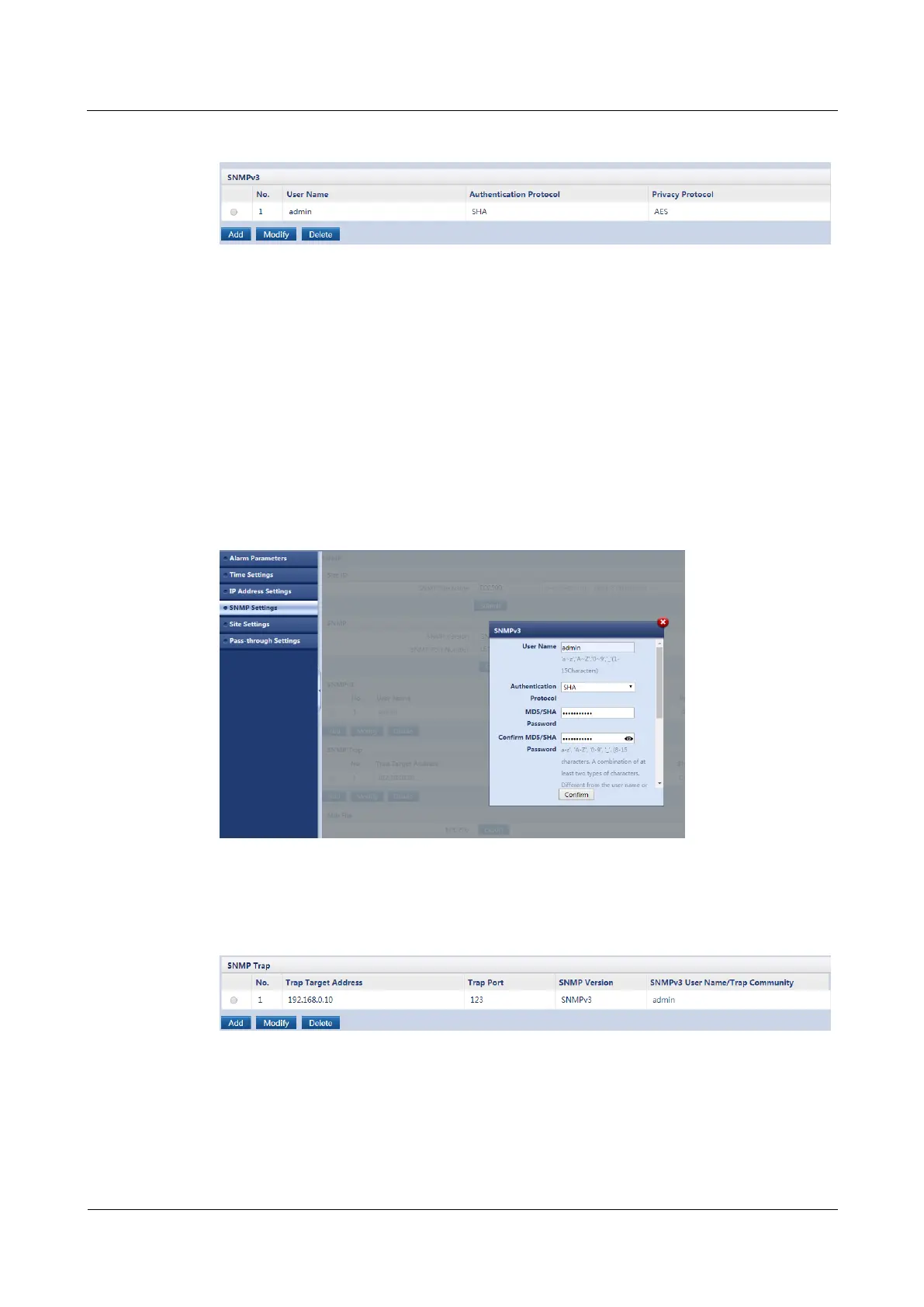
Figure 5-31 Setting SNMPv3 parameters_02
Step 6 Set User Name. Select SHA or MD5 and AES or DES. Set MD5/SHA Password, Confirm
MD5/SHA Password, DES/AES Password, and Confirm DES/AES password. See Figure
5-32.
Set User Name, MD5/SHA Password, and DES/AES Password to any character strings that
meet the system requirements. Note that the MD5/SHA Password and DES/AES Password
must be different. Record the settings.
MD5 and DES are insecure. SHA and AES are recommended, and they are chosen in the
following example.
Step 7 After setting the parameters, click Confirm.
Figure 5-32 Setting SNMPv3 parameters_03
Step 8 Click Add in SNMP Trap, as shown in Figure 5-33.
Figure 5-33 Setting SNMPv3 parameters_04
Step 9 Set Trap Target Address to the NetEco server IP address, Trap Port to the user-defined
port number, and SNMP Version to the required version.
Step 10 After setting the parameters, click Confirm.



 To Next Page