iPECS eMG80/100& eMG800 & UCP & vUCP
Administration and Programming Manual Issue 2.5
126
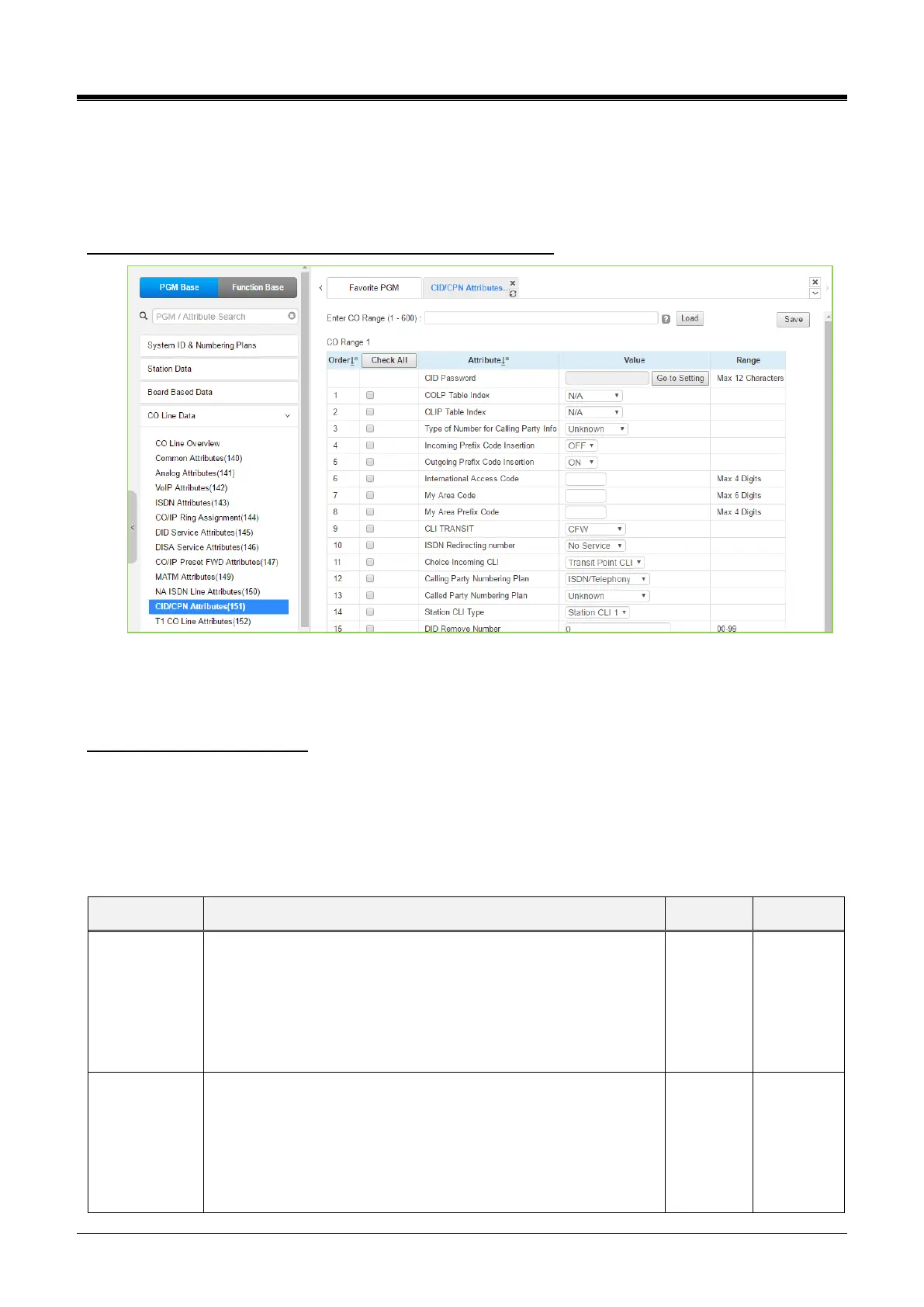
4.4.4.11 CID/CPN Attributes - PGM 151
Selecting CID/CPN Attributes will display the CID/CPN Attributes data input page. Enter a valid CO range and
click [Load] to enter the CID/CPN Attributes data. Use the checkmark to indicate which attributes to modify;
checked attributes are stored by clicking the [Save] button.
Enter CO Range: eMG80/100: 1-74 / eMG800: 1-600 / UCP: 1-998
Figure 4.4.4.11-1 CID/CPN Attributes
COLP: Connected Line Presentation
CLIP: Calling Line Identification Presentation
Setting CID Password directly
You can set the CID password by clicking the “Go to Setting” button. After clicking it, you will move to the
following PGM 162, set the CID password, save the CID password from the marking tick on the save box, and
click the Save button.
Refer to Table 4.4.4.11-1 for information on individual attributes.
When an incoming call on an ISDN Line is answered, the system
will send the caller id using the number from the CLIP/COLP
Table (section 4.4.7.2) entry defined by this parameter. The
station number is included as a suffix of the caller id. For “Using
Station’s COLP Attribute,” the Station CLI type entered below will
be used in place of the station number.
When a call is placed on an ISDN Line, the system will send the
caller id using the number from the CLIP/COLP Table entry
defined by this parameter. The station number is included as a
suffix of the caller id. For “Using Station’s CLIP Attribute,” the
Station CLI Type entered below will be used in place of the station
number.



 To Next Page