iPECS eMG80/100& eMG800 & UCP & vUCP
Administration and Programming Manual Issue 2.5
259
4.3.10.4 NET Numbering Plan Table – PGM 324
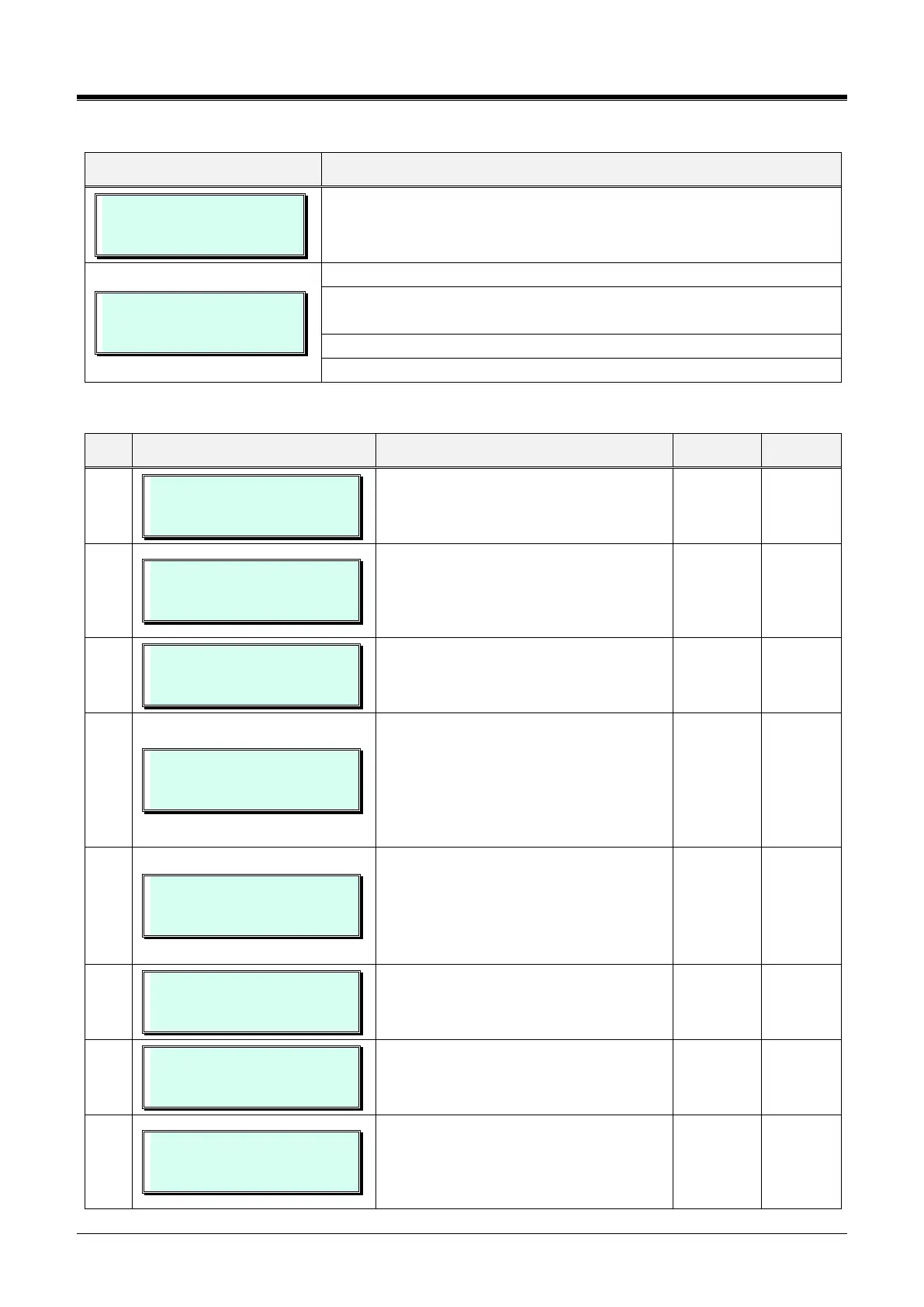
NET NUM PLAN TABLE
ENTER BIN NO (000-251)
Press the [PGM] button and dial 324, and enter bin number (Ex.001).
001 NET NUM PLAN TBL
PRESS FLEX KEY (01 – 16)
Use the dial-pad to enter the 3-digit Table index (bin) number, 000 ~ 251.
Press the Flex button, 1~16 for the desired setting. Refer to Table
3.3.10.4-1.
Use the dial-pad to enter the required data. Refer to Table 3.3.10.4-1.
Press the [Save] button to store the new data.
Table 3.3.10.4-1 NETWORK NUMBERING PLAN (PGM 324)
001 SYSTEM USAGE
(0:NET/1:PSTN) : NET
001 NUM PLAN CODE
. . . . . . . . . . . .. .
‘*’ means any digits can be inserted
between 0 ~ 9.
The digits followed by ‘#’ are an internal
station number.
001 NUM PLAN CO GRP
(00 - 24) : . .
‘00’ means an internal net station number
001 CPN INFORMATION
PRESS FLEX KY (1-4)
Flex 1: ISDN CPN INFORMATION
Flex 2: ( Flex button 1- 4 )
1: 00 CPN INFORMATION 01
2: 00 CPN INFORMATION 02
3: 00 CPN INFORMATION 03
4: 00 CPN INFORMATION 04
001 ALT SPD BIN
(2000-4999) : . . . .
Alternative Dial Number (System SPD
Bin) when the networking path has a fatal
problem.
eMG80/100: 2000~4999,
eMG800: 2000~9999
DEST SYSTEM IP ADDR
0 . 0 . 0 . 0
IP Address of destination MPB system
only when iPECS eMGis configured for
Voice Networking.
DEST SYSTEM PORT NO
(0000-9999) : 5588
Port Number of destination system for
Networking.
001 DIGIT REPEAT
(0:NO/1:YES): NO
When the number plan code (Flex 2) is for
PSTN call or transit-call, this number code
can be enveloped in SETUP message or
not whether if this field is set or not.



 To Next Page