iPECS eMG80/100& eMG800 & UCP & vUCP
Administration and Programming Manual Issue 2.5
54
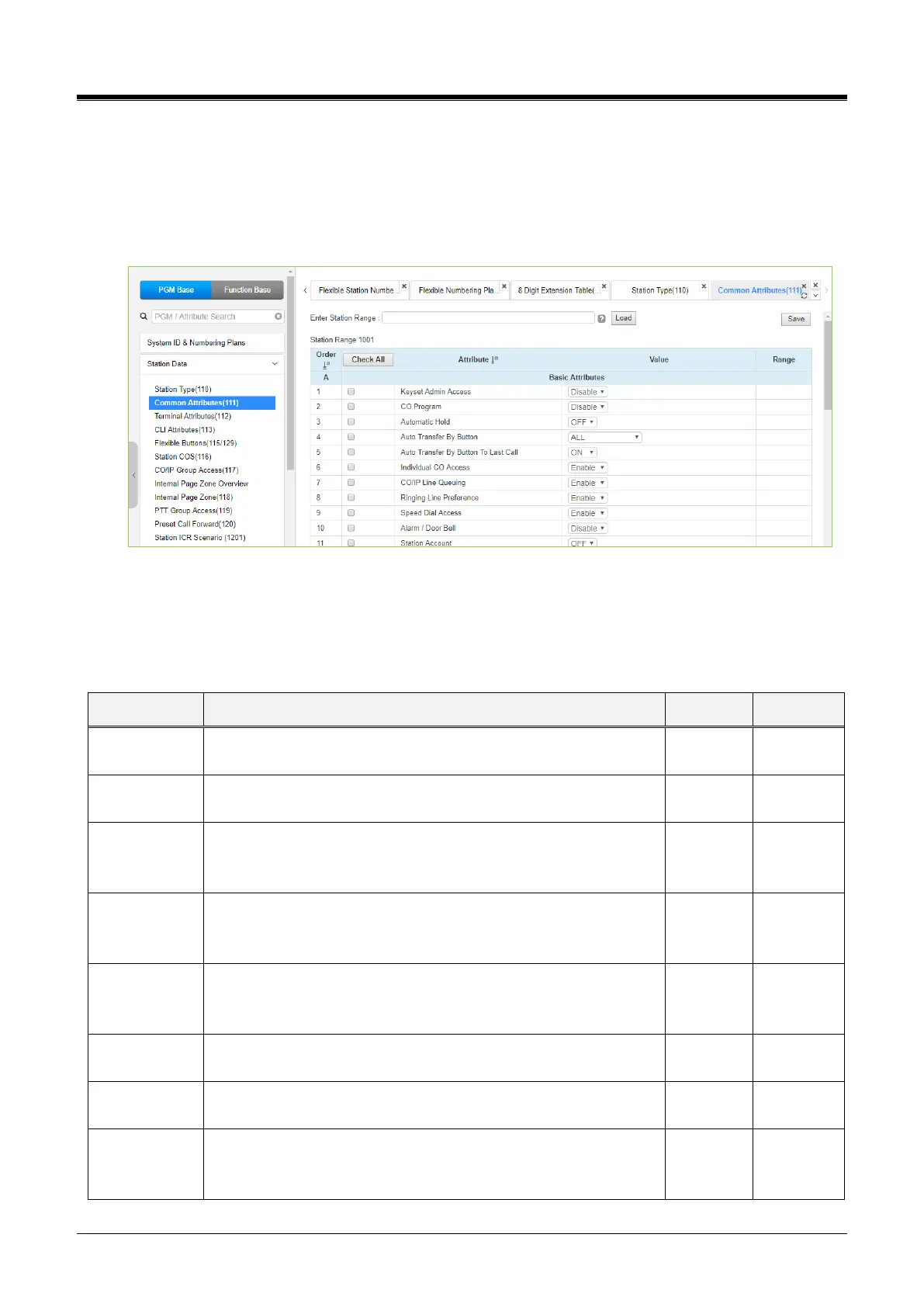
4.4.2.2 Common Attributes - PGM 111
Selecting Common Attributes will display the common attributes data input page. Enter a valid station range
and click the[Load] button to enter Common Attributes data.
Use the checkboxes to indicate which attributes to define; data for checked attributes is stored for the entire
range of stations by clicking the [Save]button after changing Value.
Figure 4.4.2.2-1 Common Attributes
Common Attributes define features and functions available to the station. Generally, the entry will turn the
feature ON (enable) or OFF (disable). Refer to the following table for a description of the features and the
input required.
Table 4.4.2.2-1 Common Attributes
When enabled, the station can access the system Database.
A station can be permitted to change the CO/IP Line numbers
(ports) associated with a Flexible button.
Enables Auto Hold for the station. With Auto Hold enabled, the
system will place an active external call on hold if the user
presses a CO/IP Line or DSS button.
Transfer a talking call to a new making call by pressing the station
(DSS)/CO(Loop)/U-Loop flexible button.
OFF, ALL Except CO to CO
Auto Transfer
By Button To
Last Call
Transfer a talking call to only last new making call when using
Auto Transfer By Button. Ex) Talking -> press Button A -> press
Button B -> On Hook: Talking is transferred to Button B
Permits stations to use dial codes to access individual CO/IP
Lines.
Permits the station to queue for the next available Line when an
All Lines Busy signal is received.
Enables Ringing Line Preference for the station. Calls that ring the
telephone can be answered by going off-hook without selecting
the CO/IP Line button.



 To Next Page