iPECS eMG80/100& eMG800 & UCP & vUCP
Administration and Programming Manual Issue 2.5
31
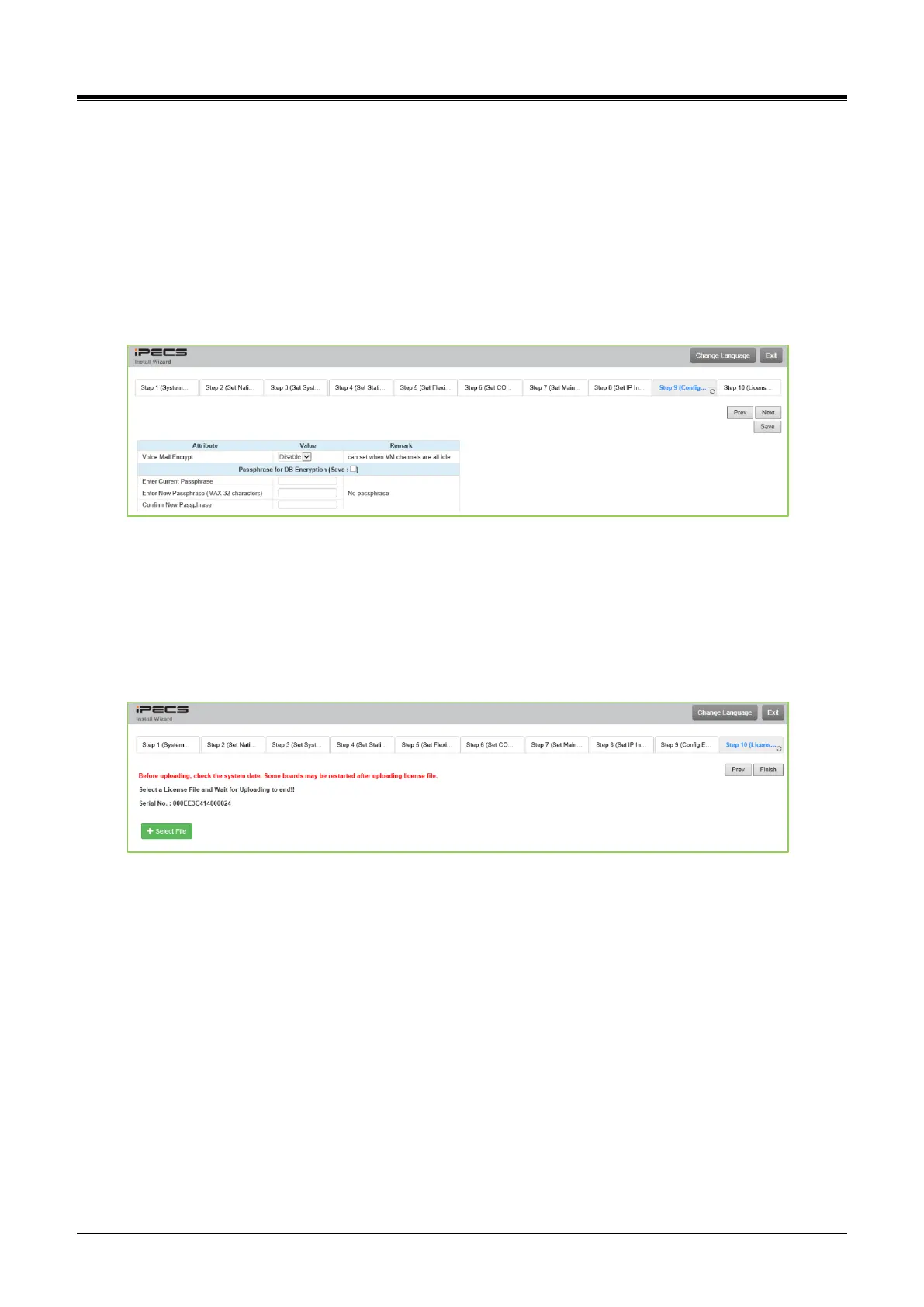
4.3.5.9 Config Encryption
The passphrase is used for DB encryption. If the value is set, the private date in your system will be
encrypted. Therefore even if the files which include private data are leaked, they cannot be read. When you
don’t want this encryption feature, you have to set the passphrase to blank.
Note that, before the encryption, it is better backup your DB for the emergency case and remember the
passphrase. Otherwise, you cannot decrypt the system DB.
If the passphrase is assigned, the system DB, which includes private data, will be encrypted. If the passphrase
is lost, you cannot change it or decrypted system DBs,
4.3.5.10 Set License Upload
Before License upload, make sure that the date of the system is set correctly. Click the [Select files] button
and open the pop-up folder—select a valid license file to upload to the system and click the [Start] button.
If the file which is sent to the system is “System License File,” it will be saved and automatically applied
without restart. The enabled features by uploading the license file can be shown on the “System Overview”
page.



 To Next Page