iPECS eMG80/100& eMG800 & UCP & vUCP
Administration and Programming Manual Issue 2.5
215
4.4.6.2 Station Group Assignment - PGM 190
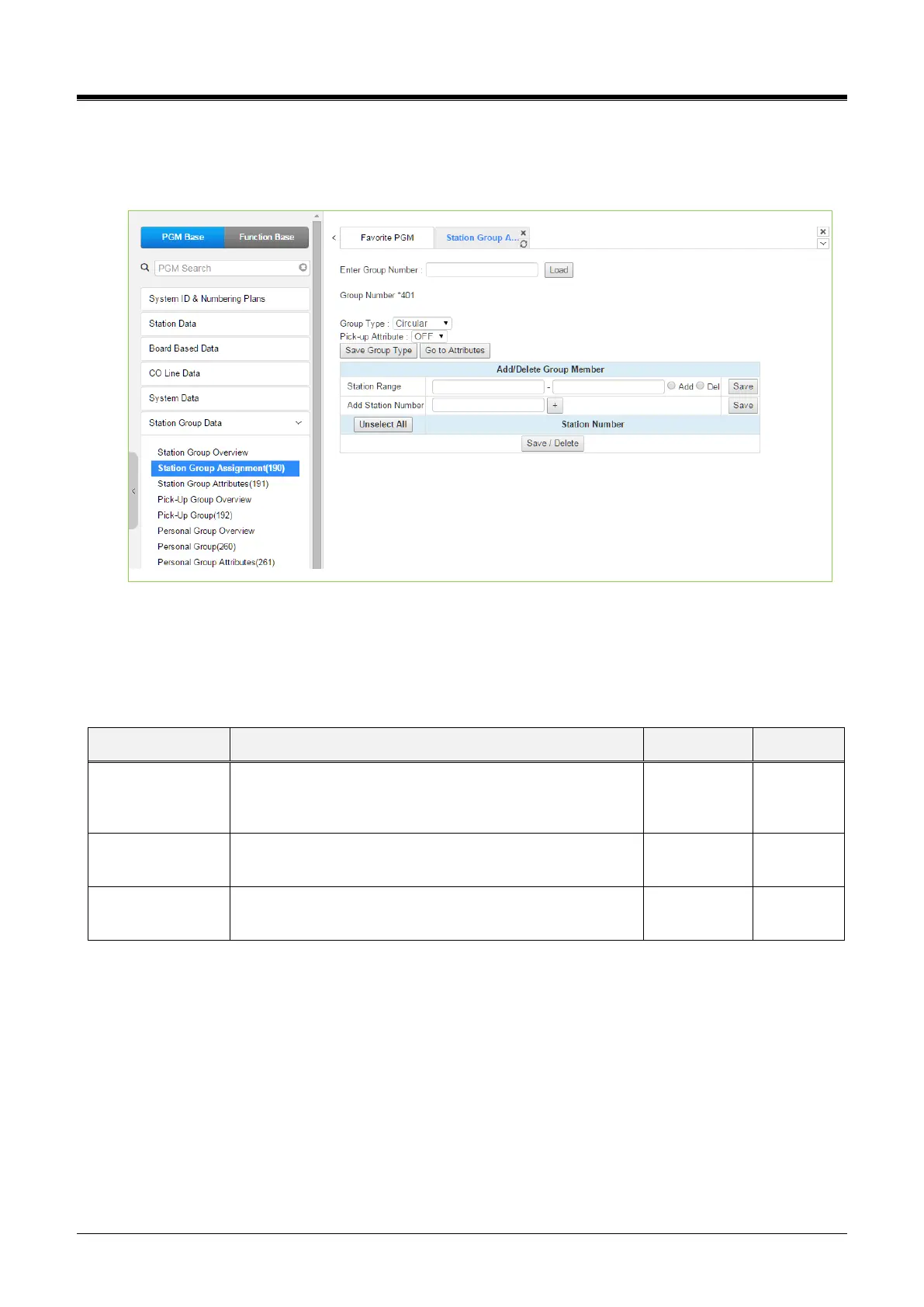
Selecting Station Group Assignment will display the Station Group data entry page. Enter the desired Station
Group number and click [Load] to display the Group Assignment.
Figure 4.4.6.2-1 Station Group Assignments
Under Station Group Assignments, the type, members, and Pick-Up attributes are assigned to the Station
Group. Note for the Net VM group. The network number must be assigned as the Net VM group member
station.
Table 4.4.6.2-1 STATION GROUP ASSIGNMENT
Defines the type of station group.
N/A, Circular, Terminal, ACD, Ring, Voice Mail, Pick-Up,
VSF-VM, UMS VM, NET VM, UCS
Stations can pick up group calls ringing at other stations in
the group. This does not apply to the VM groups.
Assigns stations as members of a station group or, for the
Net VM group type, defines the Net Number of the group.
4.4.6.3 Station Group Attributes - PGM 191
Selecting Station Group Attributes will display the Station Group Attributes data entry page. Enter the Station
Group number and click [Load]. The Web page for the selected group will be displayed as in Figure 4.4.6.3-1
to Figure 4.4.6.3-8 based on the Group type.
Each type of group has a different set of available attributes relating to announcements, timers, overflow, etc.
Table 4.4.6.3-1 through Table 4.4.6.3-8 provides descriptions for the attributes and data entries required. Note
that the attributes for the Circular and Terminal Station groups are given in Table 4.4.6.3-1, and the UCD
attributes include the ACD functions Table 4.4.6.3-2.



 To Next Page