iPECS eMG80/100& eMG800 & UCP & vUCP
Administration and Programming Manual Issue 2.5
202
4.4.5.36 System Call Routing - PGM 251
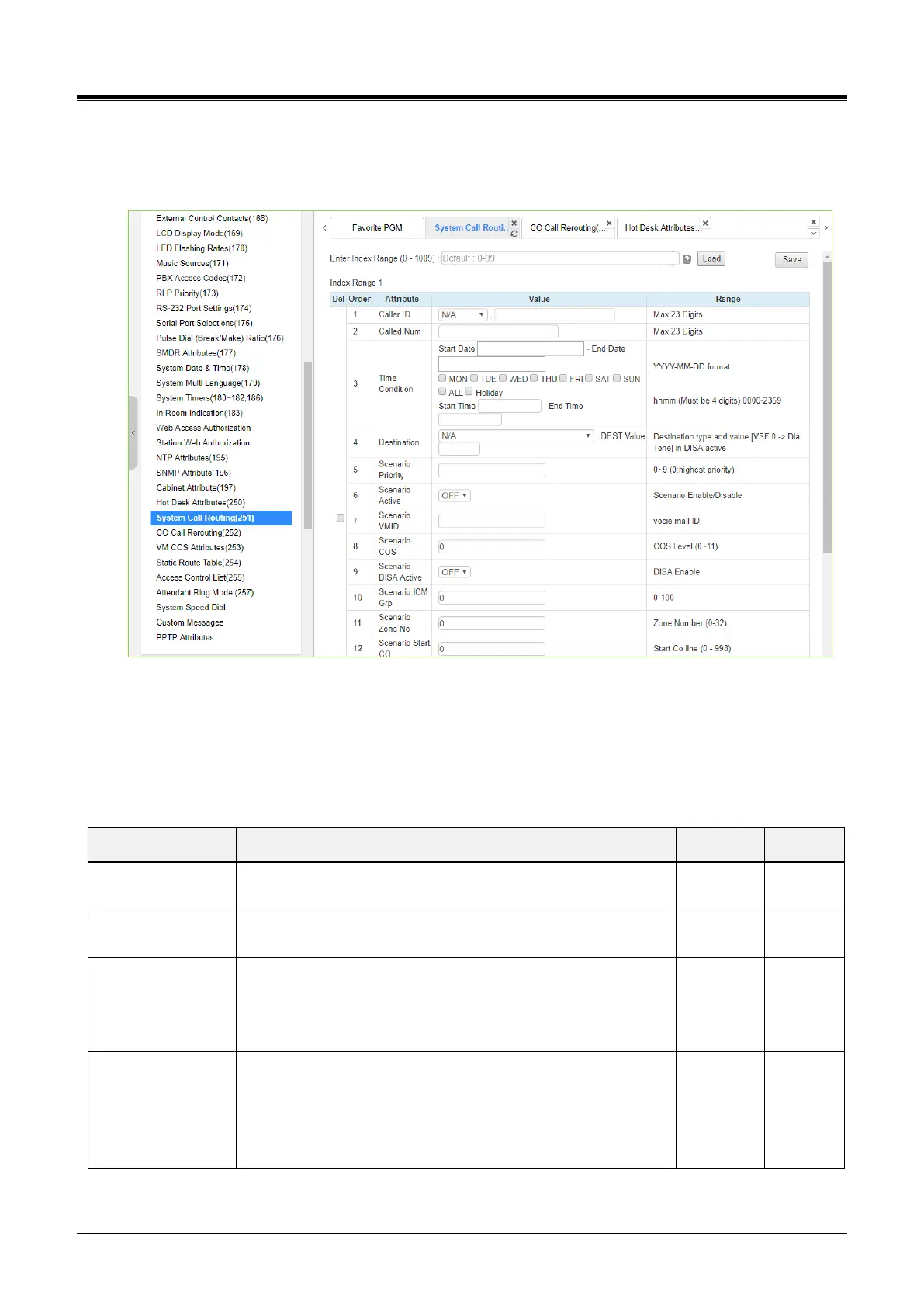
Selecting System Call Routing will display the System Call Routing data entry page. Enter a valid Index range
and click [Load] to enter Call Routing data. Click the [Save] button after changing Value.
Figure 4.4.5.36-1 System Call Routing
System Call Routing establishes scenarios with criteria to route calls. Criteria include a time of day, day of the
week, Caller and Called numbers, etc. System Call Routing takes precedent over another system-based call
routing. However, Station and CO Call Routing scenarios take precedence over System Call Routing
scenarios.
Table 4.4.5.36-1 System Call Routing Attributes
This field defines the Caller Id for the scenario.
This field defines the Called number for this scenario.
Time condition
(Start Day and End
Day, weeks, start
time and end time)
The time and day for activation of the scenario can be defined.
YYYY-MM-DD hhmm (Must be 4 digits)
Destination (Type
and Value)
This field defines the destination type and value for call routing
when the scenario criteria are met.
N/A, STA, Station Group, SPD, PABX, VSF, VSF(#), Net
Station, Company room, INT Page, EXT Page, All Page,
VM, ICLID Table



 To Next Page