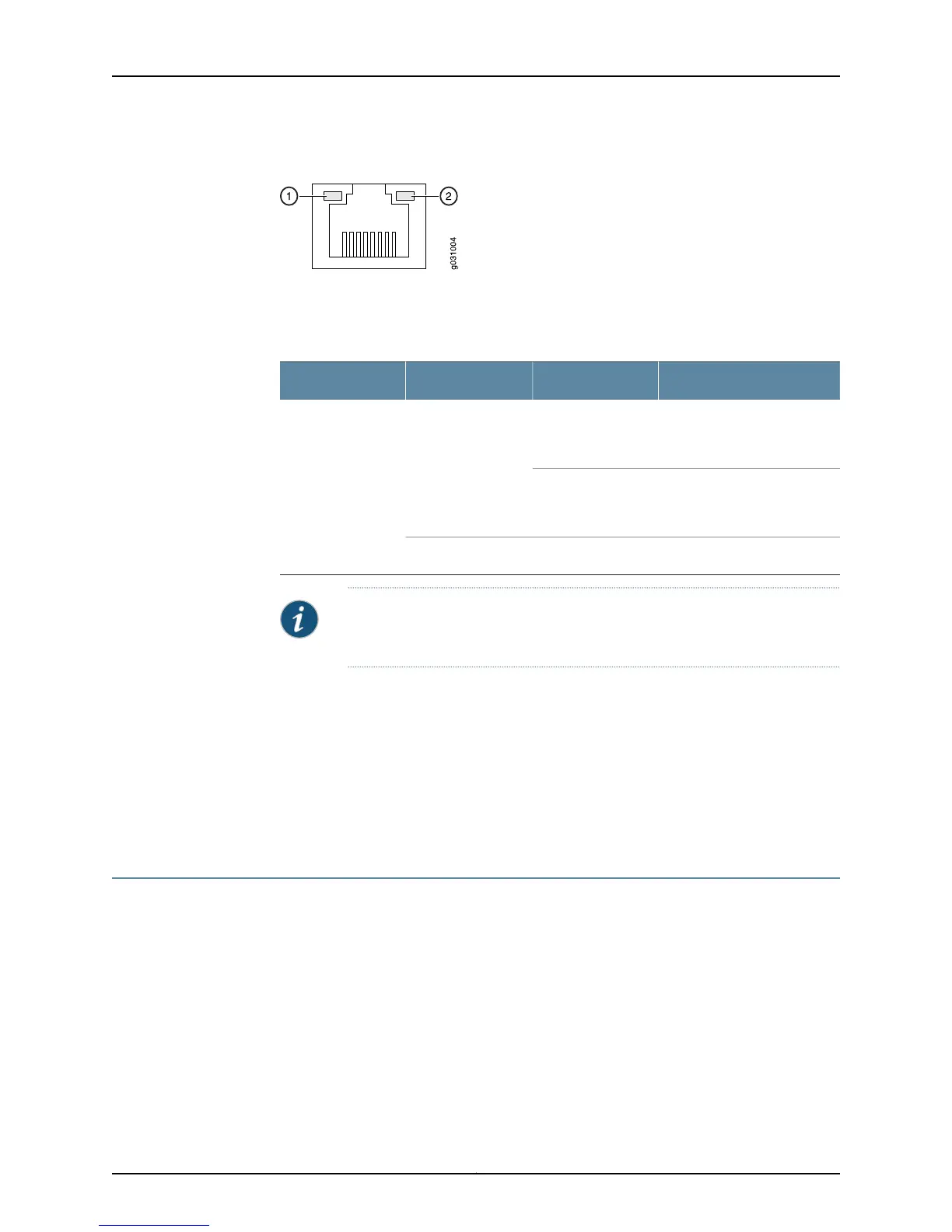
Figure 2: SRX100 Services Gateway Ethernet Port LEDs
The Table 6 on page 10 applies only to the TX/RX/LINK LED marked 1. Table 6 on page 10
describes the states of this LED.
Table 6: SRX100 Services Gateway Built-In Ethernet Port LEDs
DescriptionStateColorFunction
Link is active. Data
communication is taking
place.
BlinkingGreenTX/RX/LINK
Link is active. No data
communication is taking
place.
Steady
Link is inactive.OffUnlit
NOTE: The LED marked as 2 in Figure 2 on page 10 is not functional in this
release.
Related
Documentation
SRX100 Services Gateway Specifications on page 24•
• SRX100 Services Gateway Front Panel and Back Panel Views on page 13
• SRX100 Services Gateway Built-In Interfaces on page 15
• SRX100 Services Gateway Boot Devices and Dual-Root Partitioning Scheme on page 11
• SRX100 Services Gateway Power Supply on page 10
SRX100 Services Gateway Power Supply
The power supply for the SRX100 Services Gateway is external. You must use the power
supply adapter provided by Juniper Networks to provide power to the services gateway.
Related
Documentation
SRX100 Services Gateway Specifications on page 24•
• SRX100 Services Gateway Front Panel and Back Panel Views on page 13
• SRX100 Services Gateway LEDs on page 7
• SRX100 Services Gateway Built-In Interfaces on page 15
• SRX100 Services Gateway Boot Devices and Dual-Root Partitioning Scheme on page 11
Copyright © 2015, Juniper Networks, Inc.10
SRX100 Services Gateway Hardware Guide for B and H Model Numbers



 To Next Page