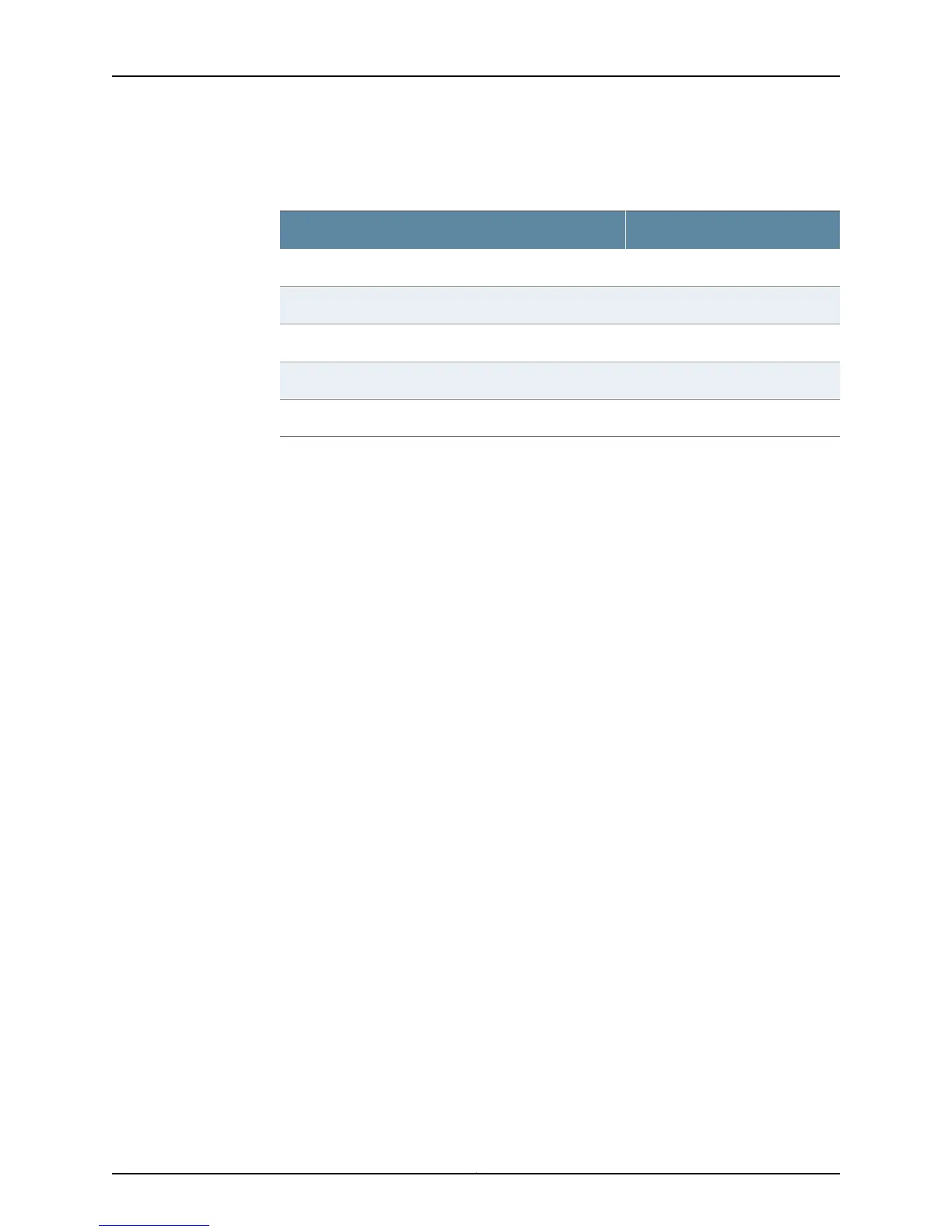
4. Configure the port settings shown in Table 27 on page 64.
Table 27: Port Settings for Connecting to the CLI at User End
ValuePort Setting
9600Bits per second
8Data bits
NoneParity
1Stop bits
NoneFlow control
5. In the HyperTerminal window, enter AT.
For more information on the AT commands, see the following topics:
•
Initial Configuration for Security Devices
•
Monitoring and Troubleshooting for Security Devices
An OK response verifies that the modem can communicate successfully with the COM
port on the PC or laptop.
6. Dial the modem that is connected to the console port on the services gateway by
entering ATDT remote-modem-number. For example, if the number of the modem
connected to the console port on the services gateway is 0013033033030, enter ATDT
0013033033030.
The services gateway login prompt appears.
7. Log in as the user root. No password is required at initial connection, but you must
assign a root password before committing any configuration settings.
Related
Documentation
• Connecting the Modem at the SRX100 Services Gateway End on page 62
• Connecting the Modem to the Console Port on the SRX100 Services Gateway on
page 63
Copyright © 2015, Juniper Networks, Inc.64
SRX100 Services Gateway Hardware Guide for B and H Model Numbers



 To Next Page