Stratos Multi E401N
59
Usage: Function Check
01. Open Inputs and Outputs
Relay Contacts .
02. Select the desired contact with the up/down arrow keys and enter.
03. Usage: Function Check
04. Set the contact parameters.
Function check (HOLD) is active:
• during calibration (only the corresponding channel)
• during maintenance (current source, relay test)
• during parameter setting at the operator level or the administrator level
• during an automatic rinse cycle.
The output signal is temporarily frozen.
Usage: Limit
01. Open Inputs and Outputs
Relay Contacts .
02. Select the desired contact with the up/down arrow keys and enter.
03. Usage: Limit
04. Set the contact parameters.
Contact K1 (Admin.)
Process Variable
Back
Usage
Limit
Hysteresis
Direction
Limit
pH Value
Minimum
pH 3.00
pH 0.10
Contact Type Normally Open N/O
Back to Meas.
II
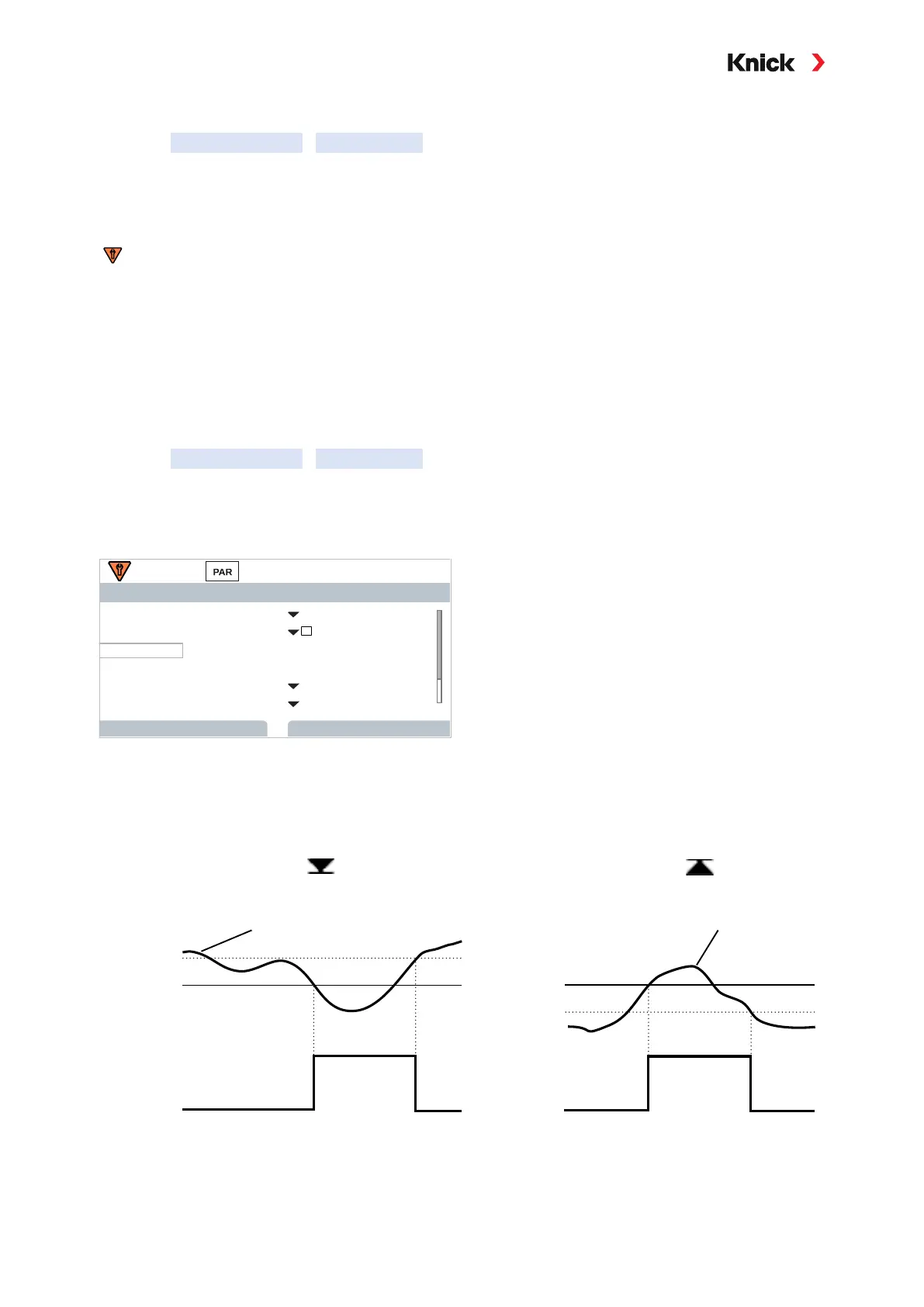
The hysteresis prevents small fluctuations in the measured value around the limit from constantly trig-
gering a switching operation.
The hysteresis is configurable and can be activated with an ON/OFF delay time.
In the measurement display, an icon is used to indicate if the limit has been exceeded.
Hysteresis +
Limit
1
0
Contact
Hysteresis -
Limit
Contact
1
0
Signal Signal
Measured value falls below limit Measured value exceeds limit
Effective direction:
Minimum
Effective direction:
Maximum



 To Next Page