4-22
bizhub PRESS C71cf
4
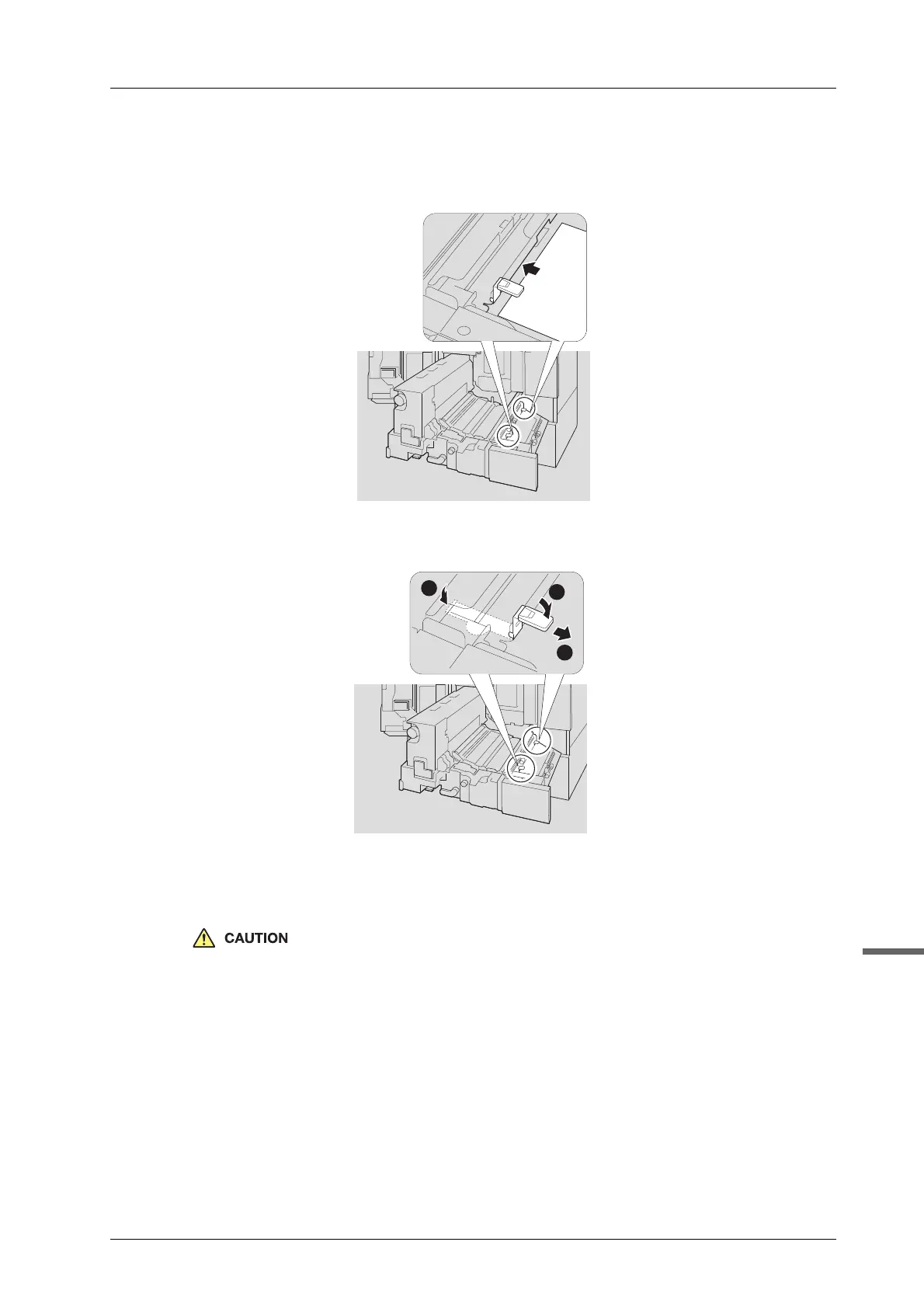
G Insert paper under the leaf spring (front) and the leaf spring (back).
Adhesive may be stuck on the bottom of the leaf spring. Inserting paper prevents adhesive from sticking
to the conveyance section.
H Remove the leaf spring (front) and the leaf spring (back).
- To detach the leaf spring (front) and the leaf spring (back), unlock the hooks near the knobs first.
- After unlocking the hooks near the knobs, open the cover [M2], and then unlock the hooks on the
other side.
Be careful not to cut your hand when attaching or detaching the leaf spring (front) and the leaf spring
(back).



 To Next Page