4-23
4.3 Weekly Cleaning
NOTICE
Adhesive sticking to the conveyance section can cause a feeding error. Be sure to insert paper first.
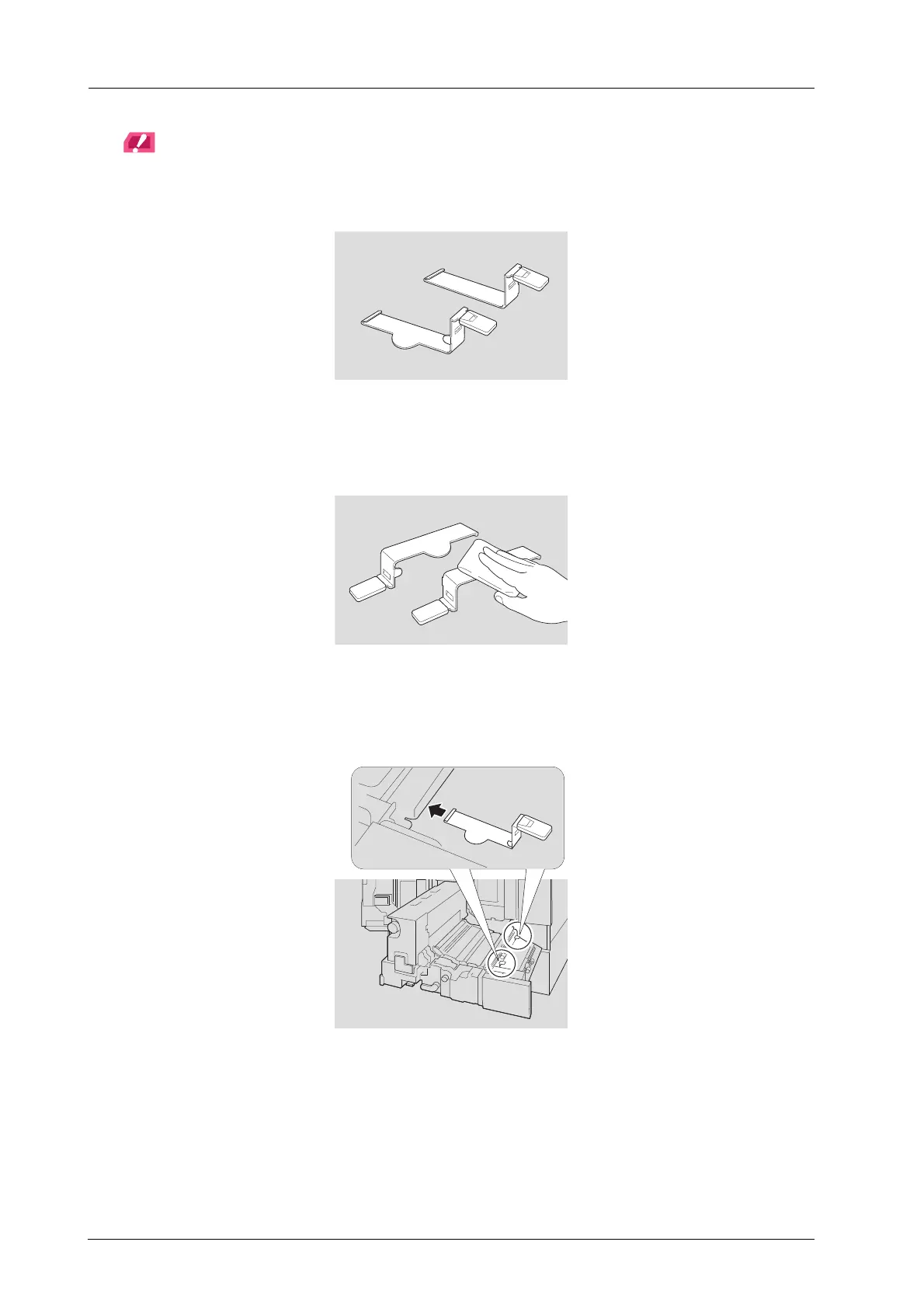
The leaf spring (front) has a round protrusion, while the leaf spring (back) does not. Make sure to use the
correct springs when attaching them.
Do not apply too much force when attaching or detaching the leaf spring (front) or the leaf spring (back). Doing
this can cause the deformation of the springs.
I Clean the leaf spring (front) and the leaf spring (back).
Firmly clean the springs as adhesive easily sticks to them.
J Follow the reverse procedure to detaching the leaf springs, attach the leaf spring
(front) and leaf spring (back).
After attaching, make sure that both leaf springs are hooked up.



 To Next Page