NOTICE: By default, the Operator level is not enabled, and the Technician level
is accessible without password.
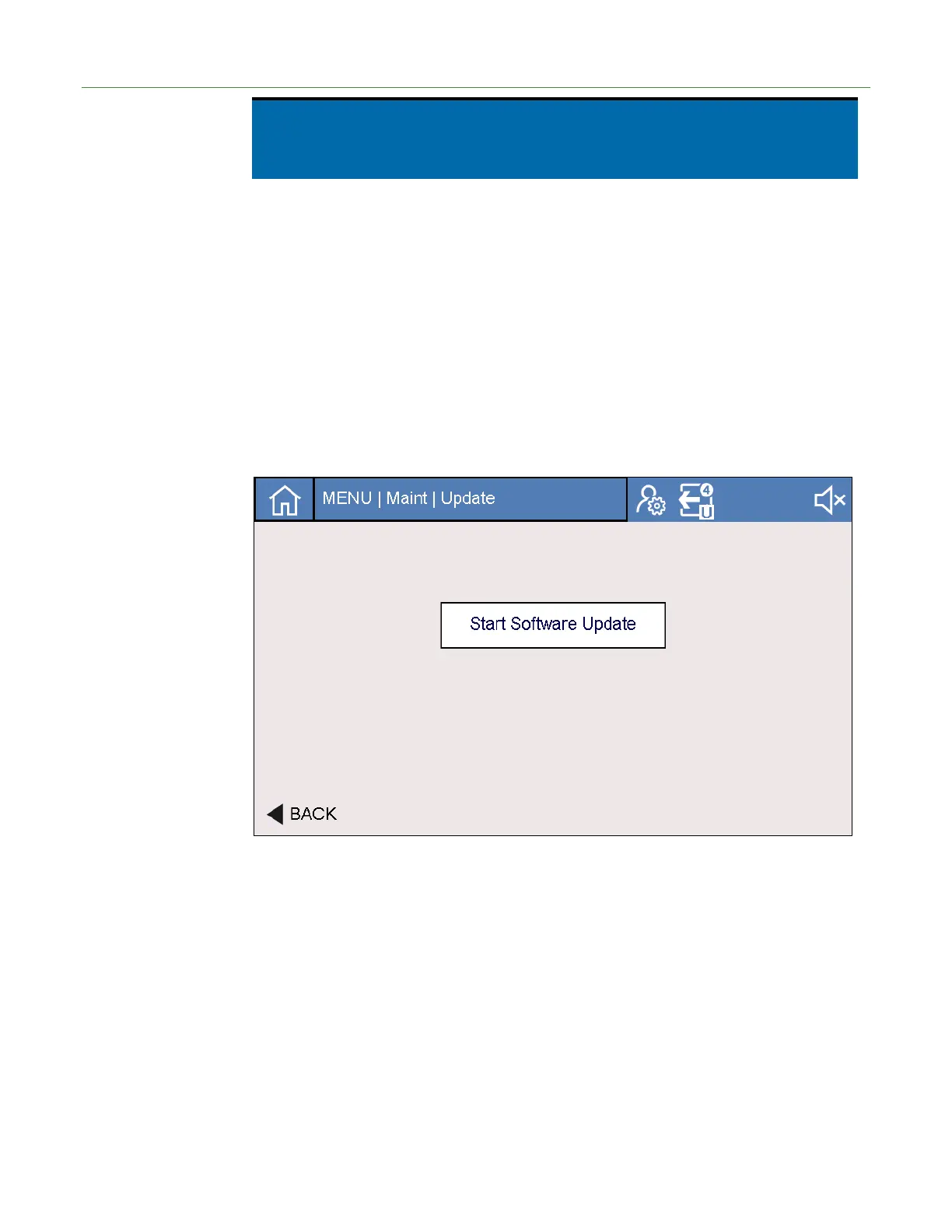
Software Update The button will launch a new screen where the user can install new software.
6.10.8.1. Software Update
LACO will provide three files (firmware, application, and key file). To perform a
software update:
1. Place USB drive into PC and copy and paste these files onto a Windows-formatted
USB drive.
2. Place USB drive into USB port on TITAN VERSA.
3. Navigate to the following screen: Settings > Maintenance > Parameters and press
the Software Update button. The screen below appears.
4. Press the Start Update button.
5. The update will take approximately two to four minutes. Status text will be
displayed.
6. The system will reboot after the update is completed.


 To Next Page