6 OPERATION
54 TITAN VERSA Operations and Maintenance Manual LACO Technologies
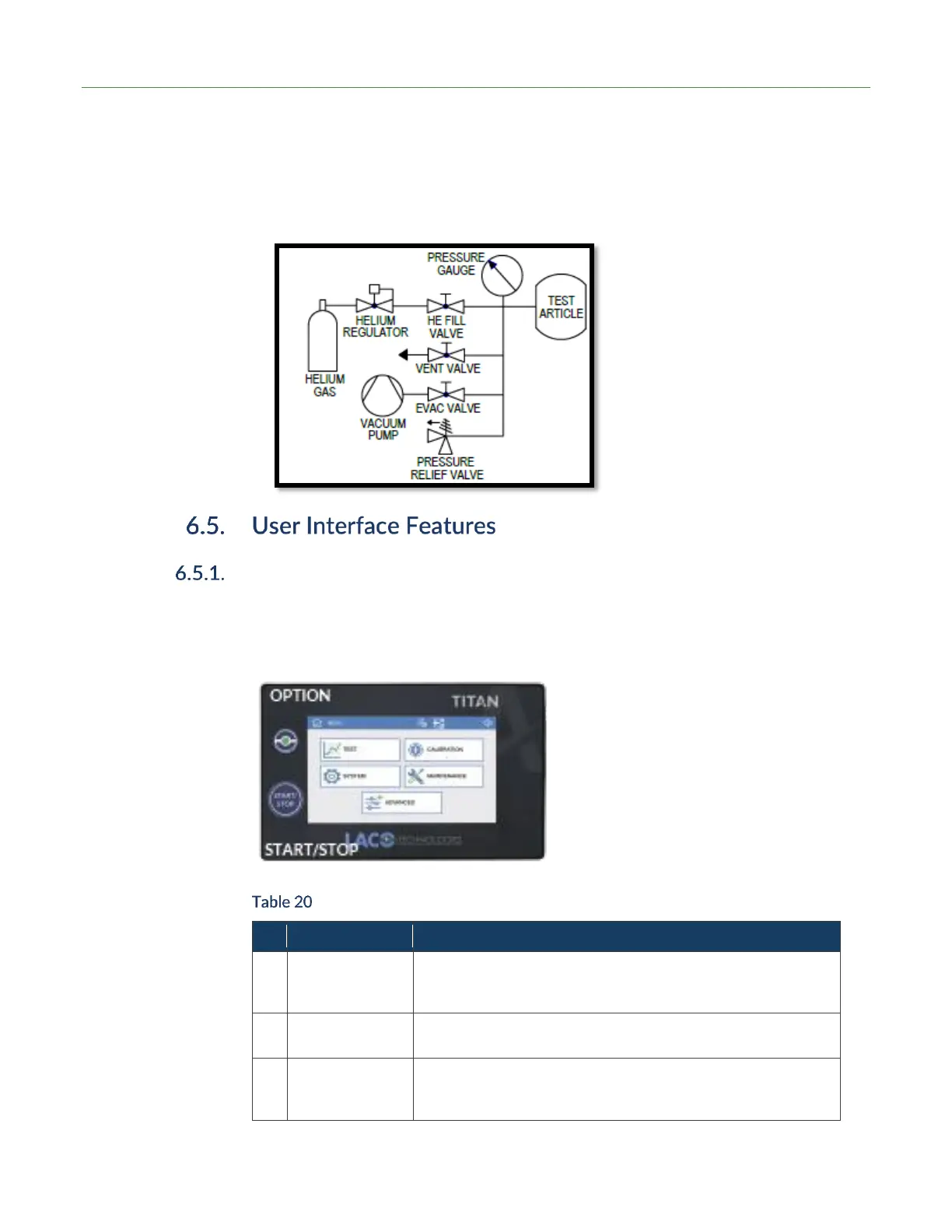
5. Open evac valve and evacuate inside of part. Close evac valve.
6. Open helium fill valve and fill part to desired pressure range. Close helium fill valve.
7. Perform leak test by sniffer method or Inside-Out vacuum method.
8. When leak test is complete, open vent valve to remove test gas. Vent tracer gas
away from test area to reduce helium background in the testing area.
Touchscreen Display and Buttons
The detector has a color touchscreen display, Start / Stop cycle button, and a user-
programmable option button for the main user interface items. Table 20 below
describes how each device is used to control the detector.
Control Unit Buttons
Press on the relevant area to perform the needed functions.
The settings for many functions can be accessed quickly by
pushing down on an icon for more than 1 second.
When in standby mode, press button to start a cycle. When in
test mode, press the button again to stop the test cycle.
User can configure button to perform these commonly-used
functions: None, Zero, Vent, Data Log On, Alarm. The default
setting is None.



 To Next Page