6 OPERATION
62 TITAN VERSA Operations and Maintenance Manual LACO Technologies
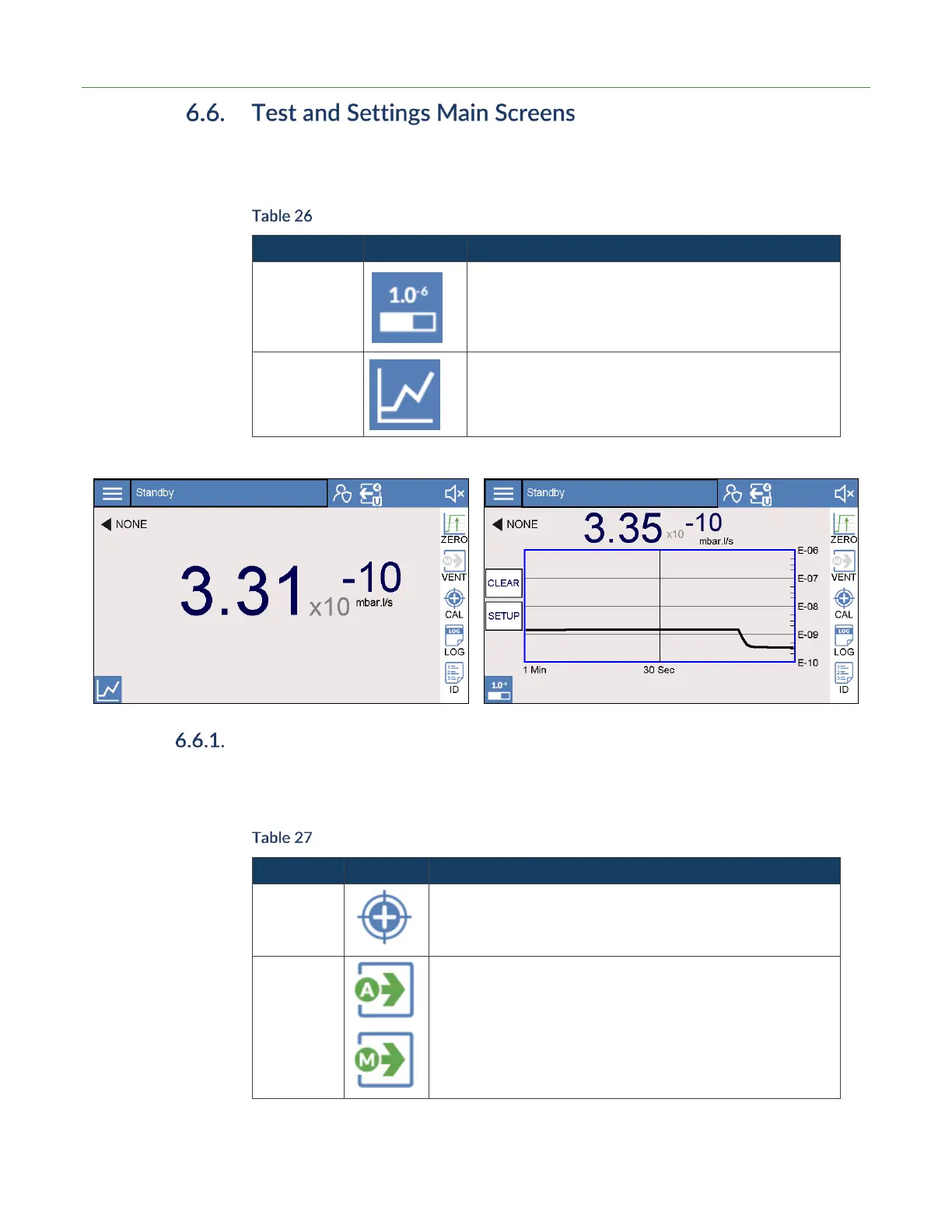
Test Screens The VERSA provides two test screens. The lower-left icon right icon allows the user to
toggle between the two test screens as outlined in the table below.
Test Screen Options
View basic settings with a bar graph.
Large 2D leak rate plot with many options / settings.
Test Screen Quick Access Features
Table 27 outlines five commonly-used test features in the test screens. These features
may be accessed through either the Test screens or Settings menu.
Test Screen Added Functions Summary
Press the Cal icon to perform either calibration or calibration
check process.
Vent options:
• A: Auto Vent mode
• M: Manual vent mode
Icon vent arrows are green when venting is active. Icons are
blue or grey when incactive.



 To Next Page