6 OPERATION
LACO Technologies TITAN VERSA Operations and Maintenance Manual 71
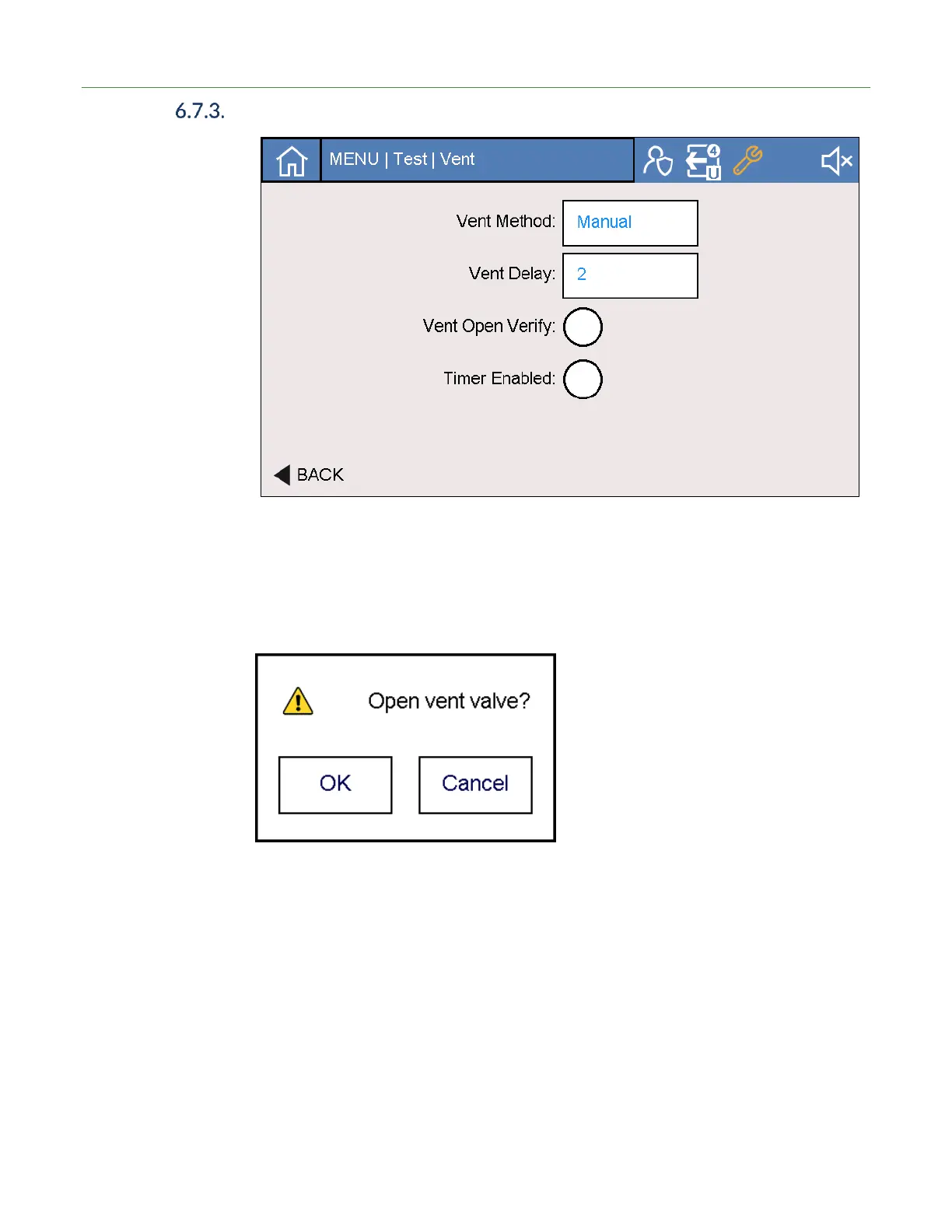
Vent Settings
Method - Manual Vent In Manual Vent mode the system does not automatically vent at the end of the test
cycle. The user must press the vent icon to open the vent valve. The vent valve opens
for the vent delay and timer settings.
Manual Vent Verify If the user desires additional verification of manual vent, select the Manual Vent Verify
option. The screenshot below will appear in this condition.
Method - Auto Vent In Auto Vent mode the system automatically vents the test volume at the end of the
cycle, per the vent settings timers (see Vent Timer below).
Vent Delay Vent Delays of 0, 1, or 2 seconds are allowed after cycle ends before the vent valve
opens. Vent Delays can occur in both Manual and Auto Vent modes.
Vent Timer The vent timer can be enabled or disabled. If disabled, the vent valve stays open until a
further test cycle is started. If enabled, the vent valve stays open per the vent timer and
then closes. The vent timer can be useful for applications where nitrogen venting the of
the test volume will enable low background readings.



 To Next Page