3-10 LeeBoy 8515E Conveyor Paver
Component Location
Electric Heat ControlsElectric Heat Controls
4
5
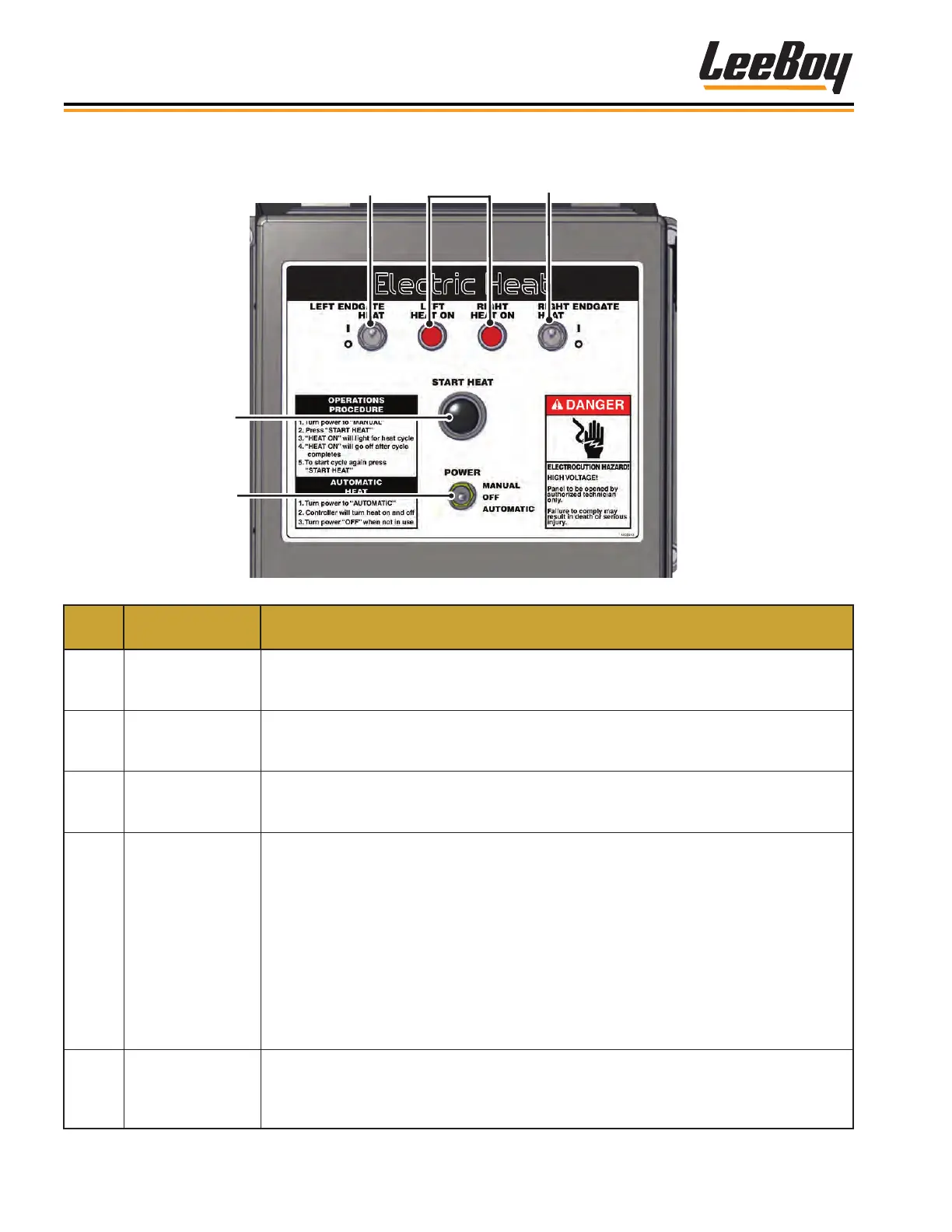
Figure 3-5. Electric Heat Controls
ITEM
NO.
CONTROL
NAME
FUNCTION
1
LEFT End Gate
Heat Switch
(Option)
Push the switch UP to turn on the LEFT end gate heat (if equipped with this option).
2 Heat On Lights
Illuminates and stays on as long as the elements are heating the screed plates.
The left light illuminates when the left screed elements are heating; the right light
illuminates when the right screed elements are heating.
3
RIGHT End Gate
Heat Switch
(Option)
Push the switch UP to turn on the RIGHT end gate heat (if equipped with this option).
4 Start Heat Button
After turning on the power, press the Start Heat button. Once the heating function has
been enabled, the distribution/control box will apply electrical power to the heating
elements and the heating cycle will begin. The heating cycle is timed to optimize the
heat generated at the screed plates.
• While joysticks are in neutral, both sides of the screed are heating.
• When joysticks are out of neutral, the elements automatically cycle every two
minutes from side to side to decrease the load to half.
• If equipped with this option, the heated end gates work independently of the main
screed and do not cycle.
Press the button again to reheat the screed if needed.
5 Power Switch
Turns the electric heat system on and off. Push the switch UP to select MANUAL
screed heat operation (approximately 20 minutes). Push the switch DOWN to select
AUTO screed heat operation (if equipped with the Automatic Temperature Control
option).



 To Next Page