4-24 LeeBoy 8515E Conveyor Paver
Operation
If equipped with the optional sonic auger sensor:
The augers can be controlled
automatically if the optional sonic
sensor system is installed and
active. The sonic auger sensor
detects the amount of material
present and controls its ow to the
end gates, gauging the amount of
paving material in the extensions.
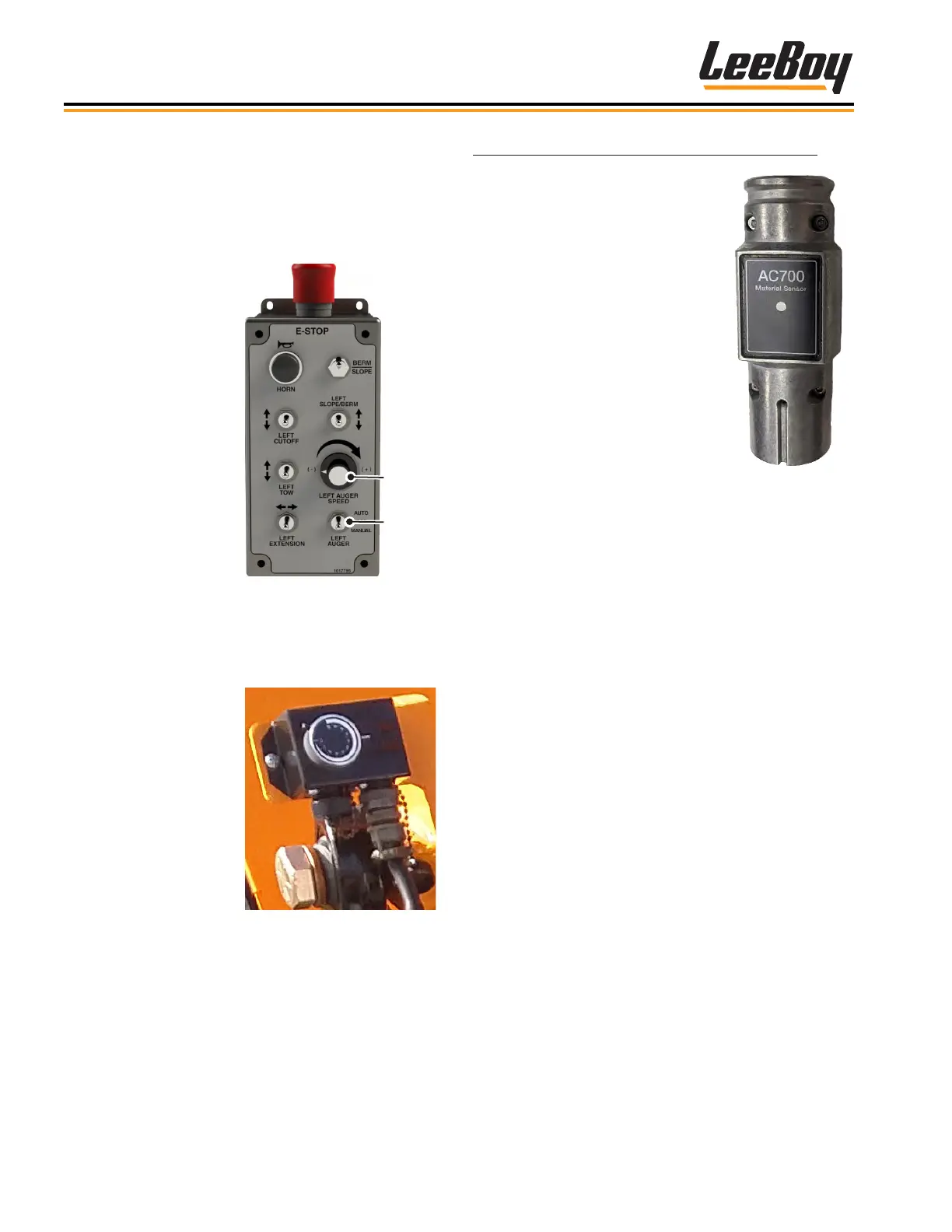
(Figure 4-47) This option includes
an auger dial on each operator
control side for controlling material
height. The sonic auger sensors
are most often used when paving
widths exceeding nine (9) feet.
• Select AUTO or
MANUAL on the
screed control
box for desired
operational mode.
NOTE: The auger
switches
on the main
control panel
must be ON
to operate
the screed
control box or
auger dial.
Auger and Sonic Auger SensorAuger and Sonic Auger Sensor
Right and left augers rotate to move material to the
screed.
• Turn on the augers using the left or right Auger On/Off
switches on the main control panel. (Figure 4-45 on
the previous page)
Auger
Speed
AUTO/
Figure 4-46. Screed
Control Box
Use the corresponding auger dial on each side of the
operator station to adjust the pile height. (Figure 4-46)
• Turn the dial clockwise
to increase the auger
pile height.
• Turn the dial
counterclockwise to
decrease the auger
pile height.
Figure 4-46. Auger Dial
Figure 4-47. Sonic
Auger Sensor
The sonic auger sensor sits in the screed mount(s) on
either side, and connects to black plugs on the paver.
The black connectors are located in front of the levers
while the connector on the right side is located on the
frame near the spray down hose.
1. Plug in the sonic auger sensor to its connector on
the paver. (Figure 4-47)
2. Turn the auger switch ON and the corresponding
screed control auger switch to AUTO. (Figures
4-45 and 4-46)
3. Adjust material height using the auger dial (if
equipped). (Figure 4-35)
4. When the material moves into the sonic range,
the auger(s) will turn on and off automatically as
sensors detect material height.



 To Next Page