44
LeeBoy 8515E Conveyor Paver 4-17
Operation
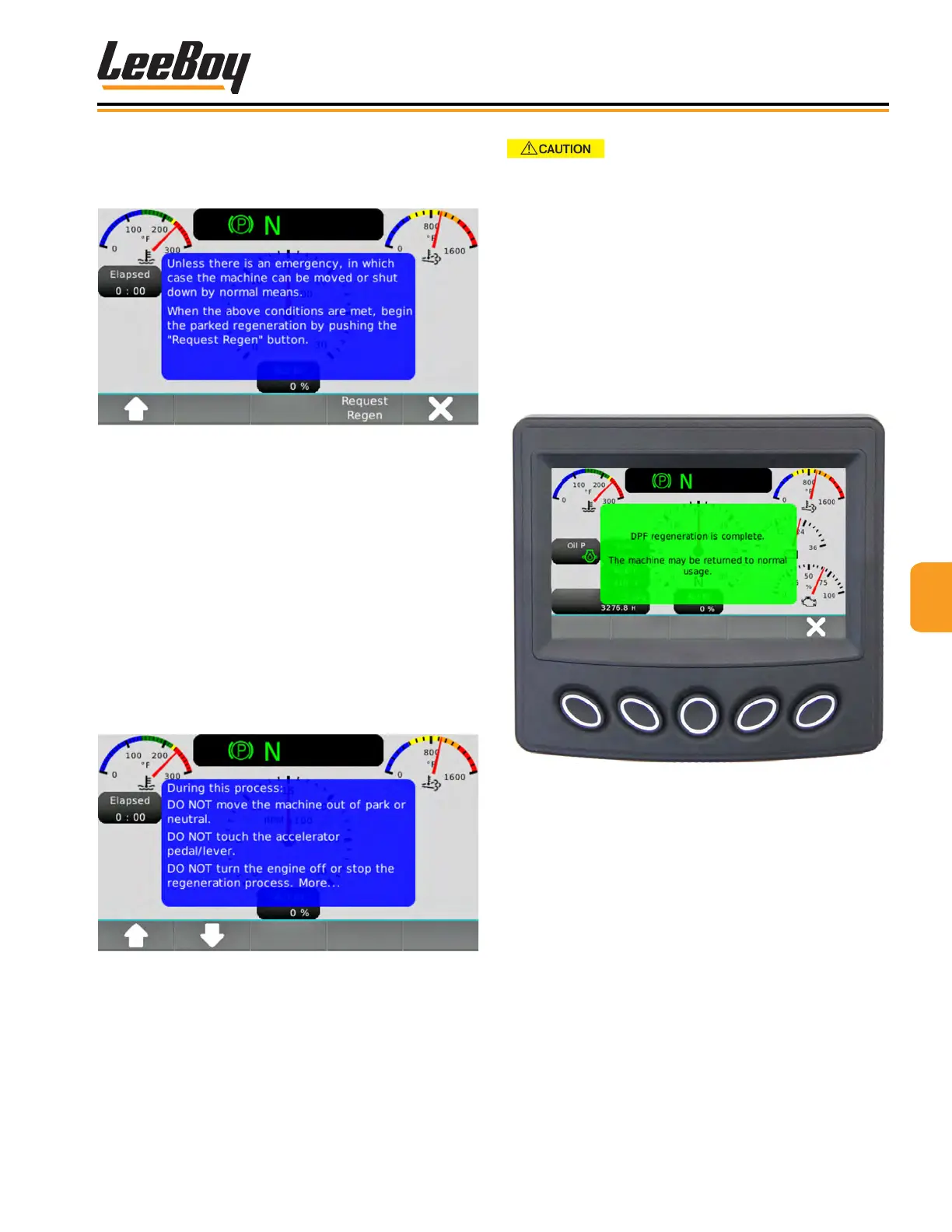
4. Scroll down using the DOWN (V) button to read the
remainder of the message. (Figure 4-34)
5. Press the “Request Regen” soft key.
Figure 4-34. Request Regen Screen
6. It is imperative that the operator follow the instruc-
tions shown on the third regeneration message.
(Figure 4-35) During this process: DO NOT move
machine out of park or neutral. DO NOT touch the
accelerator pedal/lever. DO NOT turn the engine off
or stop the regeneration process.
• The engine speed will increase and there
may be a noticeable sound difference. This is
normal. The Parked Regeneration Occurring
icon will appear (Figure 4-46). The HEST
icon will also illuminate when the exhaust
temperature reaches >842° F (450° C). Both
alerts will stay on during the regeneration
process.
Figure 4-35. Regen Process Screen
DO NOT ATTEMPT TO OPERATE
THE UNIT, CHANGE ENGINE RPM OR MOVE FROM
PARK/NEUTRAL WHILE REGEN IS OCCURRING. This
will abort the Regeneration process and require you
to start the process over.
7. When the parked regeneration process is com-
plete, the engine will automatically return to normal
idle speed. The Parked Regeneration Occurring
message and HEST icon light will turn off, and a
green screen appears notifying you that regenera-
tion is complete. (Figure 4-36)
8. Press the “X” button (#5) to exit and return to the
default (Gauge) screen.
Figure 4-36. Parked Regeneration Complete Popup
Message Screen



 To Next Page